
The benefits of backup your data regularly
In the fast-paced data era, whether for personal or organizational use, data holds immense importance. Unfortunately, data leaks and losses are commonplace. Losing a graduation thesis or securing business information from hacking or accidental deletion are common concerns. Hence, many users actively seek backup software online for various reasons, considering the following benefits:
- Protection from Data Loss: Guarding against accidental deletions or hardware failures.
- Cybersecurity Defense: Recovering from ransomware or malware attacks using clean backup copies.
- Business Continuity: Swift recovery post-disasters, minimizing downtime.
- Version Control: Maintaining multiple file versions for tracking changes.
- Ease of Migration: Seamless data transfer during system upgrades or migrations.
- Cost Savings: More economical and faster data recovery compared to specialized services.
Windows comes with its built-in backup tools that allow you to back up your PC for free. However, these tools have several limitations that might be frustrating:
- It’s easy to overlook or forget about regular backups.
- The scheduling options are limited.
- It lacks encryption or optimization functions.
How to choose a backup software
For a smooth and feature-rich backup experience, searching for a third-party program is advisable. When choosing such a program, consider the following criteria to find the best computer backup solution:
- Resourceful backup options like separate files and folders, disks and partitions, even the whole operating system.
- Flexible backup locations to support various user situations, like cloud service and network share.
- Enable schedule backup modes to help users automatically keep their backup updated.
- Other functions like compressing and encrypting.
By considering these criteria, you can select a third-party backup program that aligns with your specific needs and ensures a more robust and flexible backup solution.
Recommended Free Tools
Shopping ad

- Easily store and access 2TB to content on the go with the Seagate Portable Drive, a USB external hard drive
- Designed to work with Windows or Mac computers, this external hard drive makes backup a snap just drag and drop
- To get set up, connect the portable hard drive to a computer for automatic recognition no software required
- This USB drive provides plug and play simplicity with the included 18 inch USB 3.0 cable
- The available storage capacity may vary.
Recommend: the best free backup software for Windows PC
As we mentioned before, although there are built-in backup and restore utilities like File History and Backup and Restore (Windows 7), reliable backup software can give you more backup freedom and a better user experience. AOMEI Backupper Standard is a case in point. This free backup tool enables you to backup files in several steps and its interface is clear and logical, which is user-friendly even for non-technical users. Here are some features for it:
- Versatile Data Backup: Capable of backing up various data types on your PC, including System Backup, Disk Backup, Partition Backup, Files Backup, Outlook Backup, and Emails Backup.
- Diverse Backup Locations: Supports backup to a variety of locations, including local disks, external drives, USB flash drives, cloud drives, and network locations.
- Flexible Schedule Settings: Offers versatile scheduling options for automatic backups, such as Daily, Weekly, Monthly, Event triggers, and USB plug-in.
- Incremental and differential backup: you can enable this function to backup the changes, so which will save you more storage location and enhance data backup efficiency.
- VSS Technology: Utilizes Volume Shadow Copy Service (VSS) technology during backups, allowing for the backup of even open or in-use files.
- Wide range of OS support: Windows 11, 10, 8.1, 8, 7, Vista, XP.
Stepwise guide: backup your windows with AOMEI Backupper
Here is the step-by-step guide on file backup, before you start, please download this software and install it on your computer:
Shopping ad

- No wall warts: Work freely with its bus-powered USB-C. No wall outlet required.
- Big on space: High-capacity storage to store all your files in one place.
- Reliable backup: Safeguard assignments, projects, or sensitive files with trusted performance.
- Fuss-free, clutter-free: One port, one cord, quick connect.
- Peace-of-mind: Comes with two-year limited warranty and Rescue Data Recovery Services.
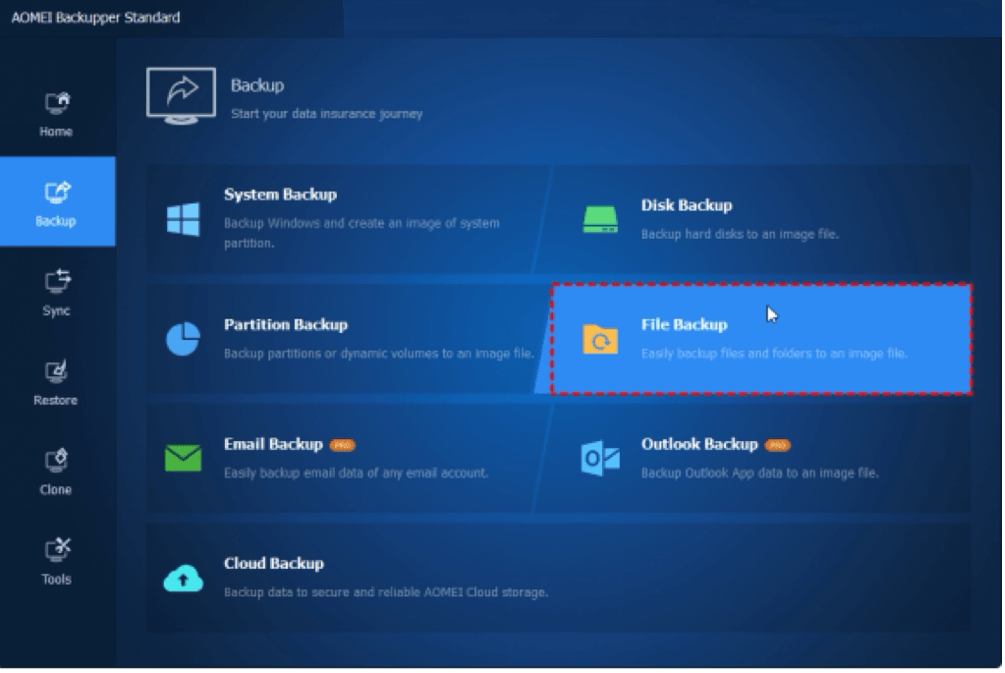
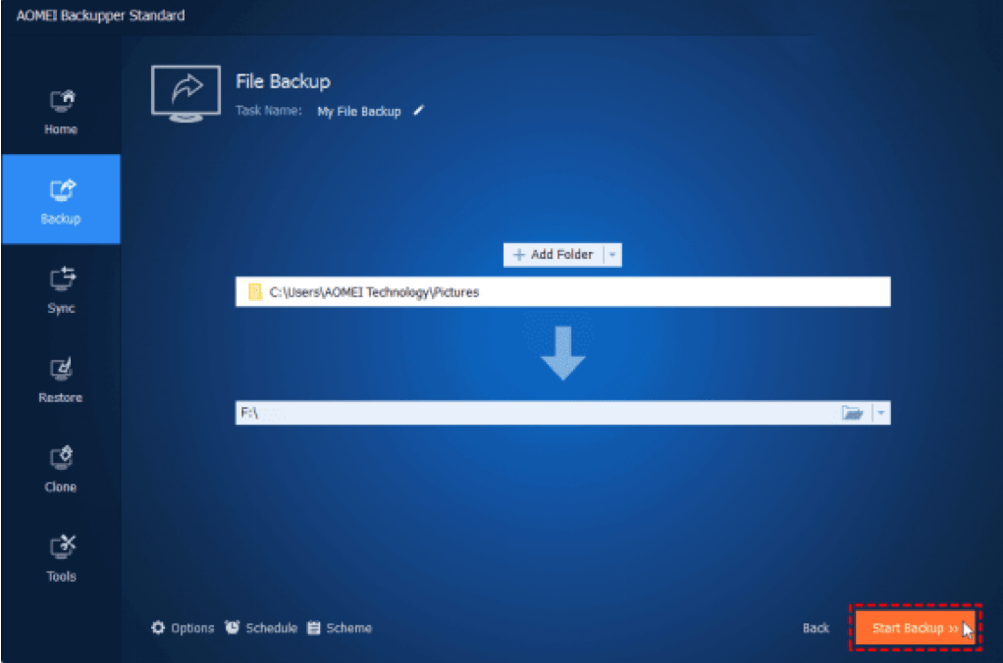
Step 1. Open AOMEI Backupper Standard and navigate to Backup > File Backup.
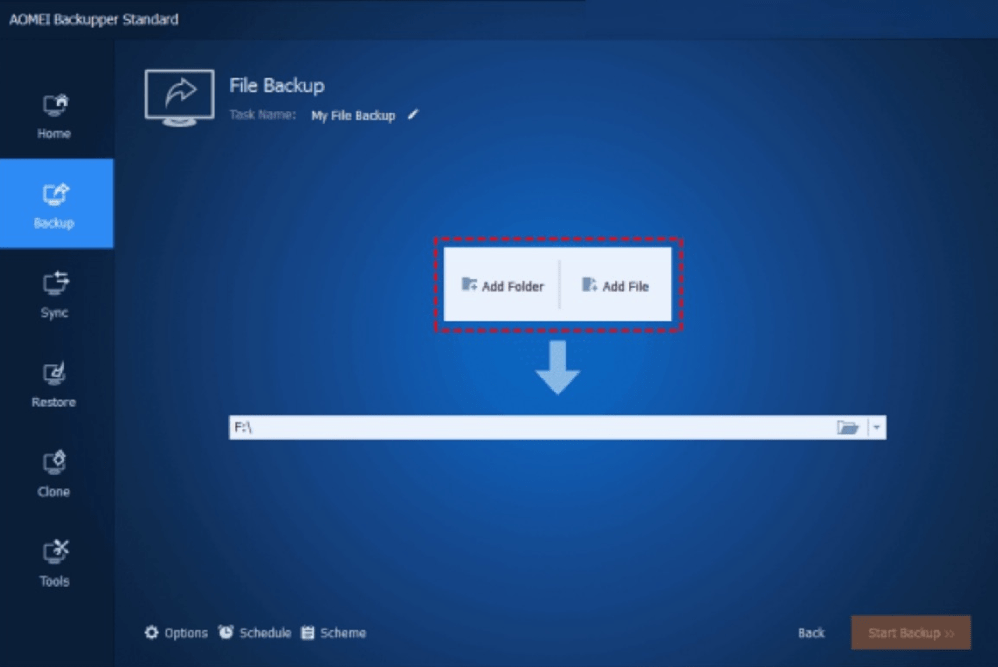
 Step 2. Click Add Folder or Add File to choose the data you need to backup.
Shopping ad
- Easily store and access 1TB to content on the go with the Seagate Portable Drive, a USB external hard drive.Specific uses: Personal
- Designed to work with Windows or Mac computers, this external hard drive makes backup a snap just drag and drop. Reformatting may be required for Mac
- To get set up, connect the portable hard drive to a computer for automatic recognition no software required
- This USB drive provides plug and play simplicity with the included 18 inch USB 3.0 cable
- The available storage capacity may vary.
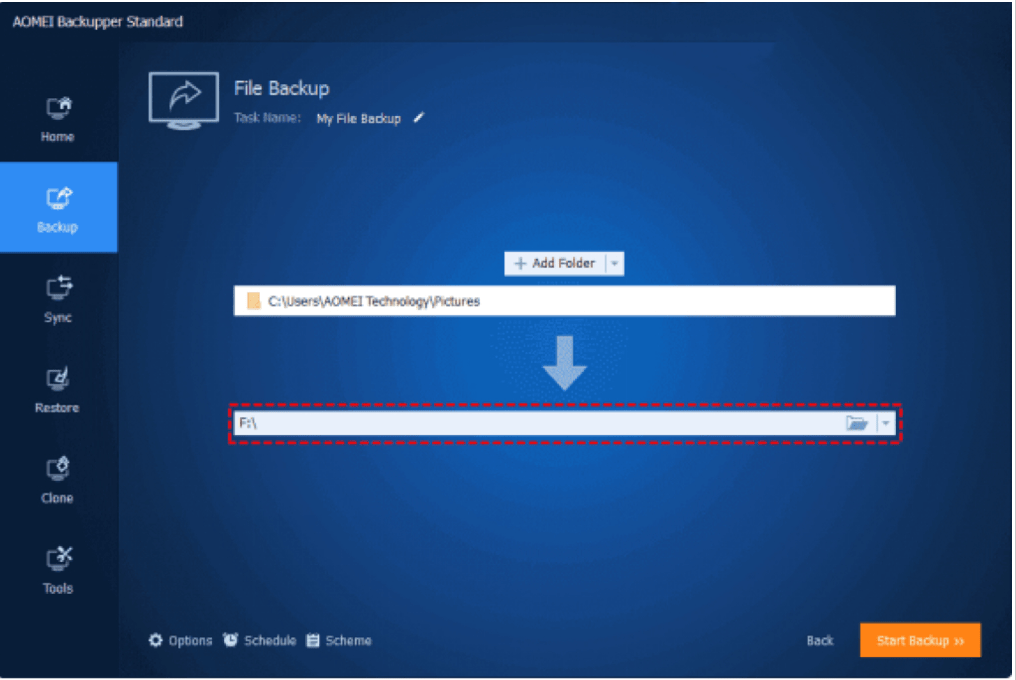
Step 3. Click the second column on the main interface and specify a destination.
Step 4. (Optional) Then choose Schedule Backup at the bottom of the page to set an automatic backup task.
Shopping ad

- Easy-to-use desktop hard drive—simply plug in the power adapter and USB cable
- Fast file transfers with USB 3.0
- Drag-and-drop file saving right out of the box
- Automatic recognition of Windows and Mac computers for simple setup (Reformatting required for use with Time Machine)
- Enjoy peace of mind with the included limited warranty and Rescue Data Recovery Services
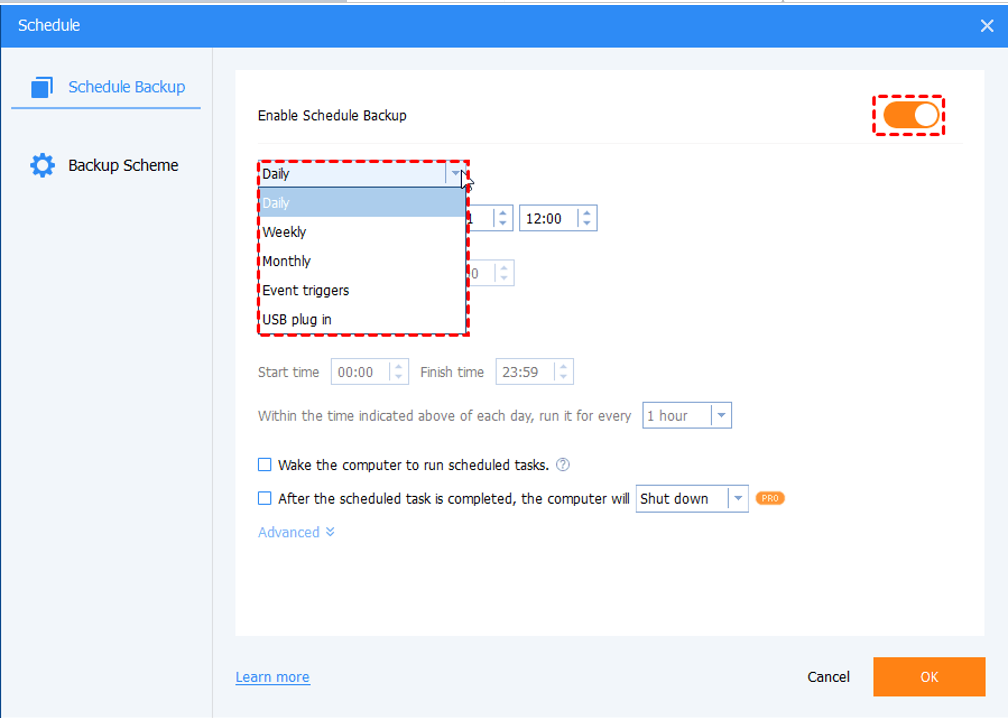
Step 5. Click Start Backup to start the backup.
PC storage drives have a limited lifespan, making it essential to create a backup for data protection. Considering the limitations of the Windows built-in backup utilities, choosing a well-functioning backup software is significant. In this article, we have explored the benefits and standards of backup software while offering one ideal backup and restore software AOMEI Backupper Standard with tutorials.
Additionally, serving as comprehensive hard drive cloning software, this tool enables you to upgrade your hard drive with newer rapid SSDs, or you can create a bootable media if you are afraid of system crashes. Now download this software by yourself and have a try!
The Tool Desk
Outbyte Driver Updater FREEFix the driver behind crashes, sound loss and screen glitchesFind Drivers →Outbyte PC Repair FREERepair Windows errors before they cause bigger problemsFix Now →Quick Recap
Shopping ad

- High capacity in a small enclosure – The small, lightweight design offers up to 6TB* capacity, making WD Elements portable hard drives the ideal companion for consumers on the go.
- Plug-and-play expandability
- Vast capacities up to 6TB[1] to store your photos, videos, music, important documents and more
- SuperSpeed USB 3.2 Gen 1 (5Gbps)

