Documents & Writing·Standings
Contract Analysis Software in 2026
Contract analysis software helps review agreements by extracting clauses, flagging risks and comparing terms; the choice depends on the review features you need and how the tool connects to your workflow.
The board’s signal score is out of 10. Its marks show whether a tool has a public API, open-source code or a free tier; compare those with file support, deployment options and price.
- 23 platforms
- 4 with a public API on this page
- 7 with a free tier
- Checked 23 Sept 2026
- 1 CClauseShiftclauseshift.com
Contract analysis links plain-English risk findings to exact clauses and scores risk.
- 2 PPactSagepactsage.com
Contract analysis extracts clauses, cites source lines, and tracks dates and obligations.
- 3 C
 ClearTermclearterm.app
ClearTerm analyzes English freelance MSAs and services agreements from the contractor’s perspective.
- 4 DADraft Allydraftally.com
AI contract review flags clauses across 34 risk categories and suggests negotiation wording.
- 5 C
 ClauseShieldclauseshield.app
Contract analysis scores risks and suggests plain-English explanations and redlines.
- 6 G
 Gavelgavel.io
A contract tool for reviewing, editing, and drafting in Microsoft Word or online.
- 7 RARobin AIrobinai.com
Legal AI handles contract review and lets users verify answers in source documents.
- 8 PPactlypactly.com
Contract analysis software available for web, macOS, and Windows.
- 9 T
 ThoughtRiverthoughtriver.com
A contract tool that checks provisions against set criteria and marks what meets them.
- 10 D
 DocJurisdocjuris.com
A contract tool that prepares first-pass edits and screening reports while keeping Word formatting.
- 11 B
 BlackBoilerblackboiler.com
Contract software applies playbooks and prior edits to suggest Word changes and comments.
- 12 C
 ContractKencontractken.com
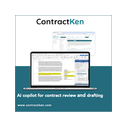
A Microsoft Word sidekick reviews, explains, and redlines contract language.
- 13 LLegalSifterlegalsifter.com
A contract tool that suggests edits and explains each change in plain English.
- 14 CCCaseClerk Conflict Checkcaseclerk.ai
Search matter documents for parties and verify answers by document and page.
- 15 L
 Lexis+lexisnexis.com
Lexis+ combines legal content and technology in a platform for legal research and professional workflows.
- 16 RRefoliarefolia.com
Contract analysis scores clauses and creates rewrites and negotiation emails.
- 17 S
 Spellbookspellbook.com
AI reviews contracts, suggests Word redlines, and drafts clauses and agreements.
- 18 TTirolexicallabs.com
Tiro uses deep learning and logic-based AI to review, risk-score and help negotiate contracts, with a focus on inbound contracts.
- 19 L
 Luminanceluminance.com
Web software that turns contracts into business insights to help teams understand risk and make decisions.
- 20 L
 LegalOnlegalontech.com
A legal work platform that checks agreements and suggests edits based on set guidelines.
- 21 E
 eBreviaebrevia.com
Contract tools extract terms, compare clauses, flag risks, and draft Word redlines.
- 22 LLawGeexlawgeex.com
A contract tool that checks company rules and returns suggested edits in Microsoft Word.
- 23 LLegiswaywolterskluwer.com
Cloud-based legal software with collaborative redlining, negotiation, and approval workflows.
Places #1, #2, #3, #4, #5 on this board are open to sponsors. Take #1 · Other ways to advertise
How to choose
Which contract review tasks does it support?
Start with the work you need the software to do. The comparison covers clause extraction, risk identification and term comparison.
Check that the features match your review process rather than assuming every tool handles the same tasks.
Which file formats and scans can it handle?
Compare supported file formats and OCR support. OCR means turning text in a scanned document into text a computer can read.
These details matter when agreements arrive in different formats or as scans.
How can it connect to my workflow?
Check the listed platforms and deployment options against the systems and devices you use. The category includes web, API, browser extension, Windows, Android and macOS options.
A public API can matter if you need software to connect with another system. For example, eBrevia lists API, self-hosted and web platforms.
Can I try it before paying, and what does it cost?
Compare free plans, free trials and paid starting prices; these are different ways to evaluate or access a tool. Pricing may also be available only on request.
Draft Ally and PactSage list free plans, while BlackBoiler lists a seven-day trial. Check the current terms for the tool you are considering.
Questions
What does contract analysis software do?
It helps review contracts through functions such as clause extraction, risk identification and term comparison.
How do I compare contract analysis software?
Compare review features, supported file formats, OCR support, deployment options, platforms, pricing and whether a free plan or trial is available.
Does contract analysis software support scanned documents?
OCR support is one of the comparison fields. Check the individual tool’s listing to see whether it offers OCR.
Can contract analysis software connect to other systems?
Some tools list a public API, which can support connections to other systems. The board also compares platforms and deployment options.
Is there free contract analysis software?
Some listings show a free plan, and some show a free trial. A free plan and a time-limited trial are not the same.
Does contract analysis software run on my device?
The board compares web, API, extension, Windows, Android and macOS availability. Check the tool’s platforms against your device and workflow.
Some top positions on this board can be paid placements, standing where they were sold. The facts on each platform are not for sale. How we rank · Disclosure