
Accelo: Project, Staffing and Billing Software
accelo.com · checked 15 Nov 2026
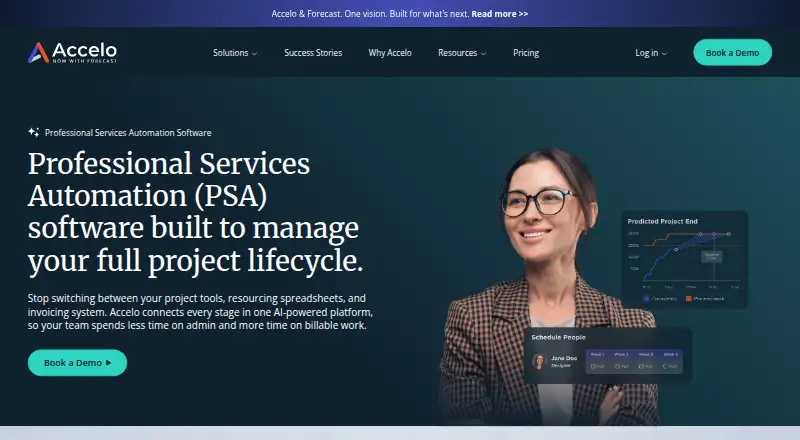
Accelo brings sales, project delivery, resourcing, time, and billing for professional services firms into a cloud platform.
How it plugs in
Signal on Engineering Accounting5.5#3 of 13
Accelo brings sales, project work, staffing, time tracking, and financial management into one cloud platform. It includes project planning, recurring retainer management, client and sales records, automated ticket actions, and reports on utilization and profitability. It connects with business and accounting tools, and offers APIs for custom connections. Plans require a quote, and Accelo does not list a free tier or trial.
Review
In a line
Accelo is cloud software for professional services firms to manage work from sales through project delivery and billing.
What it does
Teams can plan projects with tasks, milestones, templates, and Gantt charts, then assign work and track time, budgets, expenses, and profitability. Accelo also handles quotes, invoices, payments, and recurring retainer work.
Its sales tools track opportunities and client details. Ticket rules can send reminders or change priority and status, and the platform provides reports on staffing use, project finances, and profitability.
How it connects
The listed connections cover Google Workspace, Microsoft 365, HubSpot, Salesforce, Jira, QuickBooks, Xero, Expensify, Stripe, and PayPal. RESTful and Forms APIs are available for bespoke links, while Accelo also names ChatGPT, Claude, Copilot Studio, and Gemini connections.
Web access is accompanied by Android and iOS apps. Accelo presents the service as cloud-based, and its documentation does not describe a self-hosted option. Data hosting regions include the United States, European Union, and Australia.
Good fit
Accelo targets professional services organizations such as agencies, consulting, accounting, engineering, architecture, and IT and software firms. It could work for teams seeking project delivery, resourcing, client records, time, and billing together.
Professional services automation software is a useful category to compare if you are evaluating this kind of platform.
Watch for
A quote is required for pricing, and Accelo lists neither a free plan nor a free trial. People considering a trial are directed to speak with an expert and request a tailored demo, but the signup page gives no trial duration.
Prospective subscribers can receive the confidential SOC 2 Type 2 report after both parties execute a mutual non-disclosure agreement. Check that the listed integrations, plan features, and hosting region meet your needs before choosing a plan.
Pricing
Accelo does not publish plan rates; its quote reflects team size and growth goals.
Professional covers project and sales management, quotes, time records, invoices, payments, and financial dashboards. Business adds retainer management, ticket handling, and related tools; Advanced focuses on reporting, workflows, automations, and scheduling. Implementation guidance and onboarding support are listed with Accelo and Custom quote. Accelo does not list a free plan or trial.
Verdict
Consider Accelo if your professional services team wants one cloud system for project work, staffing, client sales records, time, and billing, and its integrations match your existing tools. Its reporting, retainer handling, and ticket automation may also fit teams that need those jobs in the same platform.
Skip it if you need a published price, a free plan, or a free trial before committing. Ask Accelo for a quote and confirm which features come with the plan you are considering.
Our take
Accelo is worth considering for professional services teams that want sales, project delivery, staffing, time tracking, and financial work together. Its connections to common office, sales, accounting, and payment tools may help it fit into an existing setup, while APIs allow custom connections. The main buying hurdle is that every listed plan requires a quote, with no free plan or free trial. Get a tailored demo and confirm plan details, integrations, and data region before deciding.
- Combines sales, projects, resourcing, time, and billing.
- Tracks budgets, profitability, expenses, invoices, and payment status.
- Names connections for Google Workspace, Microsoft 365, Salesforce, and accounting tools.
- Provides RESTful and Forms APIs for bespoke integrations.
- Includes reporting on utilization and profitability.
- Plan prices are available only by request.
- There is no free plan or free trial.
- Documentation describes a cloud deployment, not a self-hosted option.
- Access to the SOC 2 Type 2 report requires a mutual non-disclosure agreement.
- Pick it ifProfessional services firms managing projects and billing; Teams that need utilization and profitability reporting
- Skip it ifYou need public plan prices or a free plan before evaluating software.; You require a self-hosted installation.
Pricing
Every listed plan uses quote-based pricing tied to team size and growth goals. Accelo does not list a free plan or free trial. Request a quote to compare plan features and implementation support.
- AcceloCustom quote; pricing is based on team size and growth goals. · Access to full platform · Implementation guidance · Onboarding supportOn request
- AdvancedThree advanced reporting users · advanced custom workflows · advanced triggers and automations · smart scheduling and utilization · adaptive project scheduling · client asset managementOn request
- BusinessClient retainer management · unlimited client portal users · time approvals for billing · expenses and materials · shared request inbox · ticket managementOn request
- Custom quoteTeam-size and growth-based pricing · implementation guidance · onboarding support · full platform accessOn request
- ProfessionalProject management · sales management · quote management · time logs, timers and timesheets · client invoices and payments · financial insight dashboardsOn request
As accelo.com lists them, checked 30 Sept 2026.
Questions
Does Accelo have a free plan or trial?
Accelo lists no free plan or free trial. Its signup page directs interested users to an expert and a tailored demo, without specifying how long a trial would last.
What does Accelo help a team manage?
It brings sales, project planning, staffing, time tracking, billing, and financial reporting together in the cloud.
What software does Accelo integrate with?
Named integrations include Google Workspace, Microsoft 365, HubSpot, Salesforce, Jira, QuickBooks, Xero, Expensify, Stripe, and PayPal.
Can Accelo connect to custom systems?
Yes. RESTful and Forms APIs support custom integrations.
How much does Accelo cost?
Accelo provides prices by quote, with amounts tied to team size and growth goals; no free plan is listed.
Where can Accelo host data?
Primary regions listed by Accelo are the United States, European Union, and Australia. Backup regions vary with the selected region.
Near it
All alternatives →- BC
 BQE CORE#2 on this board
- DV
 Deltek Vantagepoint#4 on this board
- P
 Projectworks#1 on this board
- UEUnanet ERP AE#5 on this board
- DC
 Deltek Costpoint#6 on this board
- FFintra#7 on this board
- MMonograph#8 on this board
- SI
 Sage Intacct Planning#9 on this board
- SISage Intacct API#10 on this board
- BEBST11 ERP#11 on this board