
Appointment Scheduling Software
Acuity Scheduling: Online Booking and Calendar Software
acuityscheduling.com · checked 28 Sept 2026
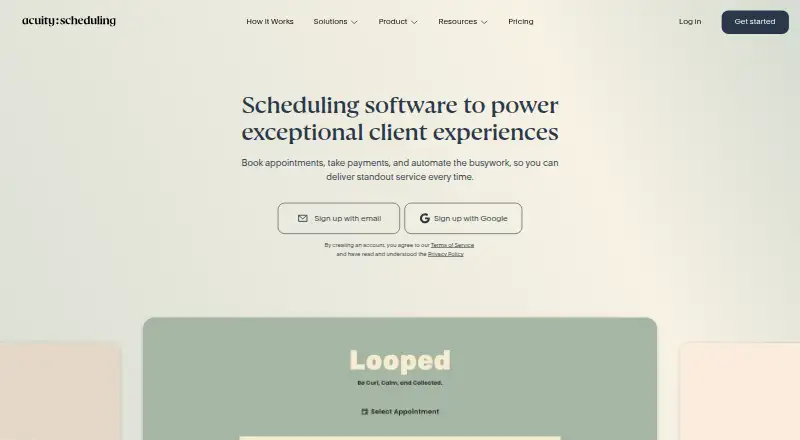
Acuity Scheduling lets businesses offer online bookings, manage calendars, collect payments, and automate appointment tasks.
How it plugs in
Signal on Appointment Scheduling Software6.9#9 of 138
Acuity Scheduling is paid booking software for appointments, classes, workshops, and group events. Customers can book, change, or cancel online. Businesses get booking pages, calendar sync, reminders, payment collection, client records, and integrations with calendars, payment services, video tools, and automation services. It runs on the web, iOS, Android, and through an API.
Review
In a line
Acuity Scheduling is online scheduling software for businesses that take appointments, classes, workshops, or group events. Customers can book, reschedule, or cancel through a booking page.
What it does
You can create branded booking pages, add Acuity to an existing website, or share a custom link or QR code. Services can be one-to-one appointments, classes, workshops, and events.
Clients can pay through Stripe, Square, PayPal, or Venmo. Automatic reminders, waitlists, packages, memberships, gift certificates, and two-way calendar syncing support day-to-day scheduling.
Client profiles can hold intake forms, appointment history, packages, subscriptions, and gift-certificate history. Staff receive automatic notices when appointments are booked, changed, or canceled.
How it connects
Acuity syncs calendars both ways with Google Calendar, Outlook, and iCloud. It connects with Stripe, Square, PayPal, Venmo, Zoom, Google Hangouts Meet, GoToMeeting, FreshBooks, QuickBooks, Google Analytics, Zoho CRM, ClassPass, and Zapier.
The Zapier connection can automate booking tasks, while Mailchimp, Constant Contact, and other email tools can receive client data. Acuity also offers an embeddable scheduler, scheduling API, OAuth2, webhooks, and custom sidebar integrations.
The admin app runs on iOS and Android, and the service is also available on the web and through its API.
Good fit
Acuity suits solo operators, side businesses, small and growing companies, and larger teams with more involved scheduling needs. Plans support one calendar, up to six calendars, or up to 36 calendars.
It fits businesses that need customer self-booking, group sessions, payment collection, reminders, multiple locations, or staff scheduling. For broader comparisons, see appointment scheduling software.
Watch for
There is no free plan. Every plan allows unlimited services and appointments, but calendar capacity depends on the plan. Phone support is not offered; live chat is available in English on weekdays, and email support covers several languages.
Premium offers HIPAA support only with a signed Business Associate Agreement. Prices exclude applicable taxes, although there are no setup, cancellation, or support fees.
Check whether your team needs the Premium calendar limit, custom API and CSS, multiple staff and location time zones, or its HIPAA option before choosing a plan.
Pricing
Acuity is paid software. Annual pricing starts at $16/mo (annual), and annual billing saves 20%. Monthly plans are Starter at $20 a month, Standard at $34 a month, and Premium at $61 a month.
Starter includes 1 calendar. Standard includes up to 6 calendars. Premium includes up to 36 calendars. All plans include unlimited services and appointments.
Each plan has a 7-day free trial with no credit card required. Taxes are extra; there are no setup, cancellation, or support fees.
Verdict
Choose Acuity if you need customers to book themselves while your team handles calendars, payments, reminders, and client details in one service. Its calendar, payment, video, accounting, and automation connections cover common scheduling workflows.
It is less suitable if you require a permanent free tier, phone help, or more calendars than your selected plan allows. Teams handling protected health information should budget for Premium and a signed BAA.
Our take
Acuity Scheduling is a sensible choice for businesses that want online appointment booking tied to payments, calendars, reminders, and client records. The 7-day trial lets you check the workflow without entering a card, while annual billing lowers the listed monthly starting cost. Review calendar limits carefully if you have several staff or locations. Businesses that need HIPAA support must use Premium with a signed agreement. Those seeking a free product or phone-based support should look elsewhere.
- Online booking pages with customer rescheduling and cancellations
- Two-way sync with Google Calendar, Outlook, and iCloud
- Payments through Stripe, Square, PayPal, and Venmo
- API, webhooks, OAuth2, and embeddable scheduler
- 7-day trial with no credit card required
- No free plan is available
- Phone support is not offered
- Calendar limits vary by plan
- Prices exclude applicable taxes
- HIPAA support requires Premium and a signed BAA
- Pick it ifBusinesses taking appointments, classes, or group events; Teams needing calendars, payments, reminders, and client records; Users who need API or automation connections
- Skip it ifYou need a permanent free scheduling plan; You require phone support; You need more calendars than the chosen plan allows
Pricing
Monthly prices are $20 Starter, $34 Standard and $61 Premium. A 7-day trial is available without a card; taxes are extra.
- Startermonthly · 1 calendar · unlimited services and appointments · email reminders · custom client forms · automatic time zone conversion$20/mo
- Standardmonthly · up to 6 calendars · text reminders · appointment waitlist · packages, memberships, and gift certificates$34/mo
- Premiummonthly · up to 36 calendars · AI Booking Assistant · HIPAA BAA · multiple staff/location time zones · custom API and CSS$61/mo
- Free trialOn request
As acuityscheduling.com lists them, checked 28 Sept 2026.
Questions
Does Acuity Scheduling have a free plan?
No. Acuity has paid plans only, but every plan includes a 7-day trial without requiring a credit card.
What calendars can Acuity sync?
Acuity offers two-way calendar sync with Google Calendar, Outlook, and iCloud.
Can customers pay when booking?
Yes. Clients can pay through Stripe, Square, PayPal, or Venmo, including deposits and tips.
Does Acuity support group bookings?
Yes. It supports classes, workshops, events, and other group scheduling, along with one-to-one appointments.
Is there an Acuity mobile app?
Yes. The Acuity Scheduling Admin app is available for iOS and Android for managing calendars, appointments, clients, invoices, and payments.
Does Acuity offer HIPAA support?
Premium supports HIPAA compliance when you use a signed Business Associate Agreement.
Can developers connect their own systems?
Yes. Acuity provides an embeddable scheduler, scheduling API, OAuth2, webhooks, and custom sidebar integrations.