
AI Diagram Maker: Features, Integrations, and Pricing
aidiagrammaker.com · checked 15 Oct 2026
AI Diagram Maker turns text, files, and code into editable software and process diagrams.
How it plugs in
Signal on AI Diagram Generators6.3#4 of 32
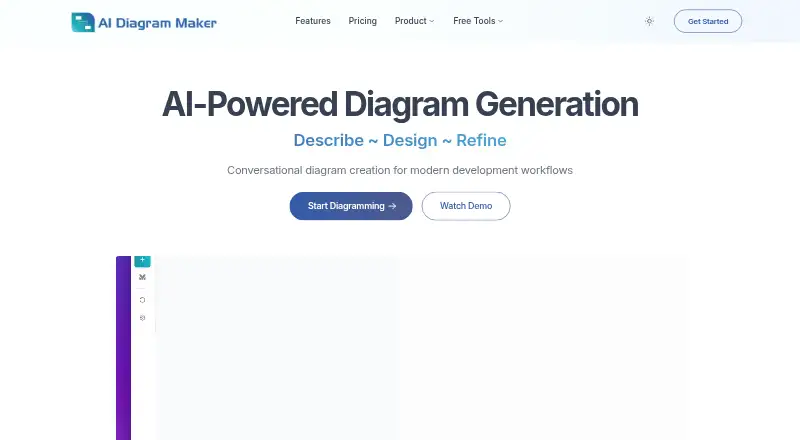
AI Diagram Maker creates architecture, flow, and other technical diagrams from plain-language requests, files, notes, and GitHub repositories. You can refine results by chatting or editing D2 code, then export PNG, SVG, diagram code, or Draw.io XML. It runs in a browser and connects to several AI tools through an MCP server.
Review
In a line
AI Diagram Maker is a browser-based service for turning descriptions, source material, and code into editable software architecture and workflow diagrams.
What it does
Describe a diagram in everyday language and the service generates D2 diagram code and a visual layout. You can ask for changes in the chat or edit the D2 code directly.
It accepts images, documents, notes, code, JSON, YAML, ASCII diagrams, Mermaid, and GitHub repositories. Supported diagram types include flowcharts, sequence diagrams, entity-relationship diagrams, system architecture diagrams, and UML diagrams.
The service automatically places, aligns, and styles diagram elements. Toolbar options include themes, light or dark mode, layout direction, containers, and icons. Exports can be PNG, SVG, diagram code, or Draw.io XML.
How it connects
AI Diagram Maker runs on the web and is also offered as an extension and API-based service. Its MCP server is a connector for Cursor, Claude Desktop, Claude Code, VS Code, ChatGPT, and other compatible clients. You use an account API key, which can be created, disabled, restored, or deleted.
Code to Diagram can read public GitHub repositories without sign-in. Private repositories require GitHub authentication, and access can be limited to selected repositories. The guide says access tokens are not stored.
You can import diagrams and use Mermaid. The product also provides a code view for D2, plus exports for images, code, and Draw.io XML. See other AI diagram generators.
Good fit
This suits developers who need architecture or workflow visuals during development work. It is useful when source material already exists as text, files, diagrams, code, or a GitHub repository.
Conversational editing can help when you want to describe changes instead of moving every shape by hand. Model selection lets you trade off output quality, speed, and credit use before generating.
Watch for
AI output is not guaranteed to be accurate or error-free, so review diagrams before sharing them. The service also says operation is provided as available, without a promise of uninterrupted access.
The service stores account details, workspaces, diagrams, revisions, conversation prompts and responses, and credit history. Its policy allows sharing with service providers, during business transfers, when legally required, or with consent. It says reasonable safeguards are used but absolute security cannot be guaranteed.
Credits equal 1,000 tokens each and reset on your billing-cycle date. If you use them all, you currently must wait for the reset. Basic has no revision history; Plus keeps 30 days and Max 90 days.
Pricing
Basic is free forever. It includes AI generation and editing, PNG/SVG/code export, document and GitHub code input, and 50 AI credits each month, with no revision history.
Plus costs $10 /month and includes Basic features, 250 AI credits per month, 30-day revision history, and priority support. Max costs $20 /month and includes Basic features, 500 AI credits per month, 90-day revision history, and priority support.
Support is available through the Discord community; Plus and Max add priority support.
Verdict
Choose AI Diagram Maker if you want to create technical diagrams from conversation, existing files, or repository code and need exports or connections to AI coding tools. The free plan is a way to try the workflow, while paid plans add credits, saved revisions, and priority support.
Look elsewhere if your work cannot send diagram or conversation data to this service, if you need guaranteed accuracy or uptime, or if monthly credit resets do not fit your workload.
Our take
AI Diagram Maker is a practical option for developers who want architecture and workflow visuals without drawing every element manually. Its inputs cover common project material, including GitHub code, documents, and existing diagram formats, and its chat-based revisions can shorten editing work. The main trade-offs are monthly credit limits, limited revision history on the free plan, and the need to check AI-generated results. Review the data policy carefully if diagrams or conversations contain sensitive information.
- Creates diagrams from text, files, code, and GitHub repositories.
- Chat and direct D2 editing provide two ways to revise diagrams.
- Exports PNG, SVG, diagram code, and Draw.io XML.
- Connects with Cursor, Claude, VS Code, ChatGPT, and other MCP clients.
- Free Basic plan includes 50 AI credits each month.
- AI output may contain errors and requires review.
- Credits reset monthly; exhausted users must wait for the reset.
- Basic has no revision history.
- The service stores diagrams, conversations, and account data.
- Absolute security and uninterrupted service are not guaranteed.
- Pick it ifDevelopers visualizing software architecture and workflows; Teams using AI coding tools with MCP connections; Projects that need code, image, or GitHub inputs
- Skip it ifYou need guaranteed diagram accuracy or uninterrupted availability.; Your diagrams or conversations cannot be stored by a hosted service.; You regularly exceed monthly credits and cannot wait for resets.
Pricing
A free Basic plan includes 50 AI credits monthly. Plus is $10 /month for 250 credits and 30-day history; Max is $20 /month for 500 credits and 90-day history. Credits reset on the billing-cycle date.
- Basic$0 forever · AI generation and editing · PNG/SVG/code export · document and GitHub code input · 50 AI credits/month · no revision historyFree
- Plus$10 /month · Basic features · 250 AI credits/month · 30-day revision history · priority support$10/mo
- Max$20 /month · Basic features · 500 AI credits/month · 90-day revision history · priority support$20/mo
As aidiagrammaker.com lists them, checked 15 Oct 2026.
Questions
Is AI Diagram Maker free?
Yes. Basic is free forever and includes 50 AI credits per month, AI generation and editing, document and GitHub input, and PNG, SVG, and code export.
What can I use as diagram input?
You can provide natural-language descriptions, images, documents, notes, code, JSON, YAML, ASCII diagrams, Mermaid, and public or private GitHub repositories.
Which diagram types does it support?
Its MCP server supports flowcharts, sequence diagrams, entity-relationship diagrams, system architecture diagrams, and UML diagrams.
Can I connect it to coding assistants?
Yes. The MCP server connects with Cursor, Claude Desktop, Claude Code, VS Code, ChatGPT, and other compatible clients using an account API key.
What happens when credits run out?
Each credit represents 1,000 tokens. Credits reset on the billing-cycle date; users who run out currently must wait for that reset.
How long is revision history kept?
Basic has no revision history. Plus keeps revisions for 30 days, and Max keeps them for 90 days.
What files can I export?
Exports include PNG, SVG, diagram code, and Draw.io XML through the user-guide workflow.