AI Voice Changer Review
github.com · checked 5 Oct 2026
Open-source, real-time AI voice conversion for streaming, calls, games, and content creation.
How it plugs in
Signal on Game Voice Changers5.6#25 of 29
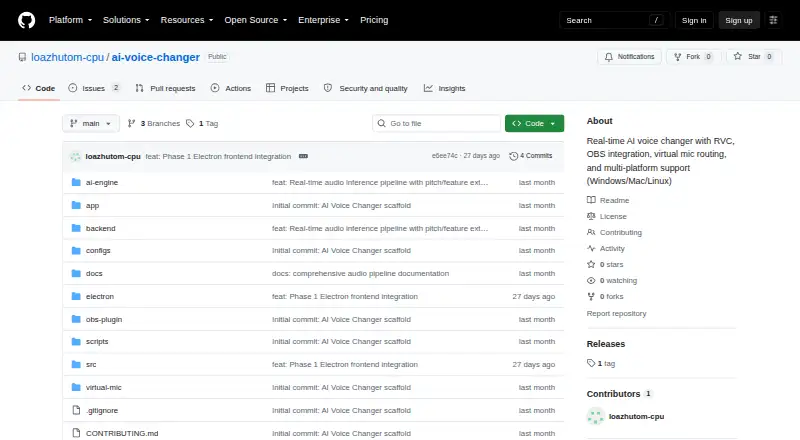
This free, open-source project changes voices during live audio. Installation guidance covers Windows, macOS, and Linux, while the project also lists web and self-hosted deployments. It offers custom voice training, virtual audio routing, a local dashboard, REST and WebSocket controls, and GPU or slower CPU processing.
Review
In a line
This free, open-source application performs live voice conversion. Its stated uses include streaming, gaming, content creation, and online communications.
What it does
Speech passes through SoftVC, ContentVec, or HuBERT feature extraction alongside retrieval-based RVC models and pitch-guided conversion. Users can create and clone custom voices.
Listed processing options include RNNoise or WebRTC VAD noise filtering, pitch correction, formant shifting, equalization, compression, and reverb. At localhost:8000, the dashboard handles model selection, audio parameters, gain monitoring, and presets.
Custom-voice tools support dataset preprocessing, pitch extraction, model training, and feature-index creation. The guide specifies at least 10 minutes of clean, continuous speech.
How it connects
The README describes routing output through virtual audio devices for OBS Studio, Discord, Zoom, Twitch, and other streaming or calling platforms. Windows guidance uses VB-Audio Cable, macOS uses BlackHole, and Linux can use PipeWire or PulseAudio.
Its FastAPI service exposes REST controls and streams audio in real time over WebSockets. Docker and NVIDIA Container Toolkit are listed for GPU-accelerated container deployment.
Installation guidance covers Windows, macOS, and Linux; the project also lists web, API, and self-hosted deployment options. The repository uses the MIT License.
Good fit
This suits people who need live voice conversion for streams, games, recordings, or online communications and want to run an open-source project on their own systems.
It is also a fit for users who need custom voice training, system-wide audio output, or programmatic control through an API.
Watch for
The README recommends a compatible NVIDIA GPU. CPU fallback is available, but it may produce roughly 200 ms of latency. The 35–48 ms end-to-end figure is a target tied to specified hardware.
You must configure virtual audio routing for the operating system and applications you use. Voice training needs clean speech, and datasets longer than two hours without quality checks can add training time without major fidelity gains.
Generated streams include imperceptible acoustic watermarks. The project asks for documented consent before cloning a voice, disclosure of AI synthesis, and no deceptive impersonation, fraud, or harassment.
Pricing
There is no charge to use AI Voice Changer; the repository is open source under the MIT License. The facts list no paid plans or separate free-tier limits.
Verdict
Choose this project if you are comfortable installing software, configuring virtual audio devices, and supplying suitable hardware. It offers live conversion, voice training, local controls, and developer access without a subscription.
Look elsewhere if you need a ready-made service with no setup, or if your computer lacks a suitable GPU and low delay matters.
Our take
AI Voice Changer makes sense for technically confident users who want a no-cost, open-source voice conversion setup they can host themselves. Its custom training tools, system-wide mode, local dashboard, and API cover both personal and automated workflows. Setup is a real part of the product: virtual audio routing, compatible NVIDIA hardware, and consent practices for cloned voices may all be necessary. CPU use remains possible, but the documented delay is much higher. Users seeking a turnkey desktop service should consider a different category of tool.
- Free software distributed under the MIT open-source license
- Live conversion with a 35–48 ms target on specified hardware
- Tools for custom voice training and cloning
- Virtual routing guidance for OBS Studio, Discord, Zoom, Twitch, and other streaming or calling platforms
- REST and WebSocket controls through a FastAPI backend
- CPU fallback may produce roughly 200 ms latency
- Connected applications require virtual audio routing setup
- Low-delay performance depends on compatible NVIDIA hardware
- Training guidance specifies at least 10 minutes of clean speech
- Consent and disclosure rules apply to cloned or synthesized voices
- Pick it ifStreamers and gamers who can configure local audio routing; Users wanting custom voice training and self-hosted control; Developers needing REST or WebSocket access
- Skip it ifYou want a plug-and-play voice changer with no installation work; Your computer lacks suitable GPU hardware and low latency is essential; You cannot obtain consent for a voice you plan to clone
Pricing
The project is free and open source under the MIT License. No paid plans or separate free-tier limits are listed.
Questions
Is AI Voice Changer free?
Yes. It is free software released under the MIT License.
Which systems can run it?
Installation guidance covers Windows, macOS, and Linux, with web, API, and self-hosted options also listed.
Does it work with OBS or Discord?
The README describes virtual audio routing for OBS Studio, Discord, Zoom, Twitch, and other streaming or calling platforms.
Does it have an API?
Yes. FastAPI supplies REST controls and real-time WebSocket streaming.
What hardware does it need?
A compatible NVIDIA GPU is recommended. CPU fallback is available, though latency may be about 200 ms.
Can I train a custom voice?
Yes. The training workflow includes dataset preprocessing, pitch extraction, model training, and feature-index creation; the guide specifies at least 10 minutes of clean speech.
What rules apply to voice cloning?
Users are asked to obtain documented consent, disclose AI voice synthesis, and avoid deceptive impersonation, fraud, or harassment. Generated streams carry acoustic watermarks.
Near it
All alternatives →- IViMic Voice Changer#24 on this board
- MP
 MorphVOX Pro#26 on this board
- WSWooTechy SoundBot#23 on this board
- VVoiceLala#27 on this board
- VVozard#22 on this board
- NONoise-o-matic#28 on this board
- TTuxVoice#21 on this board
- AVAV Voice Changer Software Diamond#29 on this board
- IIceVox#20 on this board
- AR
 Altered Real-Time Pro#19 on this board