Financial Forecasting Software
Aleph FP&A Software Review
getaleph.com · checked 8 Oct 2026
AI-native FP&A software for budgeting, forecasting, scenarios, reporting, and spreadsheet-based planning.
How it plugs in
Signal on Financial Forecasting Software5.9#8 of 75
Aleph provides AI-driven FP&A for tasks such as budgets, forecasts, reporting, workforce plans, and consolidation. More than 150 no-code connectors and API links bring business-system data into the product, while Excel and Google Sheets integrations support two-way transfers. The service works in browsers, macOS, and Windows; pricing is provided on request, and a full-featured trial is offered.
Review
In a line
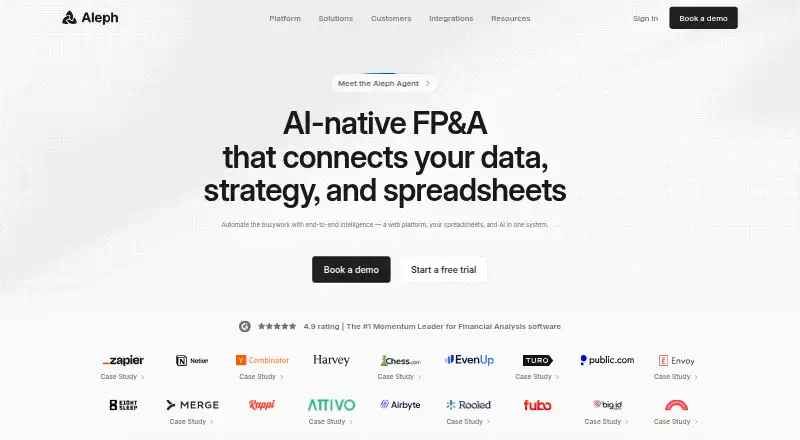
Through its web service and AI features, Aleph brings together data, strategy, and spreadsheets for financial planning and analysis.
What it does
Financial reporting and close, collaborative budgets, modeling and forecasts, headcount plans, and investor or board relations are among Aleph’s supported workflows.
Its planning coverage includes budgets, forecasts, scenarios, variance reviews, workforce plans, consolidation, and comparisons between forecasts and actual results.
Scan examines changes and variances and creates AI-written notes highlighting factors, patterns, and potential root causes.
How it connects
For ERP, HR, CRM, and other systems, Aleph says it provides over 150 no-code connectors. Services exposing an API can also be linked, allowing software to exchange data.
The integration catalog names NetSuite, QuickBooks, Xero, BambooHR, Salesforce, Databricks, BigQuery, Google Sheets, Excel, Stripe, Snowflake, and other services. New connections may be ready in as little as 48 hours.
With the Excel and Google Sheets add-ins, source information can come in and budgets, scenarios, or datasets can go out. They support entire workbooks or chosen cells, scheduled refreshes, and event-based automations across spreadsheets.
Aleph can map fields, merge tables, perform calculations, retain metrics, and use SQL for data work. Google and Microsoft single sign-on are available by default, with SAML and SCIM support also described.
Good fit
Aleph suits teams that need one place for budgeting, forecasts, reporting, workforce plans, consolidation, and scenario work while keeping spreadsheets in the process.
It may fit organizations already using the listed finance, sales, data, or spreadsheet services. See related Financial Forecasting Software and Scenario Planning Software categories.
Watch for
Aleph does not publish subscription rates. It has no free plan, so review the quote and terms before committing.
The service runs through browsers and has macOS and Windows versions. Aleph advertises a free full-access trial and says you can cancel and remove your data at any time.
According to Aleph, data is encrypted both in transit and at rest, hosted on Google Cloud Platform, and covered by SOC 1 Type II and SOC 2 Type II certifications. On-premise hosting is an option. Ask Aleph or your customer success contact for security documents if needed.
Pricing
Aleph sells its software through paid, quote-based plans and does not provide a public rate card. There is no free plan.
A full-access trial is available at no charge, and prospective customers can request a 30-minute demonstration using their own data.
Verdict
Choose Aleph if your planning work spans financial systems and spreadsheets, and you want budgeting, forecasting, scenarios, reporting, and headcount planning together. Its connector catalog, API support, and spreadsheet add-ins can help keep source data and plans connected.
Look elsewhere if you need a published price, a permanent free tier, or a tool outside these planning and spreadsheet workflows. Before signing, check the quoted plan, required integrations, and whether the available deployment and access controls match your organization.
Our take
Aleph is a sensible candidate for finance teams that need budgeting, forecasting, consolidation, workforce planning, and scenario work tied to operational data. Its broad connector list and two-way Excel and Google Sheets support matter when spreadsheets remain part of the process. The main buying constraint is pricing: there is no public rate card or free plan, only a free full-access trial and a quote. Organizations with specific security or hosting requirements should confirm the on-premise option, sign-on setup, and security documentation.
- Covers budgeting, forecasting, scenarios, variance, workforce planning, and consolidation
- Over 150 no-code connectors, along with API connectivity
- Excel and Google Sheets add-ins move data in both directions and refresh on schedules
- Scan uses AI to examine changes and variances
- SOC 1 Type II and SOC 2 Type II certified
- Subscription prices are not published
- There is no free plan
- New integrations may take as little as 48 hours to bring online
- Pick it ifFinance teams combining planning with spreadsheet workflows; Organizations using Aleph's listed business-system connectors; Teams needing budgeting, forecasts, scenarios, and headcount plans
- Skip it ifYou require a permanent free plan; You need published subscription rates before contacting a vendor; Your work does not involve financial planning or spreadsheet-based workflows
Pricing
Aleph is paid software with quote-based pricing and no published rate card. There is no free plan, but a free full-access trial and a 30-minute demo are available.
Questions
Does Aleph have a free plan?
No. Aleph does not include a free plan; instead, it provides a full-access trial and says users can cancel and remove their data at any time.
How much does Aleph cost?
Subscription rates are not posted. Aleph supplies pricing by quote when requested.
What systems connect to Aleph?
The catalog names NetSuite, QuickBooks, Xero, BambooHR, Salesforce, Databricks, BigQuery, Google Sheets, Excel, Stripe, and Snowflake. More than 150 no-code connectors and API links are also supported.
Can Aleph work with Excel and Google Sheets?
Yes. The add-ins import source information and export budgets, scenarios, or datasets, working with complete spreadsheets or selected cells and scheduled refreshes.
What planning tasks does Aleph support?
Supported work includes budgeting, forecasting, scenario modeling, variance analysis, workforce planning, financial consolidation, reporting and close, and forecast-versus-actuals work.
Where can Aleph run?
You can use Aleph on the web, macOS, or Windows.
Does Aleph offer an API?
Yes. Aleph says it can connect to services with an API and may bring new integrations online within 48 hours.
What security features does Aleph list?
Aleph says data is encrypted in transit and at rest, hosted on Google Cloud Platform, and covered by SOC 1 Type II and SOC 2 Type II certifications. On-premise hosting is an option.
Near it
All alternatives →- L
 LivePlan#7 on this board
- P
 Pigment#9 on this board
- X
 XLReporting#6 on this board
- IE
 Intuit Enterprise Suite for Nonprofits#10 on this board
- SA
 Syft Analytics#5 on this board
- PPlanGuru#11 on this board
- O
 OnePlan#4 on this board
- B
 Brixx#12 on this board
- IP
 IBM Planning Analytics#3 on this board
- CCalxa#13 on this board