
Alloy: App Prototyping, Testing, and Pricing
alloy.app · checked 28 Sept 2026
A browser extension for running apps, building interactive prototypes, testing with users, and sharing changes.
How it plugs in
Signal on AI Screenshot-to-Code Tools6.1#9 of 24
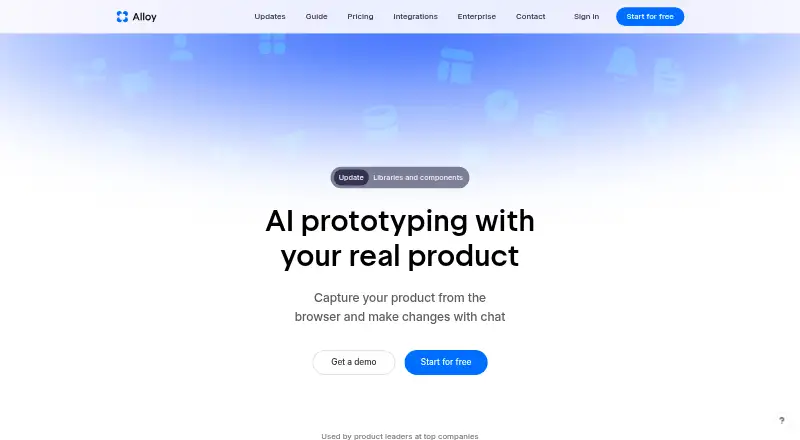
Alloy runs a connected app in the cloud through a browser extension. Teams can capture pages, preview code changes, build interactive prototypes, test with users, and work together. The platform links to over 20 services, such as Linear, Jira, Slack, and Intercom. Pro is $20 per user each month, alongside a free plan.
Review
In a line
Teams use Alloy's browser extension to launch an app from either a linked codebase or captured pages. Sessions run in the cloud, where users can preview changes in a browser.
What it does
A linked codebase lets Alloy launch the full app while displaying edits as they happen in the browser. Users can make interactive prototypes, test them with users, and share the results.
Teams can collaborate on sessions and roll approved changes out to customers through a pull request workflow.
How it connects
The extension can capture pages without setup, or connect to a codebase with admin permission. Plan details say the codebase link takes roughly 15 minutes.
For ideas, insights, and customer requests, Alloy provides over 20 integrations. Sessions may be exported, opened through MCP, or turned into a GitHub pull request.
Enterprise adds API access, SAML and SCIM sign-in tools, custom terms, and an account manager.
Good fit
Product teams can use Alloy to turn an existing app into prototypes, collect user feedback, and coordinate updates with colleagues. It also targets product leaders and teams seeking a browser preview before releasing changes.
Watch for
A codebase connection needs admin permissions and roughly 15 minutes to set up. The browser extension itself needs no setup.
Check those terms before committing.
Pricing
The Free plan costs nothing and supports unlimited users. It provides $5 in monthly credits per user, unlimited sessions and viewers, 30+ integrations, and 20 prototypes. Standard support is included.
Pro costs $20 a month per user when billed monthly. It includes Free features, $20 credits per user per month, workspace credit top-ups, code export, early access, and priority support.
Enterprise is price on request. It adds custom pricing, API access, an account manager, custom terms, SAML and SCIM, and 24/7 support.
Verdict
Choose Alloy if your team wants to work from a real codebase, test interactive changes in a browser, and move approved work toward a GitHub pull request. The free plan gives teams a way to start with shared sessions and integrations.
Look elsewhere if you need a clearly stated trial, refund terms, or a fixed enterprise price. Teams without admin access to a codebase may also face extra setup work.
Our take
Alloy is a practical fit for teams that already have an app and want one place to preview changes, collect user feedback, and coordinate delivery. Its free plan covers unlimited users and basic credits, while Pro adds larger credits and export tools. Enterprise buyers get API access and extra account controls, but must request a custom quote. Before choosing it, confirm that your team can grant the required permissions and that the unstated trial and refund terms meet your needs.
- A connected app can run with live browser previews of its changes
- Interactive prototypes, user testing, and team collaboration
- Free plan with unlimited users, sessions, and viewers
- Over 20 integrations, with Linear and Slack among the examples
- Sessions may be turned into GitHub pull requests
- Codebase connection needs admin permissions and setup time
- Enterprise pricing is custom
- Free plan provides $5 credits per user each month
- Pick it ifProduct teams prototyping and testing changes from an existing app; Teams that need shared sessions and feedback integrations
- Skip it ifYou cannot provide admin access to connect a codebase; You require published trial, refund, or enterprise pricing terms
Pricing
The free tier allows unlimited users and supplies $5 in monthly credits per user. Pro costs $20 a month per user. Enterprise uses custom pricing, available by request.
- Free$0 unlimited users · $5 credits per user per month · 20 prototypesFree
- Probilled monthly · $20 credits per user per month$20/mo
- EnterpriseCustom pricing; contact sales · Everything in Pro · API access · Account manager · Custom terms · SAML + SCIMOn request
As alloy.app lists them, checked 28 Sept 2026.
Questions
What is Alloy?
Alloy's browser extension launches an app from a connected codebase or captured pages in the cloud. It supports prototypes, user testing, and team collaboration.
Does Alloy have a free plan?
Yes. The Free tier allows unlimited users, $5 in monthly credits per user, unlimited sessions and viewers, 30+ integrations, and 20 prototypes.
How much does Alloy Pro cost?
Pro costs $20 a month per user when billed monthly. It includes $20 credits per user per month and adds code export, workspace top-ups, and priority support.
Which services does Alloy connect to?
Alloy lists over 20 integrations, with Linear, Jira, Slack, and Intercom among the named examples.
Can Alloy export code changes?
Yes. A session can be exported, reached through MCP, or turned into a GitHub pull request. Changes can then be pushed through that pull request.
What setup does Alloy require?
The browser extension itself requires no setup. Linking a codebase needs admin permissions and takes about 15 minutes.
What does Alloy Enterprise include?
Enterprise is custom-priced and includes API access, an account manager, custom terms, SAML and SCIM, and 24/7 support.