Ami Sampler Review
github.com · checked 9 Oct 2026
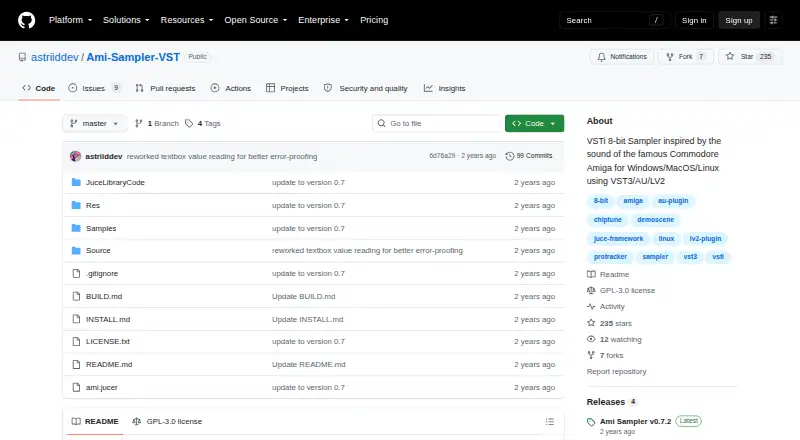
An Amiga-inspired 8-bit sampler offered as a plugin and standalone application for Windows, macOS, and Linux.
How it plugs in
Signal on Sampler Software6.3#7 of 26
This free sampler draws on the Commodore Amiga’s 8-bit sound and works in modern digital audio workstations. It comes as VST3, AU, or LV2 software, depending on the system, and can also run independently on Windows, macOS, and Linux. Twelve sampler channels provide mixing, envelopes, looping, filters, vibrato, and several voice modes. It loads and saves several vintage and modern sample formats.
Review
In a line
Ami Sampler is an 8-bit sampler based on the Commodore Amiga’s sound style. You can use it inside a digital audio workstation or run it as a standalone application.
What it does
The instrument has twelve separate samplers. On every channel, you get volume and pan controls, an ADSR envelope, solo and mute switches, plus mono, four-voice, or eight-voice operation.
Samples can loop, while MIDI channel and transposition settings are adjustable; an on-screen computer keyboard follows ProTracker and Fasttracker note layouts. The sound section provides sample-rate reduction, two selectable low-pass filters, vibrato, and pitch glide in mono mode.
A Paula switch alternates note panning for a wider chord effect; it is unavailable in mono mode. Master controls provide volume, pan, two Amiga-inspired low-pass filters, and vibrato speed and depth.
How it connects
The project uses the GPL-3.0 open-source license. It comes in VST3, AU, and LV2 plugin forms according to operating system, and a standalone application is also available.
The maker reports using it with Ableton, Studio One, Tracktion Waveform, GarageBand, Ardour 8, and MusE. Windows installations provide VST3; macOS provides VST3 and AU; Linux provides VST3 and LV2.
Supported input files include WAV, AIF, 8SVX IFF, signed 8-bit raw PCM, mu-law BIN, and BRR; exported files can be WAV, AIF, IFF, raw, or BIN. GitHub Releases provide platform packages, with optional sample directories available for download.
Good fit
Musicians seeking Amiga-style 8-bit sounds in a current workstation, or a free sampler with multiple channels and vintage file support, may find Ami Sampler suitable.
It can also work for users who prefer open-source software, need a standalone option, or want to use sample packs that include the supported formats. Included packs contain recordings made on an Amiga 500.
Watch for
Sample presets and BLEP synthesis have not been added yet. Linux plugin windows do not support scaling.
On macOS, the installer may show an unsigned-program warning because Apple has not signed the app. The maker also reports a mouse-cursor issue that can occur in Ableton while the playhead is moving.
Check which plugin format your operating system and workstation support before installing.
Pricing
There is no charge for Ami Sampler, and its source code is open. No paid plan is listed.
Verdict
Ami Sampler is worth considering for an Amiga-inspired 8-bit instrument, wide sample-format support, and a GPL-3.0 project available in plugin and standalone forms.
Consider another option if you need built-in sample presets, BLEP synthesis, resizable Linux plugin windows, or an Apple-signed macOS app. Confirm your workstation’s supported format before downloading.
Our take
Ami Sampler is a practical no-cost choice for musicians seeking Amiga-flavored 8-bit playback across the three major desktop systems. Its twelve channels, looping, envelopes, filters, and vintage file formats cover focused sample-based work. The project is less suitable when unfinished preset support, missing BLEP synthesis, or Linux scaling matter to your setup. macOS users should be prepared for an unsigned-app warning, and Ableton users should note the reported cursor problem. Review the available plugin format for your system before installing.
- No-cost GPL-3.0 software with open source
- Available on Windows, macOS, and Linux
- Twelve sampler channels with mono and polyphonic modes
- Handles vintage formats including 8SVX, BIN, and BRR
- Can operate as either a plugin or standalone app
- Built-in sample presets and BLEP synthesis are still absent
- Linux plugin windows cannot be scaled
- The macOS app may trigger an unsigned warning
- Ableton playback can expose a reported mouse-cursor problem
- Pick it ifMusicians making Amiga-style 8-bit tracks; Users needing vintage sample-format support; Open-source software users
- Skip it ifYou need built-in presets or BLEP synthesis now; You require scalable Linux plugin windows; You only install Apple-signed macOS apps
Pricing
Ami Sampler costs nothing and is released as GPL-3.0 open-source software; no paid plan is listed.
Questions
Is Ami Sampler free?
Yes. The software is free to use and released under the GPL-3.0 open-source license.
Which computers can run Ami Sampler?
Windows, macOS, and Linux are supported, and each has standalone application installation instructions.
Which plugin formats are available?
Windows offers VST3; macOS offers VST3 and AU; Linux offers VST3 and LV2.
What sample files can it use?
It accepts WAV, AIF, 8SVX IFF, signed 8-bit raw PCM, mu-law BIN, and BRR, and can write WAV, AIF, IFF, raw, and BIN files.
Does it work with common music software?
The maker reports using it with Ableton, Studio One, Tracktion Waveform, GarageBand, Ardour 8, and MusE.
Are there any known issues?
Linux plugin window scaling is disabled. macOS may show an unsigned-app warning, and a mouse-cursor problem is reported in Ableton while the playhead moves.