Apache Traffic Server review
trafficserver.apache.org · checked 21 Oct 2026
Apache Traffic Server is open-source proxy software that caches web traffic and can route requests to other servers.
How it plugs in
Signal on Caching Software7.4#1 of 27
Apache Traffic Server runs on Linux and macOS or in a self-hosted setup. It can cache web pages, images, and service calls, act as a forward or reverse proxy, and balance HTTP traffic across servers. It is free and open source, but installation uses source code and CMake rather than project-provided binary downloads. Its documentation also flags some gaps in the developer guide.
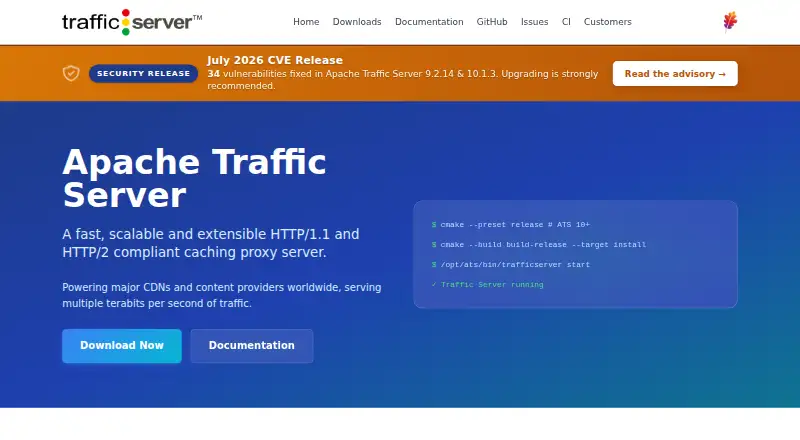
Review
In a line
Apache Traffic Server is free, open-source software for caching and routing HTTP traffic. It runs as a proxy between clients and web servers.
What it does
It stores copies of frequently requested pages, images, and web service calls. Reusing those copies can speed up responses and reduce load and bandwidth use on origin servers.
It can also filter or anonymize requests, keep connections alive, and route traffic among servers. Its cache can use RAM and partitioned storage, and the proxy can keep working if cache disks fail.
How it connects
Traffic Server supports HTTP/1.1 and HTTP/2. It can run as a forward or reverse proxy, within a cache hierarchy, or as a layer-7 load balancer. It can choose servers using request details, weighted round robin, or URL-based hashing.
It is self-hosted and open source under Apache License 2.0. The project provides source code, not its own binary downloads; installation uses CMake. A JSON-RPC administration endpoint and the traffic_ctl command-line tool provide management options.
Plugins can add or change behavior, including authentication, header changes, failover, and compression. Plugins use C++ or Lua. An origin-authentication plugin supports Amazon S3 and Google Cloud.
Good fit
It is aimed at enterprises, internet service providers, backbone providers, and large intranets. It suits teams that need to cache high-volume traffic, route requests, or customize proxy behavior with plugins.
Watch for
This is self-hosted software, and installation requires building from source with CMake and supporting system packages. Check the requirements for your platform before choosing it.
The developer guide is a work in progress and includes references to features removed from an older commercial version. The downloads page recommends checking mirror downloads against their hash and OpenPGP signature.
Pricing
Apache Traffic Server is free and open source. The project states no price or usage limits.
Verdict
Consider Traffic Server if your organization can run proxy infrastructure itself and needs caching, request routing, or custom HTTP handling. Its range of deployment modes, management options, and plugins covers several common proxy jobs.
Skip it if you need project-provided binary downloads or want a setup that avoids building and maintaining software. The developer guide’s stated gaps are also worth weighing if your team depends on developer documentation.
Our take
Apache Traffic Server makes sense for organizations that operate their own infrastructure and need a proxy for caching, routing, or custom handling of HTTP requests. It costs nothing to use, but you will need to install and maintain it yourself, starting from source code. Review the platform requirements and documentation before adopting it, especially if developers will rely on the work-in-progress developer guide. For a simpler managed setup, the facts here do not establish whether another product would be a better fit.
- Free and open source under Apache License 2.0
- Supports forward proxy, reverse proxy, cache hierarchies, and HTTP load balancing
- Caches web pages, images, and service calls
- Plugins support custom request handling and behavior
- Runs on Linux and macOS as self-hosted software
- Project distributes source code rather than its own binary downloads
- Installation uses CMake and supporting system packages
- Developer guide is a work in progress and has references to removed features
- Pick it ifOrganizations running their own proxy infrastructure; Teams needing HTTP caching, routing, or plugin customization
- Skip it ifYou need project-provided binary downloads; You want software that does not require a self-hosted installation
Pricing
The software is free and open source; the project states no price or usage limits.
- Apache Traffic ServerNo price or usage limits stated on the opened pagesFree
As trafficserver.apache.org lists them, checked 9 Oct 2026.
Questions
How much does Apache Traffic Server cost?
It is free and open source. The project states no price or usage limits.
Which operating systems does it run on?
The listed platforms include Linux and macOS, as well as self-hosted deployment.
Can it act as a reverse proxy?
Yes. Its documented deployment modes include reverse proxying, forward proxying, cache hierarchies, and layer-7 HTTP load balancing.
What does it cache?
It can cache frequently requested web pages, images, and web service calls.
Does it have plugins?
Yes. Plugins can customize HTTP handling and are written in C++ or Lua. A plugin supports Amazon S3 and Google Cloud origin authentication.
How do I install it?
The project distributes source code rather than project-provided binary downloads. Installation uses CMake and requires supporting system packages.