apko: APK-Based OCI Container Image Builder
apko.dev · checked 4 Oct 2026
Daemonless, open-source builder for reproducible OCI images assembled from APK packages.
How it plugs in
Signal on Container Build Tools6.1#18 of 34
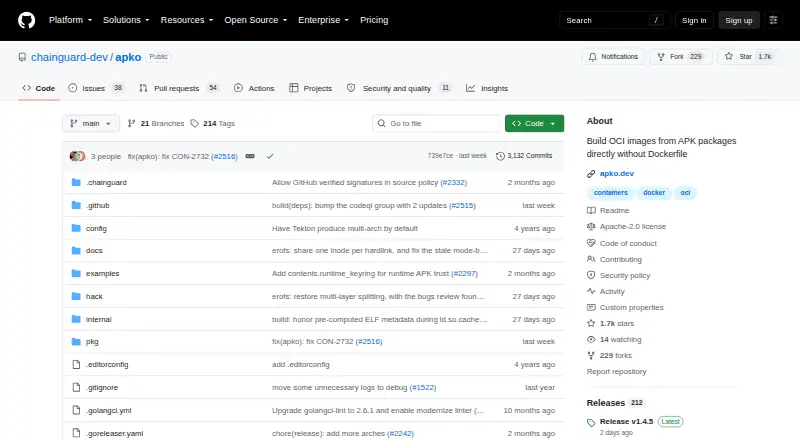
apko is a free, open-source command-line tool for Linux, macOS, and self-hosted setups. With declarative YAML, it assembles lightweight OCI container images from APK packages, writes SBOM files when builds succeed, and can send images to a registry. It supports multiple architectures, Docker workflows, and GitHub Actions.
Review
In a line
apko is an open-source command-line program that turns APK packages and YAML configuration into OCI container images.
It runs without a container daemon and is available on Linux, macOS, and self-hosted systems.
What it does
You describe the image in declarative YAML, including the packages and target architectures. apko then builds a flat, lightweight image containing the selected packages.
Successful builds produce software bills of materials (SBOMs) that list image contents. The command-line tool can also publish the resulting image directly to a container registry.
The project says its images are fully bitwise reproducible and aims to complete builds in milliseconds. It also supports the s6 supervision suite for running multiple processes in one container.
How it connects
apko documents use with Docker and offers an apko build action for GitHub Actions pipelines. Generated images can be loaded into Docker, and built images can be sent straight to a registry.
Installation options listed by the project include Homebrew, mise, Go source installation, and an apko container image. The tool works with APK packages; custom applications must be packaged first, commonly with the companion melange tool.
Its image configurations can target different architectures and distributions. For related tooling, see container build tools.
Good fit
apko suits teams that want small, package-based container images and repeatable builds without a Dockerfile build daemon.
It fits pipelines that need several CPU architectures, SBOM output, registry publishing, or Docker and GitHub Actions workflows.
Watch for
A single build cannot use both Wolfi and Alpine packages. Nor can apko execute arbitrary Dockerfile-style build commands; installation and shell steps must already be included in APK packages.
Custom tools therefore need packaging before they can be added. The README calls apko a work in progress and says its details may change.
Pricing
apko is available at no cost. There is no separate free trial.
Verdict
Choose apko when your software can be supplied as APK packages and you want declarative, daemonless image creation with reproducibility and SBOM files.
It is less suitable for projects that depend on Dockerfile RUN commands or need Wolfi and Alpine packages together. Check the packaging work required for your applications, the supported target architectures, and the project’s work-in-progress status before adopting it.
Our take
apko is a sensible choice for engineering teams standardizing on APK packages and compact container images. Its free price, registry publishing, architecture options, reproducibility goal, and SBOM output cover common build-pipeline needs. The main decision point is packaging: applications and custom tools must exist as APK packages, and Dockerfile-style commands are not available. Teams mixing Wolfi with Alpine packages should look elsewhere. Because the project is still described as a work in progress, confirm that its current behavior matches your release process before relying on it broadly.
- Free and open source
- Builds lightweight OCI images from selected APK packages
- Bitwise reproducibility is part of the design
- Successful builds create SBOM files
- Supports multiple architectures and registry publishing
- Cannot mix Wolfi and Alpine packages in one build
- No arbitrary Dockerfile-style build commands
- Custom applications must first be packaged as APKs
- Project details may change while it is a work in progress
- Pick it ifTeams building small images from APK packages; Pipelines needing multi-architecture images and SBOMs; Docker or GitHub Actions workflows
- Skip it ifYou need Dockerfile RUN steps or other arbitrary build commands; Your image must combine Wolfi and Alpine packages; Your applications are not available as APK packages
Pricing
apko is free to use and has no separate free trial. The tool itself does not require a paid subscription.
Questions
What is apko used for?
Using declarative YAML, apko creates and publishes OCI container images assembled from APK packages.
Which operating systems can run apko?
The listed platforms are Linux, macOS, and self-hosted environments.
Can apko build images for more than one architecture?
Yes. An image configuration can name architectures, and apko can compose images for different architectures and distributions.
Does apko create SBOMs?
Yes. When a build succeeds, apko produces SBOM files that describe the image contents.
Can apko run Dockerfile commands?
No. Arbitrary Dockerfile-style build commands are unsupported; required installation and shell actions must be included in APK packages.
Can one build use Wolfi and Alpine packages together?
No. A single apko build cannot combine Wolfi and Alpine packages.
How can I install apko?
The project lists Homebrew, mise, Go source installation, and its container image as installation options.
Is apko free?
Yes. apko is available at no cost, and there is no separate free trial.
Near it
All alternatives →- S
 Skaffold#17 on this board
- RIrules_img#19 on this board
- CNCloud Native Buildpacks Pack#16 on this board
- JJib#20 on this board
- NNixpacks#15 on this board
- CN
 Cloud Native Buildpacks Lifecycle#21 on this board
- DDagger#14 on this board
- RDrules_docker#22 on this board
- M
 MeetingScribe#13 on this board
- GCGoogle Cloud Build#23 on this board