Architextures: Texture Library and Editor Review
architextures.org · checked 15 Oct 2026
A web library and editor for creating, customizing, and downloading architectural materials.
How it plugs in
Signal on Texture Libraries6.3#3 of 27
Architextures is a browser-based materials library and editor for architects, interior designers, and related professionals. A free plan covers personal and educational use; Pro adds commercial rights and advanced outputs.
Review
In a line
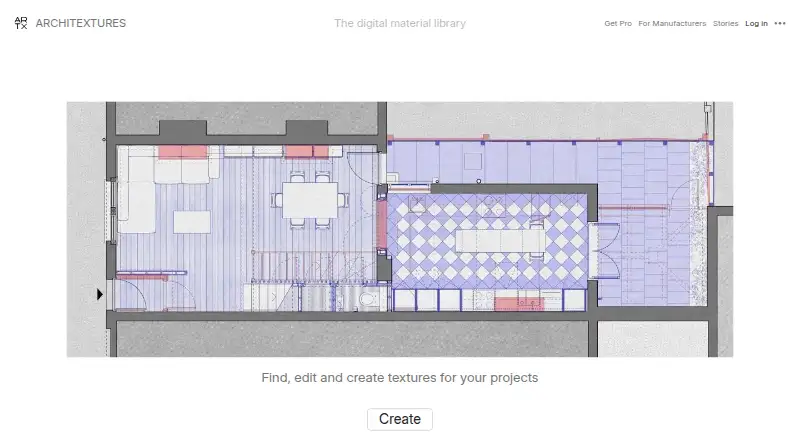
Architextures is a web app and digital materials library for finding, making, and downloading materials used in drawings, renderings, and 3D models.
The service was founded in Glasgow in 2020 and is made by Architextures Software Limited.
What it does
Its Create editor lets you change pattern, scale, grout, rows, columns, colors, surface profile, and finish.
You can upload a material photo, adjust it in the editor, and save generated materials in collections. Procedural textures keep their dimensions, patterns, and colors editable.
Pro can produce bump, normal, displacement, roughness, and metalness maps for material workflows.
How it connects
Architextures runs on the web and lists official plugins or add-ins for SketchUp, Rhino 8, Revit, and Vectorworks. The SketchUp plugin can browse the library, import materials, create textures, and update imported materials.
Vectorworks and Rhino 8 integrations are listed on the official plugins page.
Exports include PNG, SVG, DXF, AutoCAD hatch, Revit model pattern, and Revit drafting pattern files. The software is proprietary, not open source.
Good fit
It suits architects, interior designers, landscape-architecture users, and other design professionals who need editable materials for visual work or CAD and BIM projects.
Manufacturer accounts add texture creation from product photography, analytics, lead capture, brand pages, and embeddable branded ARTX apps.
Watch for
The materials are for visual reference and are not guaranteed to be dimensionally accurate. Check them before relying on measurements in a project.
Commercial use of downloaded content requires an active Pro subscription. The commercial license ends when that subscription expires.
The terms prohibit automated website use and mass downloading of textures. The service is web-based, and its terms also bar copying the website source code or reverse engineering.
Pricing
The Free plan costs free and covers personal and educational use with standard texture downloads. A texture-creation or onboarding add-on costs $13 one-time per texture.
Pro costs $89.99 a year and renews automatically, with cancellation available at any time. It adds high-resolution downloads, PBR options, CAD and Revit hatches, commercial use, custom materials, team management, and map outputs.
Manufacturer plans start with Essential at $190 a month, Standard at $360 a month, Advanced at $655 a month, and Custom at price on request. These plans vary by published-texture limits, analytics periods, onboarding, and included outputs. An Embedded ARTX app add-on costs $450 a month.
Verdict
Choose Architextures if you need a browser library plus an editor that fits SketchUp, Revit, Rhino 8, or Vectorworks workflows. The free tier is suitable for personal or educational projects, while Pro is the required route for commercial downloads and advanced map or hatch outputs.
Look elsewhere if you need dimensionally verified materials, automated bulk downloading, open-source software, or a desktop-only tool. Manufacturer plans make sense only for organizations publishing branded texture services and tracking usage.
Our take
Architextures is a practical match for design teams that need editable surface materials inside common architecture tools. Its large texture library, photo-based material creation, and CAD/BIM export options cover everyday visualization work. The main decision point is licensing: commercial downloads require an active Pro subscription, and the licence ends when that subscription expires. Treat the assets as visual references rather than measured specifications. The manufacturer tiers are aimed at companies that publish materials and want branded apps or analytics, not individual designers.
- Procedural editor changes pattern, scale, grout, and finish
- Plugins listed for SketchUp, Rhino 8, Revit, and Vectorworks
- Exports PNG, SVG, DXF, and Revit or AutoCAD patterns
- Free plan for personal and educational use
- Materials are not guaranteed to be dimensionally accurate
- Commercial rights end when Pro expires
- Automated use and mass downloading are prohibited
- Runs on the web and is proprietary software
- Advanced manufacturer plans cost hundreds of dollars monthly
- Pick it ifArchitects and interior designers making visual materials; Teams working in SketchUp, Revit, Rhino 8, or Vectorworks; Manufacturers publishing branded material content
- Skip it ifYou need measured, accuracy-guaranteed material data; You require open-source software or automated bulk downloads; You only want a desktop application
Pricing
A free personal and educational plan is available. Pro costs $89.99 a year for commercial use and advanced outputs.
- FreePersonal and educational use · standard texture downloadsFree
- Onboarding/texture creation add-onPer texture · Texture creation or onboarding support$13 one-time
- ProRenews automatically; cancel at any time · High-resolution downloads · PBR options · CAD & Revit hatches · commercial use · custom materials · team management · bump, normal, displacement, roughness and metalness maps$89.99/yr
- EssentialMonthly · 50 published textures · 30-day analytics · self-serve onboarding · high-resolution textures · hatch patterns · PBR maps$190/mo
- StandardMonthly · 150 published textures · 90-day analytics · self-serve onboarding · high-resolution textures · hatch patterns · PBR maps$360/mo
- Embedded ARTX app add-onMonthly · Embedded branded ARTX app$450/mo
- AdvancedMonthly · 500 published textures · 180-day analytics · self-serve onboarding · high-resolution textures · hatch patterns · PBR maps$655/mo
- CustomUnlimited published textures · 365-day analytics · included onboarding · high-resolution textures · hatch patterns · PBR mapsOn request
As architextures.org lists them, checked 15 Oct 2026.
Questions
Does Architextures have a free plan?
Yes. The Free plan is free for personal and educational use and includes standard texture downloads.
Can I edit my own material photos?
Yes. You can upload a material photo and adjust it in the Create editor.
Which design tools have plugins?
Official plugins or add-ins are listed for SketchUp, Rhino 8, Revit, and Vectorworks.
Can I use downloaded textures commercially?
Commercial use requires an active Pro subscription. The commercial license ends when the subscription expires.
What files can the editor export?
Exports include PNG, SVG, DXF, AutoCAD hatch, Revit model pattern, and Revit drafting pattern formats.
Are the textures dimensionally accurate?
No guarantee is given. Architextures says its content is for visual reference, so verify dimensions before relying on them.
Does Architextures provide manufacturer tools?
Manufacturer accounts offer texture creation from product photography, analytics, lead capture, brand pages, and embeddable branded ARTX apps.