Game Visual Scripting Software
Armory3D: Open-Source 3D Engine for Blender
armory3d.org · checked 4 Oct 2026
Portable open-source 3D engine built around Blender, with exports for desktop, mobile, and web.
How it plugs in
Signal on Game Visual Scripting Software6.7#1 of 26
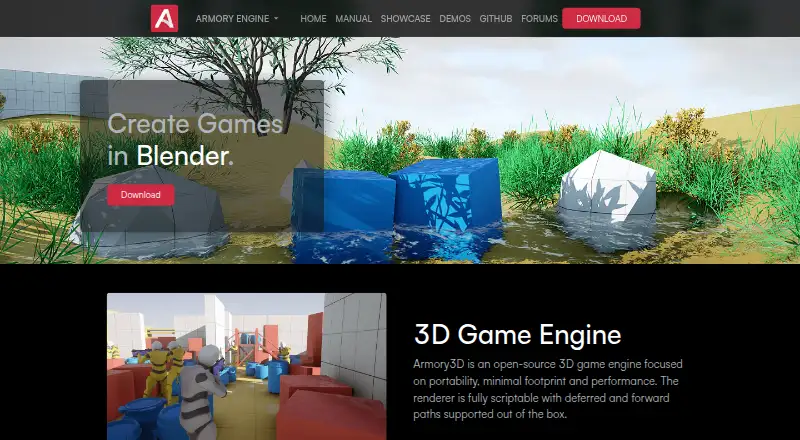
Armory3D is a no-cost, open-source 3D game engine supplied through Blender tooling and an external SDK. Haxe and visual logic nodes handle behavior, while physics, navigation, particles, animation, lighting, and interface tools support projects for Windows, Linux, macOS, iOS, Android, the web, and console.
Review
In a line
Armory3D is a free, open-source 3D game engine centered on Blender. Its SDK comes in both add-on and external-SDK form.
What it does
Interactive 3D behavior can be authored with Haxe or visual logic nodes, including custom nodes. Armory3D also has its own interface library and editor for game menus and other on-screen elements.
Bullet handles rigid- and soft-body simulation, while Oimo is another configurable choice. Navigation meshes calculate real-time paths for marked actors. Particle systems, GPU-based animation, keyframes, bones, shape keys, tilesheets, and several lighting methods are included.
The scriptable renderer offers deferred and forward paths, along with the ability to define custom render paths.
How it connects
Armory3D operates within Blender, providing one workflow for creating game content and running the engine. Its source is available under the zlib/libpng license, which permits commercial applications subject to the stated restrictions.
The setup guide documents Visual Studio Code with the Kha Extension pack, Kode Studio, Sublime Text, or another editor. Games can be exported for Windows, Linux, macOS, iOS, Android, the web, and console. See game engine software for related options.
Good fit
Armory3D suits developers who want a Blender-based workflow and source code they can inspect or modify. It fits projects targeting desktop, mobile, browser, or console platforms.
Visual scripting, Haxe support, built-in physics, navigation, particles, animation, lighting, and interface tools cover common 3D game-building tasks.
Watch for
The setup guide requires Blender 4.5.x LTS; versions through Blender 3.3 LTS are not supported. Check that requirement before installing.
The SDK is portable and does not require an installation, but the project still points users to troubleshooting documents and a GitHub issue tracker for setup or usage problems.
Pricing
Armory Engine is free. Its plan bundles the open-source engine with the Blender add-on and external SDK.
Verdict
Choose Armory3D if Blender is central to your work and you need one project that can reach desktop, mobile, browser, and console targets without a license fee.
Look elsewhere if you need support for older Blender releases or prefer a tool that does not depend on Blender.
Our take
Armory3D is a practical choice for Blender users seeking a free, open-source engine with visual scripting and wide export coverage. Physics, navigation, animation, lighting, and interface tools address many 3D game tasks. The main checkpoint is setup: Blender 4.5.x LTS is required, while Blender 3.3 LTS and earlier are not supported. Teams should also be comfortable using Haxe, visual nodes, or both, and relying on the documented editor and issue-tracker support path.
- Free open-source engine and SDK
- Blender-integrated add-on workflow
- Visual logic nodes and Haxe scripting
- Exports to desktop, mobile, web, and console
- Includes physics, navigation, animation, and lighting tools
- Blender versions through 3.3 LTS are unsupported
- Requires a Blender-based setup
- Haxe is the listed scripting language
- Installation or usage help points to documentation and GitHub issues
- Pick it ifBlender users making portable 3D games; Projects targeting desktop, mobile, web, or console; Teams wanting open-source, no-cost tooling
- Skip it ifYou need support for Blender 3.3 LTS or earlier; You want a workflow that does not rely on Blender; You prefer a different scripting language than Haxe
Pricing
Armory Engine costs nothing; the open-source engine, Blender add-on, and external SDK are included.
- Armory EngineOpen-source engine · Blender add-on and external SDKFree
As armory3d.org lists them, checked 4 Oct 2026.
Questions
Is Armory3D free to use?
Yes. The free Armory Engine plan contains the open-source engine, Blender add-on, and external SDK.
Which platforms can Armory3D target?
Games can run on Windows, Linux, macOS, iOS, Android, the web, and console.
Can Armory3D be used from Blender?
Yes. The Blender add-on and external SDK provide a unified game development workflow.
Which scripting options does Armory3D provide?
Interactive behavior can be authored in Haxe or through visual logic nodes, including custom nodes.
What Blender release does setup require?
The setup guide calls for Blender 4.5.x LTS; Blender 3.3 LTS and earlier are unsupported.
Does Armory3D collect user data?
Armory's privacy policy states that its software does not collect, market, or sell user data, and that data is accessed only by the user.