
Attender Attendance Registration Software
attender.com · checked 19 Oct 2026
Attendance registration for schools with QR check-in, statistics, alerts, apps and Microsoft Teams support.
How it plugs in
Signal on Student Attendance Software6.2#6 of 27
Attender records attendance for educational institutions through web, mobile, QR and Microsoft Teams interfaces. It offers role-based statistics, absence alerts, risk insights and rewards to encourage participation. Schools can export records to Excel or PDF, use the Attender API with tools such as Power BI, and connect timetable data through listed integrations.
Review
In a line
Attender is attendance registration software for educational institutions. It is designed to cut administrative work and help schools follow student absence and possible dropouts.
What it does
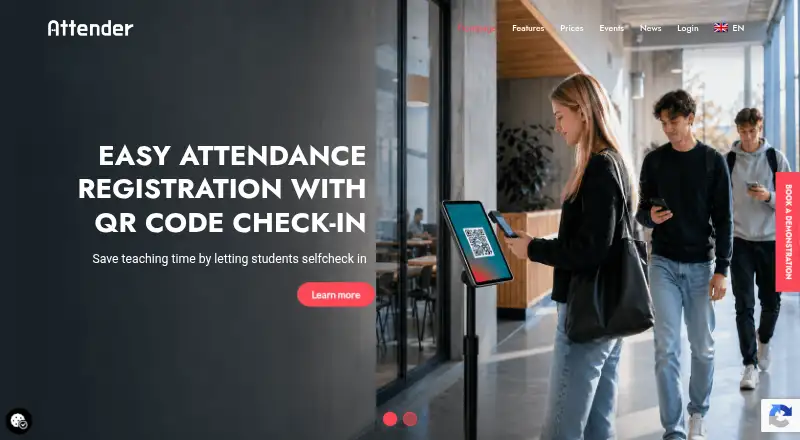
Students can record their own attendance by scanning a QR code. Teachers can mark attendance in detailed, list, grid and other views, while the system supports absence tracking and automated alerts.
Role-specific screens show observation lists, heatmaps and projected absences. The Movers N’ Shakers algorithm flags students who may need attention, including those near dropping out. Rewards and gamification are used to encourage attendance and participation.
How it connects
Attender runs on the web, iOS and Android, and has a Microsoft Teams app that can register attendance in online classes. Its features page lists QR check-in, and timetable data from TimeEdit can drive that process.
Paid plans include the Attender API. Attendance data can be exported to Excel or PDF and sent to tools such as Microsoft Power BI. The changelog lists Wonde, Xporter, LUDUS SIS, TimeEdit and Outlook timetable integrations.
Good fit
Attender suits schools that need several ways to capture attendance, QR self check-in, absence follow-up and statistics for different roles. Its Teams app fits institutions that teach online classes.
It can also fit organizations that need exports, an API, timetable connections or participation incentives. The plans have a 300-user minimum.
Watch for
There is no free plan, and the listed plans require at least 300 users. The Android app requires the student’s school to already have an Attender license.
Support is available by email or phone Monday through Thursday from 08:30 to 16:00 and Friday from 08:30 to 15:00 CEST/GMT+2. Support may cost extra without an active agreement, and agreements typically exclude end-user support.
The public pages document the API upgrade to version 1.1 but do not provide a separate API reference on the cited pages. The Apple listing has no rating overview because it lacks enough ratings or reviews, and it is not verified for macOS.
Pricing
Attender has no free plan but offers a free demo through a form; no trial length is stated. Pricing starts at €2 per user per year.
Attender Bizz Monthly costs €2 a month, billed monthly with a three-month minimum. Attender Standard costs €2 a year per user, Attender Pro €3 a year per user, and Attender Premium €4 a year per user, each billed annually. All list a 300-user minimum.
Attender Bizz Yearly costs €12 a year, billed yearly and described as saving 50%. Plan features differ, so check whether you need intelligent statistics, an HR interface, sick reporting or the other listed tools.
Verdict
Choose Attender if your school wants QR attendance, Teams support, role-specific reporting and automated attention signals in one service. Its exports, API and timetable links may help when attendance must move into other systems.
It is a poor match for a small group below the 300-user minimum, a school seeking a free plan, or a Mac-only user. Confirm integration details, API documentation and support costs before signing an agreement.
Our take
Attender is suited to educational institutions that need structured attendance capture across web, phones, QR codes and Microsoft Teams. Its statistics, alerts, risk algorithm and rewards cover both daily registration and follow-up. The 300-user minimum and paid-only model narrow its audience, while support may cost extra and end-user help is usually excluded from agreements. Schools should confirm the API and integration details they require, then compare the annual per-user plans with the Bizz options before choosing.
- QR self check-in for students
- Web, iOS, Android and Teams availability
- Exports to Excel or PDF and an API
- Role-based statistics and absence alerts
- Gamification and rewards for participation
- No free plan
- 300-user minimum on listed plans
- Support may cost extra without an agreement
- Android requires a school Attender license
- No separate public API reference on cited pages
- Pick it ifSchools needing QR and Teams attendance capture; Institutions tracking absence with role-based statistics; Organizations requiring exports or timetable links
- Skip it ifYou need a free plan or fewer than 300 users; You need a Mac-verified app or guaranteed end-user support; You require detailed API documentation before purchase
Pricing
Monthly Bizz billing is €2 a month with a three-month minimum; annual per-user plans cost €2, €3 or €4 a year. Bizz Yearly is €12 a year. All list a 300-user minimum, and there is a free demo but no free plan.
- Attender Bizz MonthlyBilled monthly; three-month minimum · Web interface · Intelligent Statistics · App · HR Interface · QR Code Registration · Report Sick · Teams App · Gamification · API · Single Sign-on · Hosting & Support · 300-user minimum€2/mo
- Attender StandardAnnual fee per user · Web interface · Statistics interface · Hosting & Support · Single Sign-on · QR Code Registration · Gamification · App · API · Teams App · Written Absence · 300-user minimum€2/yr
- Attender ProAnnual fee per user · Web interface · Statistics interface · Hosting & Support · Single Sign-on · QR Code Registration · Gamification · App · API · Teams App · Written Absence · 300-user minimum€3/yr
- Attender PremiumAnnual fee per user · Web interface · Statistics interface · Hosting & Support · Single Sign-on · QR Code Registration · Gamification · App · API · Teams App · Written Absence · 300-user minimum€4/yr
- Attender Bizz YearlyBilled yearly; saves 50% · Web interface · Intelligent Statistics · App · HR Interface · QR Code Registration · Report Sick · Teams App · Gamification · API · Single Sign-on · Hosting & Support · 300-user minimum€12/yr
As attender.com lists them, checked 19 Oct 2026.
Questions
Does Attender have a free plan?
No. Attender offers a free demo through a form, but it does not state a trial duration.
How can students record attendance?
Students can self-register by scanning QR codes. Attendance can also be marked through web, mobile and Microsoft Teams interfaces.
What systems can Attender connect to?
The changelog lists Wonde, Xporter, LUDUS SIS, TimeEdit and Outlook timetable integrations. Paid plans include an API, with exports to Excel or PDF and use with Power BI.
What is the minimum user count?
The listed Attender plans have a 300-user minimum.
Is Attender available on phones?
Yes. It is listed for iOS and Android, as well as web and Microsoft Teams. The Android app requires the school to hold an Attender license.
When is technical support available?
Support hours are Monday–Thursday 08:30–16:00 and Friday 08:30–15:00 CEST/GMT+2 by email or phone. It may cost extra without an active agreement.