AuditDesktop: Audit Software Features and Pricing
auditdesktop.com · checked 14 Oct 2026
AuditDesktop brings together the tools used to plan, perform, document and report on audits, with time tracking included.
How it plugs in
Signal on External Audit Software6.7#2 of 29
Designed for financial and internal-audit work, AuditDesktop handles bidding, planning, risk assessment, fieldwork, workpapers, financial statements, reporting and timesheets. Cloud access covers computers and mobile devices, while Windows installation is also documented. Microsoft Office and external business systems are listed as integrations. Users can evaluate it through a free plan or a one-month trial; paid plans are quoted.
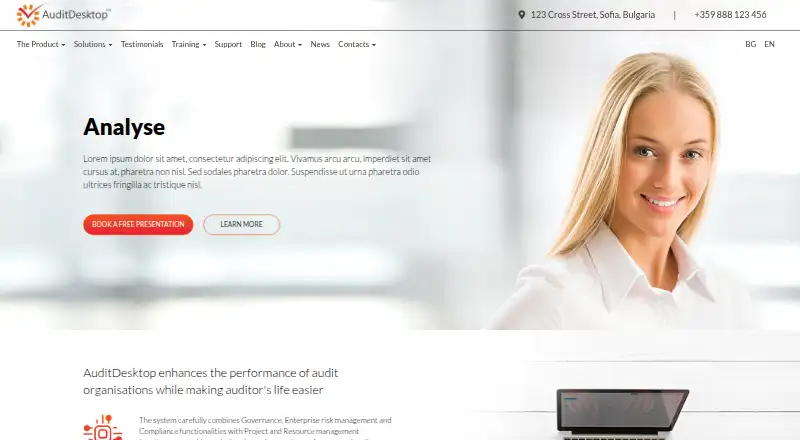
Review
In a line
AuditDesktop combines the main stages of a financial or internal audit, from planning and risk assessment through documentation and reporting.
It is made for audit teams, financial organizations, banks and sole practitioners.
What it does
The software helps teams identify risks, assess controls and maintain a risk register. A risk-controls matrix can activate procedures using ISA guidance.
Trial balances can be imported and consolidated; the system maps accounts to statement lines, examines account movements and records adjustments or reclassifications. Lead schedules may be changed within AuditDesktop or sent to Excel.
For each engagement, working papers bring together supporting evidence, reviewer sign-offs, comments, attachments, identified issues and findings, recommendations, and review steps. Auditors can define tickmark symbols and descriptions, classify them, and apply them to documents, accounts, or lead-schedule entries. Checklists and procedures can be tailored; timesheets let teams compare planned with actual hours across engagements, documents, procedures, clients, employees, or offices.
Reports can summarize issues, questions, notes, recommendations, and findings, and point readers back to the documents they came from.
How it connects
The product names Microsoft Office and external systems, including ERP and legal systems, among its integrations. Word and Excel documents can be used during audit work, and lead schedules may be sent to Excel.
Its documented extension options include scripts, Excel macros, data-import modules and Office add-ins; a dedicated REST API or SDK is not described. The public materials do not publish an open-source license.
The maker describes cloud software-as-a-service access from Mac, PC, iOS or Android devices. The documented installation setup uses Windows servers and workstations; contact support for guidance on running the database server on Linux or macOS.
Good fit
AuditDesktop suits financial-audit and internal-audit teams that want planning, risk work, evidence, workpapers, reporting and time records in one place.
The maker also names banks, other financial organizations, and sole practitioners as users; configurable methods, templates, review steps, and account-level financial-statement work may suit these practices.
Watch for
One reviewer describes the interface as old-looking. Another says some Excel-like free-form links and rule-setting are missing and that disorganized legacy data can be hard to work with.
Windows deployments use Firebird 2.5 and require attention to server setup. The help guidance says database files should be limited to permitted users and not exposed to everyone on a network.
The reviewed public documentation does not describe a dedicated REST API, SDK, or developer portal.
Pricing
AuditDesktop Free provides a lifetime license, with 32-bit and 64-bit downloads.
The Trial plan offers one month of access after a free personal presentation is booked. Annual subscriptions are quoted individually, while customized offers and workstation licences are priced on request under annual or per-workstation terms.
Verdict
Choose AuditDesktop if your work centers on structured financial or internal audits and you need configurable methods, risk controls, workpapers, reports and timesheets together.
Check the user experience, Excel needs, legacy-data quality, Windows server setup and security responsibilities first. If your organization requires a documented developer API or open-source software, this is not a fit.
Our take
AuditDesktop is a broad audit workspace covering risk controls, trial-balance processing, evidence, review steps and reporting. Configurable methods may suit practices with their own procedures, and the free licence makes initial evaluation easier. Paid plans are quote-based, server deployment is Windows-focused, no REST API or SDK is documented, and dated screens or older messy data may create friction. It makes the most sense for audit practices that value a complete workflow over modern interface design or developer-level integration.
- Covers planning, risk assessment, fieldwork, documentation and reporting
- Imports trial balances and tracks adjustments and reclassifications
- Custom checklists, procedures, templates and cross-references
- Workpapers include evidence, review, sign-off, findings and timesheets
- Runs through cloud access on desktop and mobile platforms
- Free lifetime plan and one-month trial are available
- Paid prices require a custom quote
- No dedicated REST API, SDK or developer portal is documented
- Some Excel-style linking and rule-setting is not available
- Poorly organized legacy data can be difficult to handle
- Windows server setup uses Firebird 2.5
- The interface may feel dated
- Pick it ifFinancial and internal-audit teams; Banks, financial organizations and sole practitioners; Practices needing configurable audit methods and workpapers
- Skip it ifYou need a published REST API or SDK; Your work depends on extensive Excel-style free-form linking; You want fully published paid-plan prices
Pricing
Evaluation is possible through the lifetime free licence and the one-month trial. Continued use is quote-based, with no public prices for annual subscriptions, customized offers or workstation licences.
- AuditDesktop Freelifetime · free license · 32-bit or 64-bit downloadFree
- Trialone free month · free personal presentation and trialFree
- Annual subscriptioncustom quote · annual subscription · tailored offerOn request
- Customized offerPrice per workstation · annual subscription · contact for a customized offerOn request
- Custom workstation licencecustom quote · price per workstation · tailored to practice sizeOn request
As auditdesktop.com lists them, checked 14 Oct 2026.
Questions
Is AuditDesktop free?
Yes. AuditDesktop Free is a lifetime free license. A separate Trial plan gives one free month after booking a free personal presentation.
What platforms does AuditDesktop support?
The maker describes cloud access from Mac, PC, iOS and Android devices. Windows server and workstation installation is documented; Linux or macOS database-server use requires contacting support.
Does it work with Microsoft Office?
Yes. Microsoft Office integration is listed, and Word and Excel documents can be used in audit work. Lead schedules can also be exported to Excel.
Does AuditDesktop have a public API?
The public documentation does not provide a dedicated REST API, SDK or developer portal. Instead, it describes scripts, imports, Excel macros and Office add-ins.
What audit work can it handle?
It supports planning, risk and control assessment, trial-balance analysis, workpapers, evidence, review, reporting, custom methods and time tracking.