
BibGuru citation generator review
bibguru.com · checked 15 Oct 2026
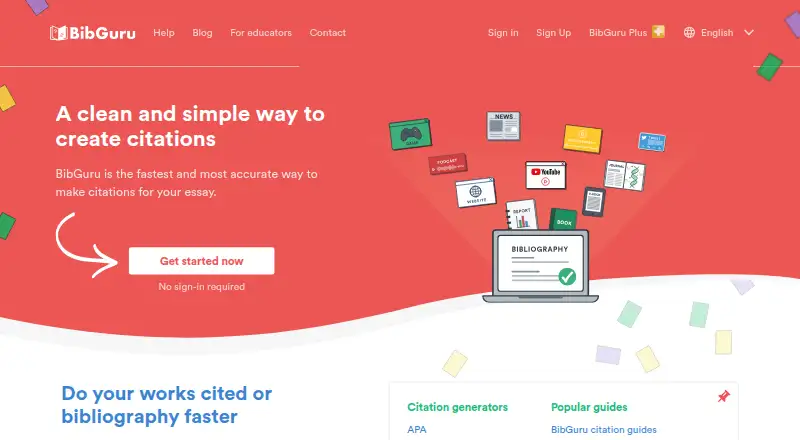
BibGuru creates citations and bibliographies for student essays and research papers.
How it plugs in
Signal on Citation Generator Tools6.6#1 of 29
BibGuru helps build references from websites, books, articles and many other source types. You can search by title or author, enter a URL, or use its browser extension. Major citation styles are available, registered users can organize projects, and bibliographies can be exported to Word, Google Docs, BibTeX and RIS.
Review
In a line
For essays and papers, BibGuru generates citations and bibliographies. It is aimed at K–12 and undergraduate students, as well as researchers.
What it does
You can create citations for websites, books, articles and more than 60 other source types. Enter a URL, search a title or author, or search books, journal articles and websites to add matching records.
APA, MLA, Harvard, Chicago, AMA, CSE and thousands of additional styles are available. BibGuru says it corrects mistakes and formats citations automatically. Its extension lets you edit citations, copy them and switch styles.
According to BibGuru, its curated collection includes roughly 100 million journal articles and 30 million books.
How it connects
The Chrome and Edge extension can generate citations from websites and online journal articles. The main generator works without an account.
You can download bibliographies as Word files, copy them to Google Docs, or export BibTeX and RIS data. Registered users can keep sources in projects and folders, and upload RIS or BibTeX files into a project.
BibGuru is available on the web, macOS, Windows and as a browser extension. The extension is listed in German, English, Spanish, Brazilian Portuguese and European Portuguese. It is not open source.
Good fit
BibGuru suits students and researchers who need formatted references for academic writing. It is useful when sources come from different places, since it handles URLs, books, articles and many additional source types.
Teachers can request an access key that gives their students free BibGuru Plus access. Schools can use Clever or ClassLink sign-in with BibGuru Plus.
Watch for
On the free plan, saved sources remain in the browser for seven days, and ads appear.
Reports about the browser extension mention missing DOI values or full journal titles in some exports. Citations may also fail while viewing PDFs and may require opening the original webpage. Other reports mention missing fields, browser-specific problems and unanswered support emails.
BibGuru stores data in US and EU data centers using Amazon Web Services and says absolute security cannot be guaranteed. Its privacy policy says it may collect profile, bibliographic, usage, device, crash and cookie data.
Pricing
BibGuru has a free plan, a free three-day trial, and paid access from $4.99/mo.
BibGuru and BibGuru Free cost free. The browser keeps sources for seven days, ads are displayed, and BibGuru Free says an account is not required.
BibGuru Plus for Educators is free for students when an educator provides an access key. The regular BibGuru Plus plan is $4.99 a month, billed $4.99/month, and includes persistent account storage, computer and phone access, projects and folders, no ads, and a 3-day free trial.
Verdict
Choose BibGuru if you want a straightforward way to build references in common academic styles, search a large book and journal database, and export your work in several formats. The no-sign-in generator is useful for quick jobs, while Plus adds lasting storage and organization.
Check the free plan’s seven-day browser storage and advertising before relying on it for a long project. If your workflow depends on complete DOI or journal metadata, test an export first. People needing open-source software should look elsewhere.
Our take
BibGuru is a practical option for students and researchers who need citations without setting up a reference manager. It covers common styles, many source types and several export formats, with a browser extension for collecting references while reading online. The free version is suited to short tasks but keeps sources only seven days and includes ads. Plus provides ongoing storage, project organization, folders and phone access. Review metadata quality for your sources, especially PDFs and DOI-heavy journals, before making it part of a long research workflow.
- APA, MLA, Harvard, Chicago, AMA, CSE and thousands of other styles are available.
- Cites websites, books, articles and over 60 additional source types.
- Exports to Word, Google Docs, BibTeX and RIS.
- Free generator can be used without creating an account.
- The Plus tier provides ongoing storage, project and folder organization, and an ad-free experience.
- Free plans retain sources in the browser for only seven days.
- Free use includes ads.
- Some exports may omit DOI values or full journal titles.
- PDF viewing can cause citation failures that require the original webpage.
- Reports mention browser bugs and unanswered support emails.
- Pick it ifStudents creating references for essays and papers; Researchers needing quick web, book and article citations; Educators providing free student access through an access key
- Skip it ifYou need open-source code.; Your work requires guaranteed complete DOI and journal metadata.; You need free, long-term cloud storage without educator access.
Pricing
A free plan is available, with ads and seven-day browser storage. BibGuru Plus is $4.99 per month and offers persistent storage, projects, folders, computer and phone access, no ads and a 3-day free trial. Educators can provide free Plus access to students through an access key.
- BibGuruSources remain saved in browser for 7 days · Ads shownFree
- BibGuru FreeSources retained in browser for 7 days · ads shown · no sign-in requiredFree
- BibGuru Plus for EducatorsFree access for students through educator access keyFree
- BibGuru Plus$4.99/month · Persistent account storage · access on computers and phone · projects and folders · ad-free · 3-day free trial$4.99/mo
As bibguru.com lists them, checked 7 Oct 2026.
Questions
Can I use BibGuru without signing in?
Yes. The main citation generator can be started without an account. BibGuru Free also states that no sign-in is required.
Which citation styles does BibGuru support?
APA, MLA, Harvard, Chicago, AMA, CSE and thousands of other citation styles are supported.
What can BibGuru cite?
BibGuru handles websites, books, articles and over 60 other source types. You can locate records with a URL or by searching a title or author.
What export formats are available?
Bibliographies can be downloaded as Word files, copied to Google Docs, or exported as BibTeX and RIS data. RIS, BibTeX and JSON exports are also described for privacy requests.
How long does the free plan keep sources?
The free service stores sources in the browser for seven days and displays ads. BibGuru Plus includes persistent account storage.
Does BibGuru have a browser extension?
Yes. Chrome and Edge extensions can generate citations from websites and online journal articles. The extension is available in five listed languages.
How much does BibGuru Plus cost?
The Plus subscription is priced at $4.99 per month, billed $4.99/month, and comes with a 3-day free trial.
Near it
All alternatives →- B
 Bibcitation#2 on this board
- C
 CitePlain#3 on this board
- CMCitation Machine#4 on this board
- CCiteMaker#5 on this board
- CT
 Cite This For Me#6 on this board
- EWEditor World Citation Generator#7 on this board
- SCScribbr Citation Generator#8 on this board
- CCitefast#9 on this board
- GGrafiati#10 on this board
- KKnightCite#11 on this board