BigBlueButton: Open-Source Classroom Platform
bigbluebutton.org · checked 30 Sept 2026
An open-source classroom platform for schools, colleges, government and online teaching.
How it plugs in
Signal on Virtual Classroom Software6.4#5 of 30
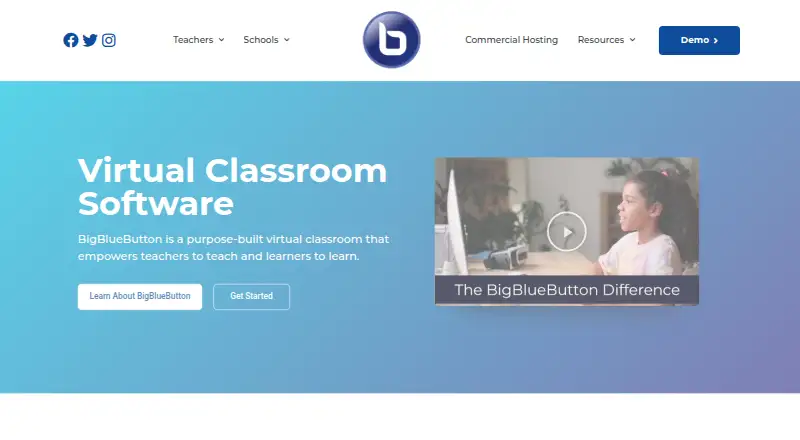
BigBlueButton is a free virtual classroom project whose code is open source. Teachers can upload documents, use whiteboards, run polls, split classes into breakout rooms, share screens and record sessions. Learners can access it through web browsers or iOS and Android apps; learning-platform connections and an API are available. Running it yourself calls for a dedicated Linux server with specified hardware and network provisions.
Review
In a line
BigBlueButton is an open-source virtual classroom for teaching and learning. Web, iOS and Android access is available, alongside self-hosting and API options.
What it does
Teachers can upload documents, write on an interactive whiteboard, share screens, chat, poll learners, keep shared notes, raise hands and use webcam video. Sessions support recording, attendance tracking and breakout rooms, with up to 200 participants.
The Learning Analytics Dashboard helps instructors view attendance, participation and poll responses.
How it connects
BigBlueButton connects with learning systems such as Moodle, Canvas and Schoology, plus Open edX and Sakai. Other listed connections include Drupal, Nextcloud, Redmine, Docebo, ATutor, Chamilo, OpenOlat, Tiki Wiki and LTI. See related Virtual Classroom Software options.
Applications can use its public API to create, join or end meetings, handle recordings, add documents and perform other meeting actions. The project is completely open source and developed by an international community.
Its documentation describes HTTPS connections, checksum validation for API requests, and DTLS and SRTP encryption for real-time media.
Good fit
BigBlueButton suits K–12 schools, higher education and government teams running online classes, office hours or group collaboration. Its classroom tools and learning dashboard fit teaching workflows.
It can also suit organizations that need a Video Conferencing Software option connected to an existing learning platform.
Watch for
For production, the installation guide points to a dedicated Ubuntu 22.04 64-bit Linux server. It calls for 16 GB of memory, eight CPU cores and 500 GB of free disk space, or 50 GB when server-side session recording is disabled. A valid SSL certificate and access to TCP ports 80 and 443 plus UDP ports 16384–32768 are also recommended.
Sessions are not permanent: users cannot leave and later return with slides and chat preserved. BigBlueButton says it takes reasonable steps to protect personal information but cannot guarantee complete security.
Support comes through a searchable knowledge base, community support and commercial hosting or support providers.
Pricing
BigBlueButton has no software charge and its code is open source. There is a free plan, and no paid plan is listed in the supplied details.
Self-hosting means arranging the recommended server and network setup yourself.
Verdict
Choose BigBlueButton if you need a no-license-cost classroom platform with teaching tools, recordings, attendance data and links to major learning systems. Its API and open code also suit organizations that want to connect or host the service themselves.
Look elsewhere if you need sessions that persist with slides and chat, or if you cannot provide the dedicated Linux server and network setup for production. For security-sensitive work, review its stated protections and limits before deployment.
Our take
BigBlueButton is a practical choice for schools and other teaching organizations that want classroom-focused meetings without a software fee. Its broad learning-platform connections, recordings, attendance tools and open code make it adaptable. The trade-off is operational: production self-hosting calls for a dedicated Ubuntu server, substantial resources and specific network access. Sessions also cannot be resumed with their previous slides and chat intact. Buyers should confirm whether their team can manage deployment or needs a commercial provider, and should treat the security statements as protections rather than an absolute guarantee.
- Free and completely open source
- Supports recordings, attendance, polls and breakout rooms
- Connects with many learning platforms
- Public API controls meetings and recordings
- Works on web, iOS and Android
- Production deployment calls for a dedicated Ubuntu server
- Recommended setup needs 16 GB memory and eight CPU cores
- Sessions cannot preserve slides and chat for later return
- Absolute security cannot be guaranteed
- Pick it ifSchools and colleges running online classes; Teams using Moodle, Canvas or similar learning systems; Organizations able to self-host Linux software
- Skip it ifYou need permanent sessions with preserved slides and chat; You cannot provide the recommended server and network setup; You require an absolute security guarantee
Pricing
BigBlueButton has no software charge and is open source, with a free plan and no paid plan listed. Self-hosting requires the recommended server setup; commercial hosting and support prices are not given.
Questions
Is BigBlueButton free?
Yes. BigBlueButton is listed as free, with a free plan, and its code is completely open source.
How many people can join a meeting?
A meeting can support up to 200 participants.
Which learning platforms does it connect to?
The listed connections include Moodle, Canvas, Schoology, Open edX and Sakai, as well as other systems and LTI.
Can BigBlueButton record classes?
Yes. It supports meeting and class recording, and its API can manage recordings.
What devices can use it?
People can use the web, iOS and Android. Self-hosting and API use are also available.
What server does self-hosting need?
For production, the guide points to a dedicated Ubuntu 22.04 64-bit server with 16 GB memory, eight CPU cores and 500 GB of free disk space, or 50 GB without server-side recording.
Does it keep a session open for later return?
No. Users cannot leave and return later with the slides and chat messages preserved.