Black Python Formatter
black.readthedocs.io · checked 29 Sept 2026
A free, opinionated formatter that rewrites Python code in a consistent style.
How it plugs in
Signal on Code formatters6.6#2 of 22
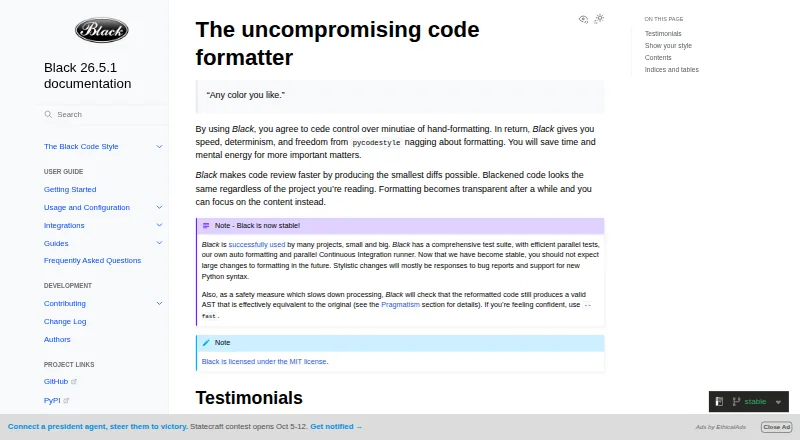
Black is a free, open-source tool for formatting Python. It rewrites entire files according to PEP 8 and uses 88 columns as its standard line width. Black runs on Windows, macOS, and Linux, or as a local HTTP server. It integrates with several editors, GitHub Actions, source control, and doctest workflows.
Review
In a line
Black is a free formatter for Python code. It applies a limited set of style choices based on PEP 8 so projects use a consistent format.
What it does
Black rewrites whole Python files in place. Lines default to a width of 88 characters, and the tool seeks small diffs that simplify code review.
After formatting, Black checks that the resulting code has an effectively equivalent abstract syntax tree, which is the structure Python uses to understand code. It reports an error if that check fails.
How it connects
Black is mainly a command-line tool. Its documentation covers editor and IDE connections including PyCharm, IntelliJ IDEA, Vim, Neovim, Visual Studio Code, Sublime Text, and Emacs. It also supports source control and doctest formatting workflows.
A GitHub Actions integration can run on GitHub-hosted operating systems. Black includes blackd, a local HTTP server, and official Docker images for release and prerelease tags.
Install Black from pip; running it requires Python 3.10 or later. Jupyter Notebook formatting comes with the jupyter extra. The project uses the MIT License and does not provide a Python library interface.
Good fit
Black suits Python teams that want one consistent style without debating many formatting settings. It works for local command-line use, editor saves, automated checks, and continuous integration.
Its documented support for changed-line formatting, ignore files, notebooks, Docker, and GitHub Actions can fit projects with different editing and automation setups.
Watch for
Black does not let you configure indentation style, and its documentation says requests for that option will not be considered. It is a Python formatter only.
Notebook formatting skips cells with automagics, non-Python or multiline magics, transformed magic code, or invalid syntax. Check these cases if notebooks are part of your workflow.
Black has no Python interface, so software that needs to call it as a library must use another approach.
Pricing
Black is free, with no paid plan or free trial. The formatter is open source under the MIT License.
Verdict
Choose Black if you want an automatic Python style with few decisions and support for command-line, editor, Docker, notebook, and CI workflows. Its safety check can flag formatting changes that do not preserve the code structure.
Look elsewhere if you need adjustable indentation rules, a Python library interface, or notebook handling for cells Black skips. Running it requires Python 3.10 or later.
Our take
Black is a sensible choice for Python projects that value a shared format more than fine-grained style controls. It is free, runs on the major desktop operating systems, and can fit editors, GitHub Actions, Docker, notebooks, and local automation. The main trade-offs are fixed indentation choices, command-line-only design, and specific notebook cells it skips. Teams should verify their Python version and notebook patterns before adopting it, particularly when a formatter must be invoked through a Python interface.
- Free and MIT-licensed
- Formats whole Python files consistently
- Checks that formatting preserves code structure
- Works on Windows, macOS, and Linux
- Integrates with editors and GitHub Actions
- Needs Python 3.10 or later
- No configurable indentation style
- No Python library interface
- Some Jupyter cells are skipped
- Pick it ifPython teams wanting one shared code style; Command-line, editor, or CI formatting; Projects using GitHub Actions or Docker
- Skip it ifYou need custom indentation rules; You need a Python interface instead of a command-line tool; Your notebooks rely on cells Black skips
Pricing
Black is free. There is no paid plan or free trial; the code is MIT licensed.
- BlackMIT-licensed Python code formatterFree
As black.readthedocs.io lists them, checked 29 Sept 2026.
Questions
What language does Black format?
Black formats Python code only.
How much does Black cost?
Black is free. It has no paid plan and no free trial.
Which systems can run Black?
Black runs on Windows, macOS, and Linux. It can also run as a local HTTP server or in Docker.
Which Python versions are supported?
Running Black requires Python 3.10 or a newer release.
Does Black work with editors?
Yes. The documentation covers integrations for PyCharm, IntelliJ IDEA, Vim, Neovim, Visual Studio Code, Sublime Text, Emacs, and others.
Is an API available for Black?
Black is fundamentally a command-line tool and does not currently provide a Python interface. It does include blackd, an HTTP server that binds to localhost by default.
Can Black format Jupyter Notebooks?
Yes, after installing the jupyter extra. It skips cells containing certain magics, transformed magic code, or invalid syntax.