
Minecraft Pixel Art Generators
BlockArtLab Minecraft Image Converter
blockartlab.com · checked 15 Oct 2026
Web converter that turns PNG, JPG, or WebP images into Minecraft block plans.
How it plugs in
Signal on Minecraft Pixel Art Generators6.3#1 of 23
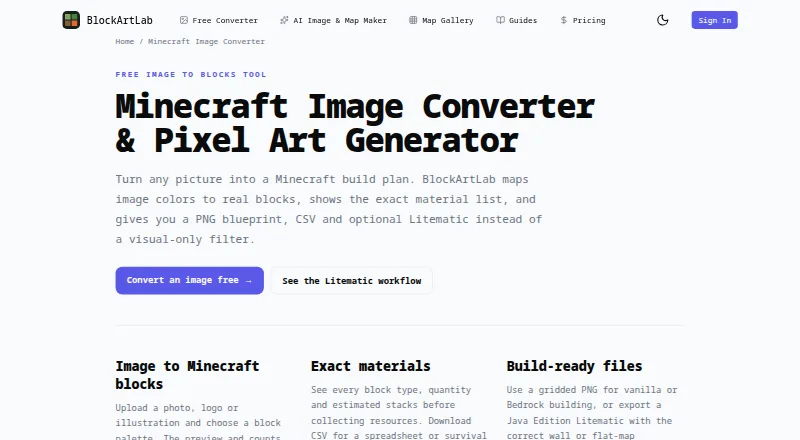
BlockArtLab Minecraft Image Converter runs in a browser and maps image colors to Minecraft blocks. You choose a palette, size, and wall or flat layout, then get previews, material counts, and PNG, CSV, or optional Litematic files. Basic conversion is free without an account; AI map generation and gallery downloads use credits.
Review
In a line
BlockArtLab Minecraft Image Converter turns PNG, JPG, or WebP pictures into Minecraft block layouts. It creates plans for vertical wall art or one-level flat maps.
What it does
Choose Survival Friendly, Concrete Only, or Full Palette matching, along with the image dimensions. The tool shows a block preview, a 2D blueprint, and a 3D preview based on the export grid.
It lists each block type, exact quantities, and estimated 64-block stacks. Exports include a gridded PNG for row-by-row building, a CSV list for spreadsheets, and an optional Litematic file.
Blueprint dimensions range from 8 to 192 blocks per side. Flat Map mode uses horizontal X/Z geometry; Wall mode uses vertical X/Y geometry.
How it connects
The free converter processes the selected image in your browser and says the source image is not uploaded. It has no documented public API, SDK, or self-hosting package.
PNG and CSV files support manual building in Java, Bedrock, console, and mobile editions. Litematic files require compatible Java Edition tools such as Fabric, MaLiLib, and Litematica.
AI maps can be published to a moderated shared gallery.
Good fit
This suits players planning pixel art from an existing image, including people who need a material list before gathering blocks. The PNG and CSV outputs also fit manual or Bedrock building.
The AI workflow is for users who want a prompt turned into an image, block conversion, materials, and PNG, CSV, and Litematic files.
Watch for
Displayed colors are approximations. Lighting, biome tint, textures, resource packs, and game updates can change how blocks look.
Litematic compatibility depends on your Minecraft, Fabric, MaLiLib, and Litematica versions, which BlockArtLab does not support. A Litematic is only a placement reference and does not build automatically on a server.
Flat mode makes a one-level mosaic and does not calculate advanced staircase height shading. AI prompts are screened, and generation stops if the moderation service is unavailable.
Pricing
Basic image conversion is free in the browser with no account. It includes PNG blueprint and CSV material-list exports; the free converter also accepts PNG, JPG, and WebP files, supports 8–192 blocks per side, and offers optional Litematic export. A free trial is available.
The Single plan costs $1.99 one-time for 20 credits and one AI map generation. Starter costs $9.99 one-time for 300 credits, covering up to 15 AI generations or 30 community downloads. Studio costs $24.99 one-time for 1,000 credits, covering up to 50 AI generations or 100 community downloads. Credits do not expire.
A complete AI map generation costs 20 credits. Unlocking a published community map costs 10 credits; repeat downloads are not charged again.
Verdict
Choose this converter if you want a browser-based way to turn your own image into a Minecraft build plan and need exact block quantities. It is also suitable when PNG or CSV files are enough for your edition, or when you already use compatible Java tools for Litematic files.
Look elsewhere if you need automatic server building, advanced height-shaded map art, a public API, or guaranteed Litematic support across versions. AI and gallery features add a credit system, while the free path handles ordinary image conversion without an account.
Our take
BlockArtLab is a practical fit for image-based Minecraft planning, especially when you want a material spreadsheet or a printable grid instead of hand-counting blocks. Its browser conversion keeps the basic workflow account-free, and the multiple export types cover manual building across editions. Java users should confirm their mod versions before relying on Litematic output. Flat maps remain simple mosaics, and the tool does not automate construction. AI creation and community downloads are optional paid-credit features, so casual users can stay with the free converter.
- Free browser conversion does not require an account.
- Supports PNG, JPG, and WebP input.
- Provides exact block counts, stack estimates, PNG, and CSV exports.
- Offers optional Litematic files for compatible Java tools.
- Includes palette, dimensions, 2D, and 3D preview controls.
- Color matching is only an approximation in game conditions.
- Litematic support depends on Minecraft and mod versions.
- Flat mode lacks advanced staircase height shading.
- Litematic files do not build automatically on servers.
- AI generation and gallery unlocks use credits.
- Pick it ifPlayers converting pictures into Minecraft wall or flat-map plans; Builders who need block quantities and CSV material lists; Java users with compatible Litematica tooling
- Skip it ifYou need automatic construction on a server; You require advanced shaded terrain or staircase map art; You need a public API or self-hosted deployment
Pricing
Basic conversion is free with no account. Paid credit packs are one-time purchases: $1.99 for 20 credits, $9.99 for 300, or $24.99 for 1,000; credits do not expire.
- Basic image converterBrowser conversion · no account · PNG blueprint · CSV material listFree
- Free image converterNo account required for basic conversion · PNG/JPG/WebP input · 8–192 blocks per side · PNG, CSV and optional Litematic exportFree
- SingleOne-time purchase; no subscription · 20 credits · 1 AI map generation · PNG, CSV and Litematic export · credits do not expire$1.99 one-time
- StarterOne-time purchase; no subscription · 300 credits · up to 15 AI generations or 30 community downloads · credits do not expire$9.99 one-time
- StudioOne-time purchase; no subscription · 1,000 credits · up to 50 AI generations or 100 community downloads · credits do not expire$24.99 one-time
As blockartlab.com lists them, checked 28 Sept 2026.
Questions
What image files can I convert?
The converter accepts PNG, JPG, and WebP images.
Does it upload my source image?
BlockArtLab says free image conversion runs in your browser and the selected source image is not uploaded.
Can I use the output on Bedrock or console?
Yes. PNG and CSV files support manual building in Java, Bedrock, console, and mobile editions. Litematic output is for compatible Java tools.
What does a Litematic file do?
It provides a placement reference for compatible Minecraft Java tooling. It does not automatically build on a server.
How much does AI map generation cost?
One complete AI map generation costs 20 credits and includes the image, conversion, materials, PNG, CSV, and Litematic outputs.
How large can a blueprint be?
The homepage lists dimensions from 8 to 192 blocks per side.
Can I download community maps repeatedly?
Unlocking a published community map costs 10 credits. Repeat downloads are not charged again.
Near it
All alternatives →- PMPixvael Minecraft Pixel Art Generator#2 on this board
- M
 MinecraftArt#3 on this board
- IM
 ImageToPixelApp Minecraft Pixel Art Generator#4 on this board
- CF
 Coffee & Fun Minecraft Pixel Art Generator#5 on this board
- MOMinecraftArt.org Pixel Art Generator#6 on this board
- MP
 Minecraft Pixel Art Generator & Editor#7 on this board
- P
 PixelCraft#8 on this board
- IM
 Image2Pixel Minecraft Converter#9 on this board
- MIMinecraft Image Converter#10 on this board
- MP
 Minecraft Pixel Art Generator#11 on this board