Blomp Cloud Storage Review
blomp.com · checked 15 Oct 2026
A place to back up photos, videos, documents, audio, and other files in the cloud.
How it plugs in
Signal on Cloud Storage Services6.7#10 of 64
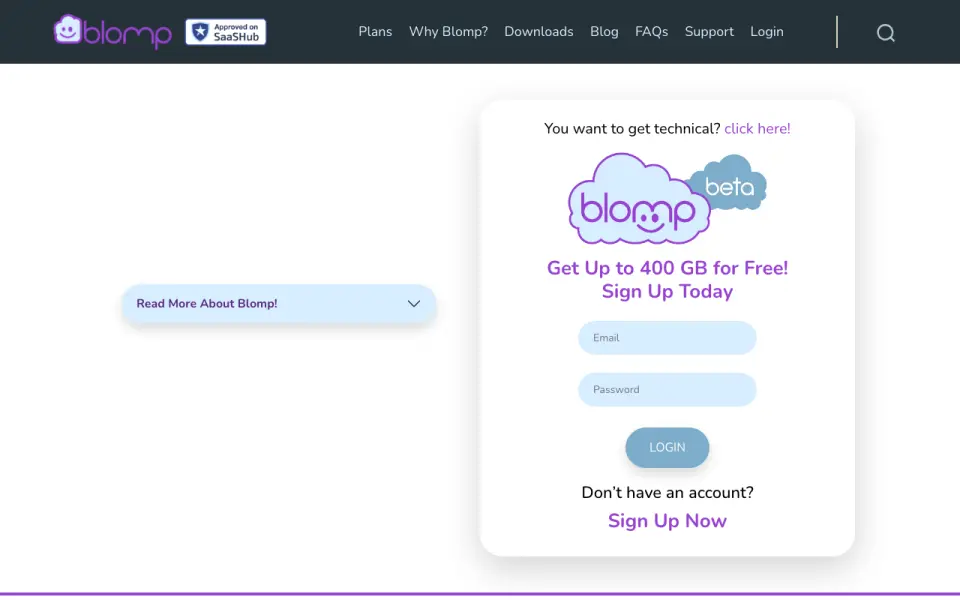
Blomp offers cloud storage and backup through its website and apps for computers and phones. The free tier begins with 40 GB, with room to add capacity through active referrals. Paid storage is available from $0.99 per month. Connections and tools include Google Drive, AWS S3, OpenStack Swift API access, rclone, encryption for stored content and sensitive data in transit, and two-factor authentication.
Review
In a line
Photos, videos, documents, audio, and other files can be backed up to Blomp's online storage. Files are accessible through a browser or supported apps.
What it does
Files and folders can be uploaded, then arranged with folders, copies, renaming, syncing, and other management actions. Folders can also be packaged as ZIP downloads. Photo previews are available through file icons, and the Android app lists video preview support.
For its standard service, Blomp says file size is unrestricted, devices are unlimited, and data is maintained in three copies across three availability zones.
How it connects
Windows, macOS, Ubuntu Linux, iPhone, and Android downloads or apps are listed, along with browser use. Google Drive can be linked with OAuth to browse and import chosen files, folders, and metadata. AWS S3 buckets can be connected through the dashboard.
Blomp's developer route is the OpenStack Swift API, with a public GitHub guide covering rclone setup, Swift authentication, chunking, compression, encryption, mounts, and systemd examples. Direct Swift storage allows up to 5,242,879 KB; chunker overlays handle larger files. The reviewed materials identify no official Blomp SDK or self-hosting instructions.
Blomp says it encrypts stored content and sensitive data while in transit, and offers two-factor authentication. Google Drive data, it says, is used only for requested import and backup, is not sold or shared for unrelated purposes, and access ends when disconnected.
Good fit
Blomp may suit people seeking cloud backup for media and documents across computers and phones. Its free allowance, Google Drive import, browser access, and rclone support can be useful when moving files from another storage service.
A support forum is available for questions and troubleshooting. Blomp is based in the United States; its privacy policy describes GDPR, EU-U.S. Data Privacy Framework, and Swiss-U.S. Privacy Shield compliance or self-certification.
Watch for
Keeping files on a free account requires signing in at least annually; paid plans have no such yearly login requirement. Referral capacity depends on each invited friend joining and remaining active.
BlompLive has a 2.2 out of 5 rating from 182 reviews on the displayed Google Play listing. Reviewers mention crashes, registration failures, files placed in the wrong folder, and app usability problems. Trustpilot shows 3.3 out of 5 from 32 reviews.
Blomp's public materials describe hosted storage rather than a self-hosted package. The reviewed pages show no open-source license for the service or clients and identify no official SDK.
Pricing
Blomp's free allowance is 40 GB, and every friend who joins and remains active can contribute another 40 GB, up to 400 GB. A 500 GB plan listed on Blomp's rclone page costs $0.99 per month with no transfer fees; 2 TB is $2.99 per month and 10 TB is $9.99 per month.
The yearly 500 GB option is priced at $11.88. Monthly tiers above that are 100,000 GB at $99.99, 250,000 GB at $249.99, and 500,000 GB at $499.99. The 2 TB, 10 TB, and annual 500 GB plans state that yearly logins are not required.
Verdict
Consider Blomp for lower-cost cloud storage, access across multiple device types, or importing Google Drive files and working through rclone or Swift. The free capacity may help if you can meet the yearly-login requirement or qualify for referral storage.
Look elsewhere if you need open-source clients, self-hosting, a documented official SDK, or strong evidence of polished mobile apps. Check the plan and its login conditions before relying on it for an important backup, and weigh the reported app problems.
Our take
Blomp is a budget cloud-storage option for personal media and documents on Windows, Mac, Linux, iPhone, and Android. Referrals can enlarge the free allowance, while paid plans begin below one dollar monthly. Google Drive and AWS S3 connections, Swift API support, and rclone guidance provide ways to move and manage files. Free accounts still need annual logins, the service is hosted rather than self-managed, and app feedback mentions crashes and usability issues. It fits cost-conscious storage users better than people seeking open-source control or highly polished mobile software.
- The no-cost allowance starts at 40 GB and can grow to 400 GB through active referrals.
- A 500 GB subscription is listed at $0.99 monthly.
- Windows, macOS, Linux, iPhone, Android, and web access are listed.
- Google Drive and AWS S3 connections are offered, along with Swift API access and rclone guidance.
- Stored content and sensitive data in transit are encrypted, and two-factor authentication is available.
- Files on free accounts are retained only when the account is accessed yearly.
- The displayed Google Play listing gives BlompLive 2.2 out of 5 from 182 reviews.
- Reviewers describe crashes, registration failures, and misplaced files.
- The reviewed materials name no official SDK, open-source license, or self-hosting package.
- Direct Swift storage is capped at 5,242,879 KB according to the documentation.
- Pick it ifBudget-conscious cloud backup across computers and phones; People importing Google Drive content or using rclone; Users who can benefit from free storage and referral capacity
- Skip it ifYou need self-hosting or open-source clients.; You require a documented official SDK.; Reported mobile-app reliability issues are a dealbreaker.
Pricing
Blomp's no-cost tier opens with 40 GB and can reach 400 GB through active referrals. Paid choices range from 500 GB at $0.99 monthly to 500,000 GB at $499.99 monthly, with a yearly 500 GB option priced at $11.88.
- Free40 GB included · up to 400 GB · 40 GB per active referralFree
- 40–400 GB40 GB included · up to 400 GB with referralsFree
- 500 GB (Rclone page)$0.99 / Month · 500 GB · no transfer fees$0.99/mo
- 2 TB$2.99/Month · 2 TB · includes 500 GB-plan features · no yearly login required$2.99/mo
- 10 TB$9.99/Month · 10 TB · includes 2 TB-plan features · no yearly login required$9.99/mo
- 500 GB$11.88/Year · 500 GB · includes free-plan features · no yearly login required$11.88/yr
- 100,000 GB$99.99 / Month · 100,000 GB · no transfer fees$99.99/mo
- 250,000 GB$249.99 / Month · 250,000 GB · no transfer fees$250/mo
As blomp.com lists them, checked 15 Oct 2026.
Questions
How much free storage does Blomp provide?
Blomp starts free accounts with 40 GB; each active friend referral contributes 40 GB, up to 400 GB total.
What is the cheapest paid Blomp plan?
The 500 GB plan listed on Blomp's rclone page is $0.99 per month and has no transfer fees.
Which devices can use Blomp?
Blomp lists Windows, macOS, Ubuntu Linux, iPhone, Android, and browser access.
Can Blomp import Google Drive files?
Yes. Connect Google Drive through OAuth to browse and import selected files, folders, and metadata.
Does Blomp offer an API?
Blomp identifies the OpenStack Swift API for its storage and provides authentication guidance; its public documentation also covers rclone.
Do free Blomp accounts expire?
Free accounts must be accessed once each year to retain files, whereas paid plans have no annual-login requirement.
Is Blomp open source or self-hosted?
The reviewed pages identify no open-source license, official SDK, or self-hosting package; they describe hosted storage.