
Bloxelizer: Minecraft and Hytale Build Tools
bloxelizer.com · checked 15 Oct 2026
Minecraft and Hytale schematic browser, build guide, 3D viewer, and file converter.
How it plugs in
Signal on Minecraft Schematic Tools6.6#5 of 42
Bloxelizer is a web tool for browsing Minecraft schematics, viewing builds in 3D, following layer guides, and converting files. Its free plan includes voxelizing images and 3D models, pixel art tools, and Java, Bedrock, and Hytale conversion. Paid plans add private content, exports, teams, bulk conversion, and creator tools; API credits are sold separately as one-time purchases.
Review
In a line
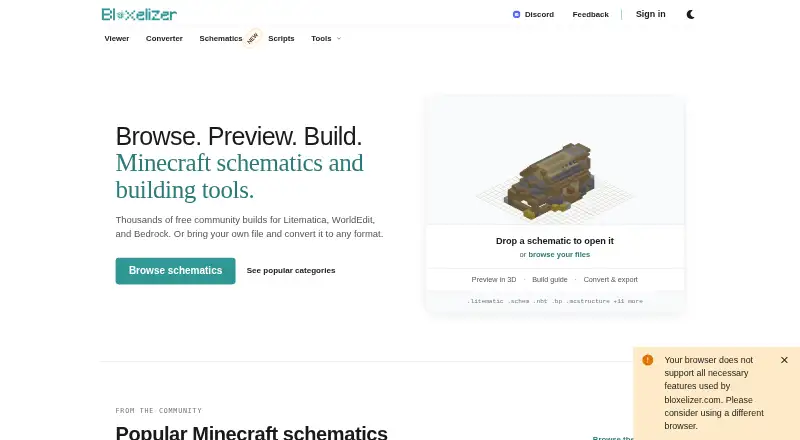
Bloxelizer is a browser-based library and toolkit for Minecraft and Hytale builds. It combines schematic browsing, 3D previews, build guides, and file conversion.
What it does
Schematic pages provide interactive 2D and 3D, layer-by-layer instructions with material lists. You can browse builds, preview them, and follow their construction steps.
Its free toolkit can turn images and 3D models into voxel builds, or make pixel art and map art. Conversion supports worlds, Hytale prefabs, 3D models, and image files, with batch processing available.
In-browser scripts can generate blocks in the editor. Account holders can create, run, fork, and publish scripts after catalogue review.
How it connects
Bloxelizer runs on the web and can be added to an iPhone or Android home screen as a progressive web app. It is not open source.
The converter handles formats such as .litematic, .schem, .schematic, .nbt, .bp, .mcstructure, .mcworld, Hytale prefabs, common 3D files, and images. It imports worlds and exports converted files.
Conversion runs in your browser, so files stay on the device unless you choose to save or share them. The Platform API and Cloud Converter are beta services that use prepaid credits and account keys beginning with blxz_.
Connected account data may include Patreon account identifiers and campaign or tier information.
Good fit
Bloxelizer suits Minecraft and Hytale players who need schematic discovery, material lists, layer guides, or format conversion. It also fits creators turning images or models into voxel builds.
Teams and creators may benefit from private schematics, progress tracking, bulk conversion, custom domains, templates, and team access on paid plans.
Watch for
A target Minecraft edition or version may not contain every block, so conversion substitutes the closest available block. Very large creations can still hit Minecraft format limits.
Beta Cloud Converter and API jobs may remain stored indefinitely because there is no defined retention period. Private content linked to paid features is kept for three months after a subscription ends and may then be deleted.
The scripting environment documents limits of 128 MB of memory, 10 minutes of runtime, one million source characters, 30 million block coordinates, and a 100 KB compiled publish size. Beta services have no guaranteed uptime, and server-failure refunds require contacting support.
The service directs users to Discord for the fastest help.
Pricing
The Free plan costs nothing, lasts forever, and needs no account. It includes the voxelizer, pixelizer, Java, Bedrock, and Hytale converter, layer guides, and multi-format import and export.
Plus costs $2.50 a month or $29.99 a year. It adds guide export, texture packs, modded blocks, private schematics, progress tracking, teams, bulk conversion, and no ads.
Creator costs $19.99 a month, while Creator Lite costs $99.99 a year. These plans add creator-focused tools such as custom domains, unlisted builds, dashboards, templates, and branding controls.
API credits are sold separately: 20 credits cost $5 one time, 50 cost $10 one time, and 120 cost $20 one time. Credits do not expire and have no monthly minimum.
Verdict
Choose Bloxelizer if you want one browser workspace for finding schematics, checking a 3D build, following its layers, and moving files between Minecraft or Hytale formats. The free tier covers the main conversion and guide workflow, while subscriptions target private projects, teams, exports, and creator publishing.
Check version compatibility before converting a build, especially when it uses blocks missing from the destination. Treat the API and Cloud Converter as beta services, and consider the storage terms before sending paid cloud jobs or keeping private content there.
Our take
Bloxelizer is a practical choice for players and creators who need schematic guides and conversion without installing desktop software. Its free plan covers the core workflow, including voxelizing, pixelizing, world import, and several game formats. Paid tiers make more sense for teams, private libraries, bulk work, guide exports, or creator pages. Before paying, check whether your target version contains the blocks you need. Also review the indefinite beta cloud-job storage terms and the limits on scripts and very large builds.
- Free plan includes voxelizer, pixelizer, guides, and converters
- Browser conversion can keep files on the device
- Supports Minecraft, Bedrock, Hytale, 3D, and image formats
- Layer guides include material lists and 2D/3D views
- API credits do not expire
- Missing blocks are replaced during conversion
- Beta cloud jobs may be stored indefinitely
- Beta API has no guaranteed uptime
- Very large builds can hit Minecraft format limits
- Mobile controls may be difficult
- Pick it ifMinecraft and Hytale players following layer-by-layer build guides; Creators converting models or images into voxel builds; Teams needing private schematics and bulk conversion
- Skip it ifYou need exact block preservation across every Minecraft version; You require guaranteed uptime for API or cloud conversion; You cannot accept long-term storage of beta cloud jobs
Pricing
A permanent free plan covers core tools.
- Freeforever · no account needed · voxelizer · pixelizer · Java/Bedrock/Hytale converter · layer guides · multi-format import/exportFree
- Plus (monthly)PDF/SVG/HTML build guide export · texture packs · modded blocks · private schematics · progress tracking · teams · bulk converter · no ads$2.50/mo
- Plusmonthly · PDF/SVG/HTML guide export · custom texture packs · modded blocks · private schematics · progress tracking · teams · bulk converter · no ads$2.50/mo
- API credits - 20 creditsone-time credit pack · 20 credits · no expiry · no monthly minimum$5 one-time
- Creator Litemonthly · custom colors and fonts · no watermarks · schematic page · materials poster · creator dashboard · up to 40 unlisted builds$8.33/mo
- API credits - 50 creditsone-time credit pack · 50 credits · no expiry · no monthly minimum$10 one-time
- Creatorbilled monthly · custom domains · unlimited unlisted builds · templates · team access · creator-only integrations$19.99/mo
- API credits120 credits; $0.17 / credit; no expiry · Prepaid credits for Bloxelizer Platform API · no monthly minimum$20 one-time
As bloxelizer.com lists them, checked 15 Oct 2026.
Questions
Does Bloxelizer have a free plan?
Yes. The Free plan costs nothing, lasts forever, needs no account, and includes voxelizing, pixelizing, guides, and Java, Bedrock, and Hytale conversion.
What files can Bloxelizer convert?
It accepts formats including .litematic, .schem, .schematic, .nbt, .bp, .mcstructure, .mcworld, Hytale prefabs, 3D files, and common image files.
Are files uploaded during conversion?
The converter runs in your browser. Files stay on your device unless you choose to save or share them.
What happens when a block is unavailable?
If the target edition or Minecraft version lacks a block, conversion maps it to the closest available block.
Does Bloxelizer offer an API?
Yes. The Platform API and Cloud Converter are beta services paid with prepaid credits. API keys begin with blxz_.
How long are cloud jobs stored?
During the beta, submitted Cloud Converter inputs and generated outputs have no defined retention period and may remain stored indefinitely.
How do I get help?
The FAQ says Discord is the fastest way to get help from the community.