
Blush illustration tool review
blush.design · checked 14 Oct 2026
Put together artist-created illustrations in Blush’s web app or its Figma and Sketch plugins.
How it plugs in
Signal on Figma Plugins6.3#2 of 14
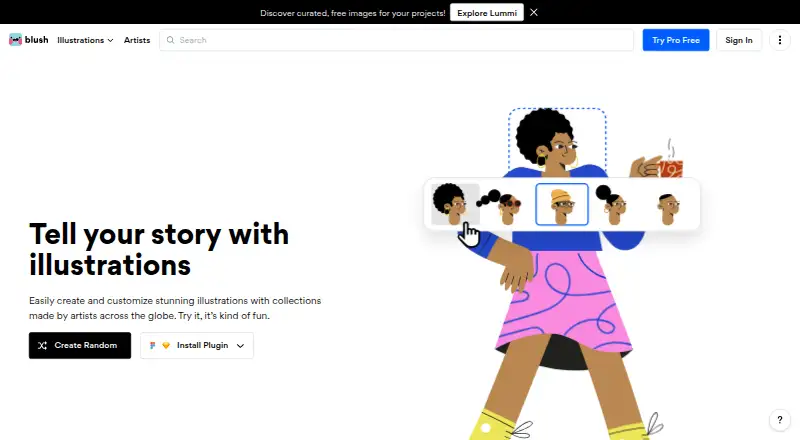
Blush is a browser-based tool for combining illustration elements, from characters and scenes to stickers, avatars, objects, and shapes. You can edit details including hair, expressions, clothing, posture, position, backgrounds, and color. Free plans offer downloads, while paid plans add SVG, print-resolution PNG, and access to more illustrations.
Review
In a line
Blush gives you a way to combine and edit illustrations made by artists around the world. Use it online or through its plugins for Figma and Sketch.
What it does
Characters and scenes are assembled from vector body parts, props, and emotions. You can refine details such as hair, facial expression, clothes, posture, position, and backgrounds.
Color filters let you apply selected combinations to illustrations, with one-click recoloring among the Pro features. The library includes characters, scenes, stickers, avatars, objects, and shapes.
Blush says its illustrations are available for personal and professional projects without requiring attribution to the artist.
How it connects
Blush is available online, with plugins for Figma and Sketch. It also offers customizable Figma templates to help get projects started.
No public API is presented, and the service has no self-hosting option listed. Downloads are available on the free tier; Pro adds print-resolution PNG and SVG exports.
Blush Teams supports importing a company’s illustration system and making those assets available across teams, whatever tools they use.
Good fit
Blush lists designers, marketers, content creators, product teams, developers, educators, corporations, and startups among its intended users.
Blush Teams is designed for shared illustration systems, brand consistency, and distributing assets. Its team library is advertised as containing more than 10,000 illustrations.
Watch for
The free offerings have limits on illustration access or saved designs; print-resolution PNG and SVG exports are part of Pro.
An agency review says Blush’s output may feel less distinctive than bespoke illustration work. Some teams may find the material dated or feel constrained to one art style.
The same agency review cites limits for strict design-system work and advanced vector editing. Check trial cancellation and refund terms before subscribing.
Pricing
Doodler costs nothing, requires no card, includes unlimited downloads, and lets you save up to five designs. The Free plan also costs nothing and provides thousands of illustrations with unlimited downloads.
Annual Pro is $12 per month, charged as $144 per year. Quarterly Pro is $15 per month, billed at $45 per quarter. Monthly Pro costs $20, billed monthly. These options include 10,000+ illustrations, unlimited saved designs, color customization, high-resolution PNG, and SVG.
Blush Pro is available at a price on request. A free trial is available.
Verdict
Blush is worth considering if you want to assemble illustrations without drawing each component, particularly if you use a browser, Figma, or Sketch. Free plans cover downloading; Pro is geared toward larger libraries, saved designs, and print-resolution or SVG output.
Consider other options if you rely on a public API, self-hosting, highly distinctive artwork, or advanced vector control. Teams should check that the styles suit their brand and review subscription terms before starting a trial.
Our take
Blush works well for people who want editable illustration components instead of commissioning one-off artwork. The web app and Figma and Sketch plugins support familiar design workflows, and even the free plans include unlimited downloads. Paid options bring access to larger collections, saved designs, color tools, print-resolution PNG, and SVG. Trade-offs include limited advanced vector editing, styles that some reviewers find dated or less distinctive, and the lack of a public API or self-hosting option. Teams should assess brand fit and billing terms before committing.
- Edit illustration details such as hair, expression, clothes, posture, backgrounds, and position
- Available online and through Figma and Sketch plugins
- Unlimited downloads are included in free plans
- Blush says artist attribution is not required for commercial use
- Pro provides print-resolution PNG and SVG exports
- No public API or self-hosting option is presented
- Some reviewers describe the styles as dated or less distinctive
- Advanced vector editing has reported limitations
- Doodler allows up to five saved designs
- Pick it ifDesigners and content teams looking for adjustable illustration assets; Figma or Sketch users seeking reusable visual elements; Teams creating shared illustration systems
- Skip it ifYou rely on API access or self-hosting; Your brand calls for fully bespoke artwork; You need advanced vector tools or strict design-system editing
Pricing
Doodler and Free are free plans. Pro is $12 per month when billed annually, $15 per month when billed quarterly, or $20 billed monthly. Blush Pro pricing is available on request.
- Doodlerunlimited downloads · up to 5 saved designs · no card requiredFree
- FreeThousands of free illustrations · unlimited downloadsFree
- Pro annual$144 per year · 10,000+ illustrations · unlimited saved designs · color customization · high-resolution PNG · SVG$12/mo
- Pro quarterly$45 per quarter · 10,000+ illustrations · unlimited saved designs · color customization · high-resolution PNG · SVG$15/mo
- Pro monthly$20 monthly · 10,000+ illustrations · unlimited saved designs · color customization · high-resolution PNG · SVG$20/mo
- Blush ProOne-click color customization · vectorized illustrations · unlimited designs for reuse · early access to new collectionsOn request
As librairy.io lists them, checked 14 Oct 2026.
Questions
Can I use Blush without paying?
Yes. Doodler has no charge, allows unlimited downloads, and saves up to five designs. The Free plan comes with thousands of illustrations and unlimited downloads.
What features come with Pro?
Pro options include more than 10,000 illustrations, unlimited saved designs, color customization, high-resolution PNG files, and SVG exports.
Are Blush illustrations licensed for commercial projects?
Yes. Blush says the artwork may be used for personal or professional projects without mandatory artist attribution.
Where can I use Blush?
Blush is offered as a web app and has plugins for Figma and Sketch.
Is there a public API?
Blush does not present a public API.
Can a team distribute its own illustration assets?
Blush Teams describes importing a company’s illustration system and sharing those assets across teams.