Boot-US Boot Manager Review
boot-us.de · checked 14 Oct 2026
A boot manager that lets x86 computers start installed operating systems separately.
How it plugs in
Signal on Boot Manager Software6.4#3 of 29
Boot-US is proprietary software with Windows and Linux command-line interfaces. It launches systems through BIOS or UEFI on x86 machines, including separate Windows installations. MBR and GPT drives of any capacity are supported, along with partition concealment, layout inspection, and disk or partition backup and recovery. Private computer owners and public schools may use the unlicensed package at no charge.
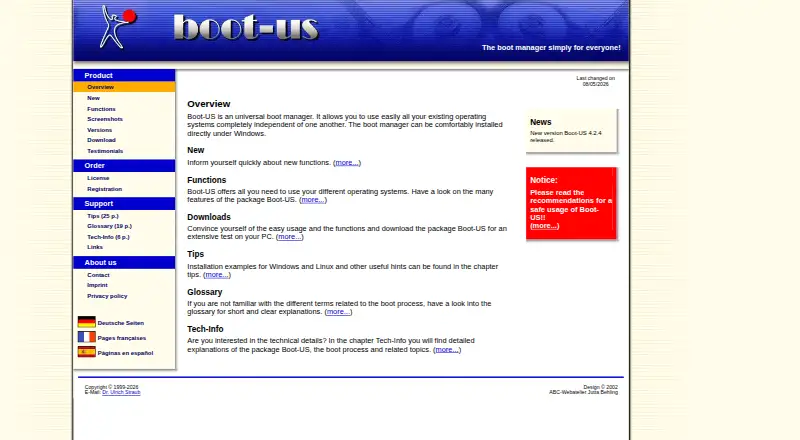
Review
In a line
Boot-US provides a menu for independently launching installed systems on x86 PCs. Both legacy BIOS and UEFI firmware are supported.
What it does
The menu starts systems using their ordinary boot processes, including multiple standalone Windows installations. Drives formatted with either MBR or GPT are supported regardless of capacity.
Utilities display partition information, make partitions invisible, and copy or recover entire disks or individual partitions. Boot-entry changes, repair tools and menu customization are listed features.
How it connects
Boot-US runs on Windows and Linux. Windows includes a graphical configuration application and command-line utilities, while Linux is represented by a 64-bit command-line build. The Windows configurator saves settings in an INI file, with an optional configuration password possibly stored in the registry.
It is proprietary shareware, not open source. The maker does not publish an SDK or web API. The package includes Windows installers, a DOS/Windows/Linux64 command-line archive, a service archive, a PDF manual and SHA-256 verification files.
Good fit
It suits people who keep multiple operating systems on one x86 computer, especially users managing independent Windows installations or mixed BIOS and UEFI setups.
Private-PC users, public schools and commercial users who need per-PC licensing can choose among free use and one-time license quantities.
Watch for
Boot-US is a boot manager rather than an installer or partition editor: it cannot add or remove systems, resize or move partitions, replace full partition-management software, or edit disks directly.
A version 4 license unlocks several of the password-protection options. Commercially used computers need a license once the one-month trial ends, and the license count must correspond to the number of PCs.
The maker provides the software as-is without warranty and says users operate it at their own risk. Read the safety guidance before installation.
Pricing
Private computers and public schools may use the unlicensed package without payment; a one-month evaluation period is also available. Continued commercial use after that period requires a license.
Version 4 licenses are sold once for €24.50 (1 PC), €59.50 (5 PCs), €119.50 (20 PCs), or €299.50 (100 PCs). The corresponding dollar listings are $24.50, $59.50, $119.50 and $299.50 as one-time charges.
Verdict
Choose Boot-US if you need a dedicated menu for several operating systems on an x86 computer and want BIOS, UEFI, partition visibility and backup controls in one package. The free private-PC and school terms may cover noncommercial use.
Look elsewhere if you need to install operating systems, change partition sizes, edit disks directly, use ARM or Apple platforms, or connect through a published web API. Commercial buyers should count PCs before selecting a license.
Our take
Boot-US is a focused choice for multiboot arrangements on x86 hardware. Its BIOS and UEFI coverage, support for MBR and GPT, and handling of multiple Windows installations address the main startup task. Partition inspection, hiding, and backup tools add useful control, but this is not a replacement for partition-management software and it does not install systems. Free private and school use lowers the entry cost; commercial users must budget per computer after one month. The as-is warranty and platform limits deserve attention before deployment.
- Boots through BIOS or UEFI on x86 machines
- Handles several independent Windows installations
- Accepts MBR and GPT drives of any capacity
- Offers partition concealment plus disk and partition backup
- No-cost use is available for private computers and public schools
- Does not install operating systems or resize partitions
- Several password options need a version 4 license
- Commercial computers need per-machine licensing after the trial
- Provided without warranty and used at the user's risk
- Pick it ifPeople running several operating systems on one x86 PC; Schools and private users needing free noncommercial use; Commercial deployments that can license each PC
- Skip it ifYou need complete partition-management or direct disk-editing functions; You require ARM, macOS, iOS or Android support; You need a public API or open-source code
Pricing
Private computers and public schools can use the package without a license, and evaluation is free for one month. Commercial computers require a per-PC license afterward. Version 4 one-time prices are €24.50 for 1 PC, €59.50 for 5, €119.50 for 20, and €299.50 for 100; dollar listings carry the same $24.50–$299.50 amounts.
- Private PC / public school usefree use · Private PCs and public schools · non-licensed packageFree
- Boot-US 4.x.x · 1 PCone-time final price including tax and transportation · 1 PC · version 4 license€24.50 one-time
- Boot-US 4.x.x, 1 PCFinal price including tax and transportation · 1 PC · Upgrade from V3: 10.50 EUR$24.50 one-time
- Boot-US 4.x.x · 5 PCsone-time final price including tax and transportation · 5 PCs · version 4 license€59.50 one-time
- Boot-US 4.x.x, 5 PCsFinal price including tax and transportation · 5 PCs · Upgrade from V3: 19.50 EUR · School license available$59.50 one-time
- Boot-US 4.x.x · 20 PCsone-time final price including tax and transportation · 20 PCs · version 4 license€120 one-time
- Boot-US 4.x.x, 20 PCsFinal price including tax and transportation · 20 PCs · Upgrade from V3: 39.50 EUR · School license available$120 one-time
- Boot-US 4.x.x · 100 PCsone-time final price including tax and transportation · 100 PCs · version 4 license€300 one-time
As boot-us.de lists them, checked 14 Oct 2026.
Questions
Does Boot-US support UEFI and BIOS?
Yes. Both UEFI and BIOS startup modes work on x86 machines.
Can it run multiple Windows systems?
Yes. It handles separate Windows installations and starts systems through their regular boot procedures.
Is Boot-US open source or does it have an API?
No. It is proprietary shareware, and the maker does not publish an SDK or web API.
Is there a free plan?
Yes. Private computers and public schools may use the unlicensed package at no cost, and anyone can evaluate it free for one month.
How much is a commercial license?
A version 4 license costs €24.50 for one PC, €59.50 for five, €119.50 for 20, or €299.50 for 100, with a single payment. Dollar listings show equivalent one-time amounts.
Can Boot-US resize or move partitions?
No. It cannot resize or relocate partitions, install or remove operating systems, replace a partition manager, or serve as a disk editor.
Near it
All alternatives →- AAvidemux#2 on this board
- L
 Launchpad#4 on this board
- RrEFInd#1 on this board
- GC
 GitHub CodeQL#5 on this board
- CBClover Bootloader#6 on this board
- SGSuper Grub2 Disk#7 on this board
- PBPlop Boot Manager#8 on this board
- SM
 SARDU MultiBoot Creator#9 on this board
- V
 Ventoy#10 on this board
- VBVisor Boot Manager#11 on this board