Browserflow: No-Code Browser Automation and Scraping
browserflow.app · checked 15 Oct 2026
No-code browser automation for scraping websites and running repeatable online tasks.
How it plugs in
Signal on Task Automation Software6.3#11 of 35
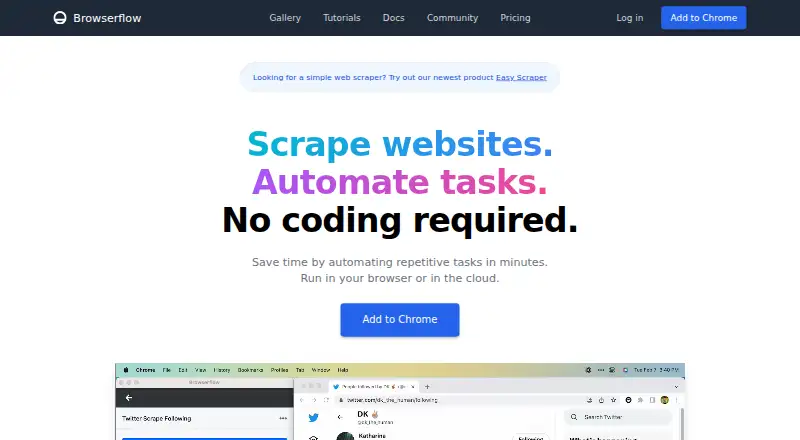
Browserflow is a visual, no-code tool for automating browser work and collecting website data. You can record actions, build flows, run small scripts, and work with Google Sheets. Flows run in a browser or Browserflow Cloud, with schedules available. A free plan is offered, while paid plans add longer runs, more cloud flows, webhooks, API access and proxy features.
Review
In a line
Browserflow automates repeatable website tasks and gathers data without requiring code.
Its flows can run through a Chrome extension in your browser or in Browserflow Cloud.
What it does
A visual editor lets you create flows by recording actions or arranging commands. Flows can click, type, copy, paste, fill forms, email, download files, and take screenshots.
For scraping, Browserflow handles HTML tables, single-page apps, multiple pages, and infinite feeds. You can select page elements or lists, use conditions and loops, search spreadsheet rows, and check results with assertions.
A Run Script command executes JavaScript on the current page and can expose selected variables for later steps.
How it connects
Browserflow works as an API, browser extension, and web service. Google Sheets reading and writing is included with every plan. API access and webhooks start with Starter; a webhook sends run details in a POST request when a cloud run finishes.
The Make HTTP Request command supports GET, POST, PUT, PATCH, and DELETE requests with query strings, headers, and JSON, form, or raw bodies. Browserflow is not open source.
You can run flows locally in Chrome or in the cloud. Cloud runs can follow a schedule while your computer is off. Ready-made community flows can be reused and shared.
Good fit
Browserflow suits people handling repeated browser work such as web research, operations, form filling, file uploads, and spreadsheet tasks. Its recorder and visual editor are aimed at people who do not want to write code.
It fits teams looking for task automation software that can collect information from several pages and send results to Google Sheets.
Watch for
The Free plan allows one cloud flow, a daily maximum schedule, and one minute per desktop run; API access, webhooks, proxies, and CAPTCHA solving are excluded. Paid plans have different cloud-flow, run-time, and schedule limits.
Data-center proxies begin with Professional. Residential proxies and a CAPTCHA solver are limited to Business. Hover actions must be added manually when recording.
Browserflow says it collects account details, cloud-stored flows, usage data, error diagnostics, and extension interaction data, while not collecting browsing history. Its policy names Firebase, Sentry, and Amplitude as service providers.
Pricing
Browserflow has a free plan billed free forever. It includes unlimited desktop runs, one minute per desktop run, 30 cloud minutes each month, one cloud flow, daily scheduling, Google Sheets, and community support.
Starter costs $19 a month, billed yearly. It adds unlimited desktop runs, 10 minutes per desktop run, 2.5 cloud hours per month, five cloud flows, hourly scheduling, API and webhooks, and community support.
Professional costs $49 a month, billed yearly. Business costs $199 a month, billed yearly. Professional adds unlimited desktop run time, 15 cloud flows, 30-minute scheduling, data-center proxies, and email support. Business adds unlimited cloud flows, one-minute scheduling, residential proxies, a CAPTCHA solver, and priority email support. A free trial is also available.
Verdict
Choose Browserflow when recurring browser actions, website scraping, and Google Sheets work are central to your process. Local Chrome runs suit workflows that should stay in your browser, while cloud scheduling handles jobs when your computer is off.
Check the plan limits before relying on frequent or long cloud runs. If you need open-source software, broader proxy access, or CAPTCHA solving below Business, Browserflow may not fit.
Our take
Browserflow is a practical choice for nontechnical users who repeat browser steps and need website data in spreadsheets. The free tier is suitable for light use, but its one-flow, daily schedule, and short run limits are restrictive. Teams should budget for Starter or higher when they need API calls, webhooks, longer cloud activity, proxies, or stronger support. Review its cloud data collection and service terms before placing sensitive workflows on the platform.
- No-code visual editor with action recording
- Scrapes tables, single-page apps, multiple pages and infinite feeds
- Runs locally or on a cloud schedule
- Google Sheets support on every plan
- API and webhooks from Starter upward
- Free plan has one cloud flow and daily scheduling
- Hover actions need manual setup in recordings
- Proxies and CAPTCHA solving require paid tiers
- Cloud-stored flows and usage data are collected
- Not open source
- Pick it ifPeople automating browser research and operations; Spreadsheet workflows using Google Sheets; Scraping multi-page websites without coding
- Skip it ifYou need open-source code or browsing-history collection excluded by design; You require residential proxies or CAPTCHA solving below Business; Your jobs exceed the Free plan's short, infrequent runs
Pricing
A free-forever plan covers light desktop and cloud use.
- Starterbilled yearly · Unlimited desktop runs · 10 minutes per desktop run · 2.5 cloud hours/month · 5 cloud flows · hourly maximum frequency · API and webhooks · community support$19/mo
- Professionalbilled yearly · Unlimited desktop runs · unlimited desktop run time · 2 minutes per cloud run · 15 cloud flows · 30-minute maximum frequency · API and webhooks · data-center proxies · email support$49/mo
- Businessbilled yearly · Unlimited desktop runs · unlimited desktop run time · 5 minutes per cloud run · unlimited cloud flows · one-minute maximum frequency · API and webhooks · data-center and residential proxies · CAPTCHA solver · priority email support$199/mo
- Freefree forever · Unlimited desktop runs · 1 minute per desktop run · 30 cloud minutes/month · 1 cloud flow · daily maximum frequency · Google Sheets · community supportFree
As browserflow.app lists them, checked 15 Oct 2026.
Questions
Does Browserflow have a free plan?
Yes. Free is billed free forever and includes unlimited desktop runs, 30 cloud minutes per month, one cloud flow, daily scheduling, Google Sheets, and community support.
Can Browserflow run when my computer is off?
Yes. Browserflow Cloud can run flows on a schedule while your computer is off. The Chrome extension runs flows locally in your own browser.
What does Browserflow connect to?
Every plan includes Google Sheets reading and writing. Starter and higher plans include API access and webhooks. The tool also supports HTTP requests and browser-extension, web, and API access.
Which Browserflow plan includes proxies and CAPTCHA solving?
Data-center proxies start with Professional. Business includes data-center and residential proxies plus a CAPTCHA solver.
Is Browserflow open source?
No. Browserflow is a commercial product with browser-extension, web, and API access.
What data does Browserflow collect?
Its policy lists account details, cloud-stored flows, usage data, error diagnostics, and extension interaction data. It says browsing history is not collected.