Browshot: Website Screenshot Service Review
Browshot · checked 28 Sept 2026
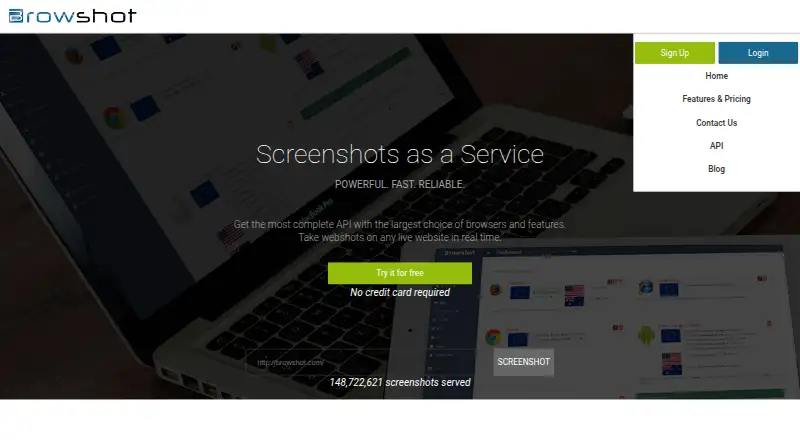
Capture live websites in real time through Browshot's dashboard or API, using desktop and mobile virtual browsers.
How it plugs in
Signal on Screenshot APIs6.7#1 of 40
Browshot is a cloud service for capturing live website screenshots and thumbnails. Access is available through a dashboard, REST API, command-line tools, and open-source client libraries. It uses real desktop and mobile browsers for screen or full-page captures, with PNG and JPEG output. A free plan is available, with paid credit plans from $1 a month.
Review
In a line
Browshot captures live website pages in real time through a cloud service. Requests can come from its dashboard or API.
What it does
It captures a visible screen, a full page, or a thumbnail with your chosen size and aspect ratio. Scrolling capture is supported, and results can be PNG or JPEG files.
More than 30 virtual browsers are available, covering desktop, iPhone, iPad, Android, Nexus and PC options. Browshot's browser environments support HTML5, CSS3, JavaScript, image loading and redirects.
Premium and private browsers can perform actions including clicks, typing, navigation, JavaScript execution, waiting and screenshot capture. Trackers can read values such as prices, delivery dates, search rank and page titles from rendered pages.
How it connects
Browshot's REST interface is documented at version 1.31 and requires an API key. Client libraries are open source for Perl, PHP, Python, Ruby and C#, and Swagger specifications support client generation in other languages.
On Linux, Mac OS X, BSD and Windows, tools such as wget, curl, fetch or browshot-cmd.exe can request screenshots and thumbnails. Browshot can send files to your Amazon S3 bucket or host them over HTTPS.
It runs through web, Windows, macOS, Linux and API access.
Good fit
Browshot suits teams that need automated captures of live pages across desktop and mobile browser types. It can also help with page monitoring or extracting a few values from rendered sites.
Its API, command-line access and open-source libraries make it a match for software that needs screenshots as part of a workflow. Shareable links are available for captured images.
Watch for
The average screenshot takes about 15 seconds including page loading. Pages that run longer than two minutes are stopped, and failed screenshots are not charged.
Locations include Germany, the UK, the USA and Australia; other countries are available on request. Check that your needed browser, location and resolution are offered before buying.
Browshot has no free trial. The free plan has 100 screenshots per month, reduced browser and resolution choices, and shared browsers.
Pricing
Browshot has a free plan and paid credits billed pay-as-you-go. The Free plan costs free and includes 100 screenshots per month with reduced choices and shared browsers. There is no free trial.
Paid monthly options start at $1 a month for 10 credits, then $2 a month for 60 credits and $5 a month for 300 credits. The next tiers are $10 a month for 1,000 credits, $25 a month for 3,000 credits and $50 a month for 8,000 credits.
Higher plans are $100 a month for 20,000 credits, $200 a month for 45,000 credits and $500 a month for 125,000 credits. A 300,000-credit plan costs $1000 a month.
Premium credits cost $500 one-time, billed pay-as-you-go, for 125,000 credits.
Verdict
Choose Browshot if you need website images generated by real desktop and mobile browsers, especially when an API, command line or open-source client is useful. Its automation and data extraction features add options for recurring jobs.
Look elsewhere if a two-minute maximum page time, roughly 15-second average capture, shared free browsers or limited free-plan choices do not fit your work. Also check browser and country availability before committing.
Our take
Browshot is a practical choice for automated website capture across many virtual desktop and mobile browsers. Its REST API, command-line access and open-source libraries fit different workflows, while automation and page-value extraction extend it beyond basic images. The free plan can handle light use, but it limits browser and resolution choices. Paid access uses credit packs, and captures may take about 15 seconds. Confirm the browser, country and resolution options you need, and account for the two-minute page limit before selecting it.
- Real desktop and mobile browser coverage
- REST API plus open-source client libraries
- Screen, full-page and thumbnail captures
- PNG and JPEG output with S3 delivery
- Free plan with 100 screenshots monthly
- Average capture takes about 15 seconds
- Pages running longer than two minutes are stopped
- Free plan has reduced choices and shared browsers
- No free trial
- Some IP countries require a request
- Pick it ifAutomated capture of websites across desktop and mobile browsers; Teams using APIs, command-line tools or open-source clients; Monitoring pages or extracting displayed values
- Skip it ifYou need instant captures or pages that regularly exceed two minutes; You require a free trial or unrestricted browser choices
Pricing
A free plan includes 100 screenshots per month with reduced browser and resolution choices. Premium credits cost $500 one-time for 125,000 credits.
- 10 creditsPay-as-you-go · 10 credits$1/mo
- 60 creditsPay-as-you-go · 60 credits$2/mo
- 300 creditsPay-as-you-go · 300 credits$5/mo
- 1,000 creditsPay-as-you-go · 1,000 credits$10/mo
- 3,000 creditsPay-as-you-go · 3,000 credits$25/mo
- 8,000 creditsPay-as-you-go · 8,000 credits$50/mo
- 20,000 creditsPay-as-you-go · 20,000 credits$100/mo
- 45,000 creditsPay-as-you-go · 45,000 credits$200/mo
As browshot.com lists them, checked 20 Sept 2026.
Questions
Does Browshot have a free plan?
Yes. The Free plan costs free and includes 100 screenshots per month, with reduced browser and resolution choices and shared browsers.
Is there a Browshot free trial?
No. Browshot offers a free plan but no separate free trial.
Which browsers can Browshot use?
More than 30 virtual browsers are supported, including iOS, Android, iPhone, Nexus, iPad and PC browsers.
Can Browshot capture a whole web page?
Yes. Requests can specify screen captures, full-page screenshots or thumbnails, and scrolling capture is supported.
Does Browshot provide an API?
Yes. The REST API is documented at version 1.31 and uses an API key. Open-source libraries cover Perl, PHP, Python, Ruby and C#.
Where can Browshot store screenshots?
It can upload screenshots and thumbnails to your Amazon S3 bucket or host them on Browshot over HTTPS.
How long does a screenshot take?
Completion averages about 15 seconds including page loading. A page running beyond two minutes is stopped without charging for the failed screenshot.
What does Browshot cost?
Paid credits start at $1 a month for 10 credits. Other monthly tiers go up to $1000 a month for 300,000 credits, and premium credits cost $500 one-time for 125,000 credits.