BudgetPak: Cloud Budgeting and Forecasting Software
xlerant.com · checked 11 Oct 2026
Cloud tools for budgeting, forecasting, reporting and planning in smaller and mid-sized organizations.
How it plugs in
Signal on Nonprofit Budgeting Software5.1#18 of 24
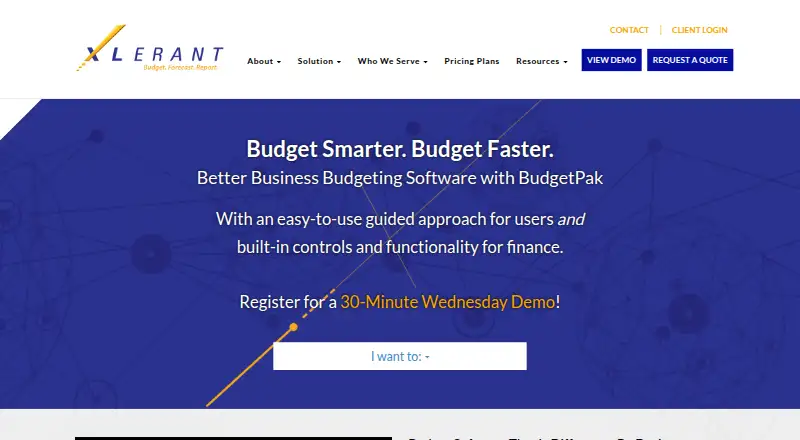
BudgetPak is a cloud service for budgeting, forecasting, reporting and financial planning. Scenario modeling, variance analysis, workforce planning and consolidation are included. Finance and department managers get guided workflows, built-in reports, dashboards and general-ledger detail. It connects through an API, listed accounting and enterprise systems, and Excel via myXL.
Review
In a line
Small and mid-sized organizations can use BudgetPak online for budgeting, forecasting and reporting. The platform also covers workforce planning, scenario work, variance review and financial consolidation.
What it does
Department and finance managers can build budgets using department-specific navigation and more than one budgeting method. Headcount and salary planning includes benefits, new hires, pay schedules and tax calculations.
Built-in reports, configurable dashboards and key performance indicators help show results. Users can drill from reports into general-ledger transaction detail.
How it connects
BudgetPak can transfer account and general-ledger data through an API and names QuickBooks, Sage, SAP, Oracle, Workday and Microsoft Dynamics among its integrations.
The myXL connection lets users work in Excel for analysis, pivot tables, data extraction or uploads, and specialized reporting. Role-based security, several permission levels and single sign-on are listed.
Good fit
BudgetPak suits smaller and mid-sized organizations seeking a shared system for budgets, forecasts, scenarios, workforce plans and consolidated financial information.
It can suit teams that want guided steps for non-finance budget managers, plus dashboards and drill-through reporting for finance staff.
Watch for
BudgetPak is accessed through the web and an API, so check that its listed systems and data-transfer approach match your setup. The responsive interface works on laptops, tablets and cell devices through Chrome, Microsoft Edge, Firefox or Safari.
XLerant describes a fixed-fee implementation with training, scheduled over 6–8 weeks, and says its team completes 85% of the work. Confirm timing and responsibilities before signing.
Pricing
BudgetPak is paid and priced on request, with a quote required. The pricing page lists three-year, annual and monthly agreements.
Available licensing includes sliding-scale end-user access, view-only access, one to five administrators, or an unlimited-license option.
Verdict
BudgetPak may fit organizations seeking browser-based guided budgeting together with forecasting, workforce planning, consolidation and reporting. Its API, Excel connection and named accounting-system integrations may help connect existing financial data.
Ask for a quote and confirm the right license mix, implementation schedule and system connections. Organizations seeking software outside the listed integrations or without a need for structured budgeting and planning should look elsewhere.
Our take
BudgetPak combines budgeting, forecasting, workforce planning and consolidation in a cloud service for smaller and mid-sized organizations. Guided department workflows can include non-finance managers, while dashboards and ledger drill-through support finance review. The API, myXL Excel connection and named system integrations are useful for linking existing data. Buyers should request a detailed quote, verify which agreement and license options fit their users, and plan for the listed 6–8 week implementation period.
- Covers budgeting, forecasting, scenarios, variance analysis and consolidation
- Guided workflows support finance and non-finance budget managers
- Headcount and salary planning addresses benefits, hires, schedules and taxes
- API, myXL Excel tools and listed accounting-system integrations
- Reports, dashboards, KPIs and general-ledger drill-through support review
- Pricing is available only by request and requires a quote
- Training and implementation are scheduled for 6–8 weeks
- You may need to verify that the listed integrations and API transfer approach fit your systems
- The service is accessed through the web and API
- Pick it ifSmaller and mid-sized organizations preparing budgets and forecasts; Teams needing workforce planning and consolidated reporting; Organizations using Excel alongside financial systems
- Skip it ifYou need a published price instead of a quote-based plan; Your required systems are outside the listed integrations; You cannot accommodate the stated implementation schedule
Pricing
BudgetPak is paid, with pricing on request and a quote required. Customers can choose three-year, annual or monthly agreements. License options span sliding-scale end users, view-only users, one to five administrators or unlimited licenses, and fixed-fee implementation is listed.
- BudgetPakQuote required; the pricing page lists 3-year, annual, and monthly agreements. · Sliding-scale end-user licenses · view-only licenses · 1–5 administrators or unlimited license option · fixed-fee implementationOn request
As xlerant.com lists them, checked 11 Oct 2026.
Questions
What is BudgetPak?
BudgetPak is a cloud-based tool for budgeting, forecasting and reporting aimed at small to mid-sized organizations.
Does BudgetPak support workforce planning?
Yes. Its headcount and salary tools account for employee benefits, new hires, pay schedules and tax calculations.
Which systems can BudgetPak connect to?
An API can carry account and general-ledger data, with QuickBooks, Sage, SAP, Oracle, Workday and Microsoft Dynamics named as integrations.
Can BudgetPak work with Excel?
Yes. myXL supports Excel analysis, pivot tables, data extraction or uploads, and specialized reports.
What pricing should buyers expect?
Pricing is available on request with a quote required; agreement terms shown are three-year, annual and monthly.
How long is implementation?
XLerant describes fixed-fee implementation and training over 6–8 weeks, with its team handling 85% of the work.
Which devices and browsers are supported?
The responsive web interface supports laptops, tablets and cell devices through Chrome, Microsoft Edge, Firefox and Safari.