Sales Appointment Scheduling Software
Buildout Schedule review: scheduling and pricing
buildoutschedule.com · checked 15 Oct 2026
AI-assisted scheduling that drafts email replies, offers booking pages, and books meetings after approval.
How it plugs in
Signal on Sales Appointment Scheduling Software6.3#3 of 23
Buildout Schedule is a hosted scheduling service for individuals and teams. Copy scheduler@ on an email thread to get a draft reply with open times, then approve it from Gmail. It also offers booking pages, team routing, waitlists, reminders, payments through your Stripe account, and calendar and video connections. Plans range from free to enterprise.
Review
In a line
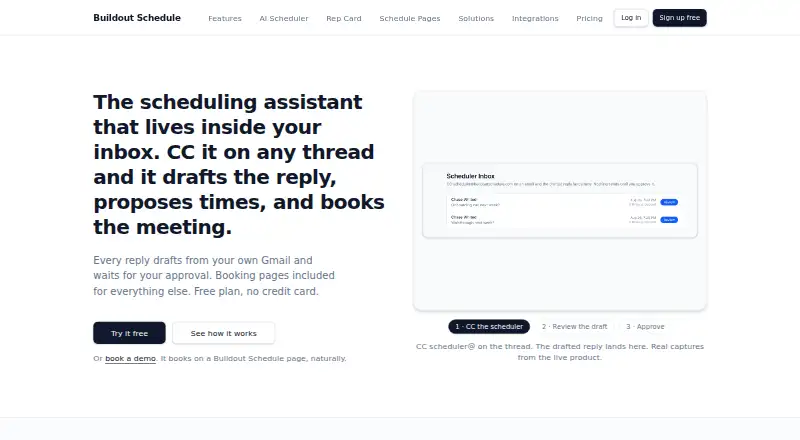
Buildout Schedule is a hosted scheduling assistant. It can join an email thread, suggest times, and book a meeting after you approve the reply.
What it does
Copy scheduler@ on an email thread to receive a proposed reply based on your availability. Review and approve it before the message sends from Gmail. Attendees can write requests such as a preferred day or time and receive matching open slots.
Schedule Pages put several event types on one shareable address, with four layouts and grouping options. Rep Cards add a profile, testimonials, contact actions, and booking. You can set working hours, buffers, minimum notice, booking horizons, and date overrides for each event type.
The service supports qualification forms, lead routing, round-robin assignment, collective events, and attendee host selection. It sends email confirmations and reminders, with SMS reminders on paid plans. Canceled bookings can go to a waitlist for a 24-hour claim window, while Pocket Agent drafts replacement times for approval.
How it connects
Calendar connections include Google Calendar and Microsoft calendars, which block unavailable times and receive booked events. Pro plans can add Zoom or Google Meet links. Documented OAuth connections also include Stripe, Slack, and Twilio.
Payments use your own Stripe account, with a stated 0% Buildout Schedule platform fee. Slack can receive notifications, and Twilio can send SMS reminders. Contacts can be imported from CSV or Google.
There is no public REST API or outbound webhooks. Hosted Schedule Pages and Rep Cards can be linked or embedded, including on a customer domain through one CNAME. A developer page lists an npm package, @buildoutstudios/schedule, with React and script-based booking widgets.
Buildout also exposes a stateless MCP endpoint. Public event types and availability need no token; booking changes require a revocable bos_mcp bearer token. The documented tools cover listing event types, checking availability, booking, rescheduling, and canceling.
Good fit
The product is aimed at solo operators and teams such as coaches, trainers, contractors, consultants, med spas, real estate agents, home services, and sales teams.
It suits people who want email-based scheduling plus shareable booking pages. Team plans add routing forms, managed workflows, team pages, admin roles, and higher AI draft limits. Solo and higher plans include booking analytics.
Watch for
Check whether the MCP endpoint, hosted pages, or embed package cover your workflow.
AI replies and summaries can be imperfect. You are responsible for reviewing important messages before sending. The service does not promise zero downtime.
The free plan includes one meeting type and one seat. Custom domains, team controls, analytics, video links, waitlists, and higher AI limits depend on paid plans.
Pricing
A free plan costs $0 per month and includes one meeting type, Google Calendar sync, a public booking page, email confirmations and reminders, Stripe payments with a 0% platform fee, and 10 AI drafts per month. There is no free trial.
Solo costs $9 per month for unlimited meeting types, SMS reminders, booking analytics, custom web addresses, one seat, and 50 AI drafts per month. Pro costs $16 per person per month and adds custom workflows, collective and round-robin events, Zoom and Google Meet, single-use links, waitlists, and 100 AI drafts per person each month.
AI Unlimited costs $19 per person per month and removes monthly caps on scheduler drafts and transcript summaries; it requires a paid plan. Team costs $30 per person per month and includes routing forms, managed events and workflows, a custom domain, team pages, a leaderboard, admin roles, and 500 AI drafts per person each month.
Enterprise Agent Access starts at $997 per month for metered AI-agent access and 10,000 agent bookings. Enterprise pricing is custom and includes session policy, MFA and IP controls, managed templates, uncapped AI drafts and transcripts, metered agent access, and priority support.
Verdict
Choose Buildout Schedule if you want an assistant that handles scheduling inside email and also need booking pages, calendar sync, reminders, payments, or team routing. The free tier is a way to start with one meeting type, while paid levels expand event types, analytics, video links, domains, and AI limits.
Look elsewhere if your process depends on a public REST API, outbound webhooks, CRM connections, or guaranteed uptime. Before adopting it, confirm that its hosted pages, embeds, or MCP tools fit your existing systems and that the plan’s seat and draft limits match your volume.
Our take
Buildout Schedule fits people who want scheduling handled in email as well as through shareable pages. Its plans cover a single free meeting type, individual paid use, team routing, and enterprise agent access. Calendar, video, payment, messaging, and contact options are documented, but CRM links, a public REST API, and outbound webhooks are not available. AI messages require human approval, and uptime is not guaranteed. Review the seat counts, monthly draft limits, domain needs, and integration method before choosing a plan.
- Email assistant drafts replies and books after approval
- Google, Microsoft, Zoom, Google Meet, Stripe, Slack and Twilio connections
- Booking pages, Rep Cards, waitlists and team routing
- Stripe payments carry a stated 0% platform fee
- Free plan includes 10 AI drafts each month
- No public REST API or outbound webhooks
- No CRM integrations are listed
- AI output may be imperfect and needs review
- Free plan has one meeting type and one seat
- Service does not guarantee zero downtime
- Pick it ifSolo operators needing email-based scheduling and booking pages; Teams using routing, round-robin or collective events; Businesses wanting Stripe payments without a platform fee
- Skip it ifYou require a public REST API, outbound webhooks or CRM connections; You need guaranteed uptime or more free meeting types
Pricing
Draft limits and team features vary by plan.
- Free$0/mo · 1 meeting type · Google Calendar sync · public booking page · email confirmations/reminders · Stripe payments at 0% platform fee · 10 AI drafts/monthFree
- Solo$9/mo · Unlimited meeting types · SMS reminders · booking analytics · custom web addresses · 1 seat · 50 AI drafts/month$9/mo
- Pro$16/person/mo · Custom workflows · collective and round-robin events · Zoom and Google Meet · single-use links · waitlists · 100 AI drafts/person/month$16/mo
- AI Unlimited$19/person/mo · Removes monthly caps on scheduler drafts and transcript summaries · requires a paid plan$19/mo
- Team$30/person/mo · Routing forms · managed events/workflows · custom domain · team pages · leaderboard · admin roles · 500 AI drafts/person/month$30/mo
- Enterprise Agent AccessStarts at $997/mo · Metered access for AI agents · 10,000 agent bookings$997/mo
- EnterpriseCustom · Session policy, MFA and IP controls · managed templates · uncapped AI drafts/transcripts · metered agent access · priority supportOn request
As buildoutschedule.com lists them, checked 15 Oct 2026.
Questions
Does Buildout Schedule have a free plan?
Yes. Free costs $0/mo and includes one meeting type, Google Calendar sync, a public booking page, email confirmations and reminders, Stripe payments with a 0% platform fee, and 10 AI drafts per month.
Can it schedule meetings from email?
Yes. Copy scheduler@ on a thread, review the proposed reply, and approve it before it sends from Gmail.
Which calendars and video services connect?
It connects to Google Calendar and Microsoft calendars. Pro plans can add Zoom or Google Meet links to bookings.
Is there a public API?
No public REST API or outbound webhooks are available. Buildout offers hosted pages, embeds, an npm widget package, and an MCP endpoint instead.
Can customers pay when booking?
Yes. Bookings can collect payment through your own Stripe account, with a stated 0% Buildout Schedule platform fee.
What happens after a cancellation?
A waitlist member can receive the slot with a 24-hour claim window. Pocket Agent can draft a rebooking message with three open times for approval.
Does it connect to a CRM?
No CRM integrations are listed. Contacts can be imported from CSV or Google.