
BusPlanner: Student Transportation Software Review
busplanner.com · checked 15 Oct 2026
Student transportation platform for routing, dispatch, tracking, fleet work, and parent communication.
How it plugs in
Signal on School Bus Routing Software5.6#9 of 24
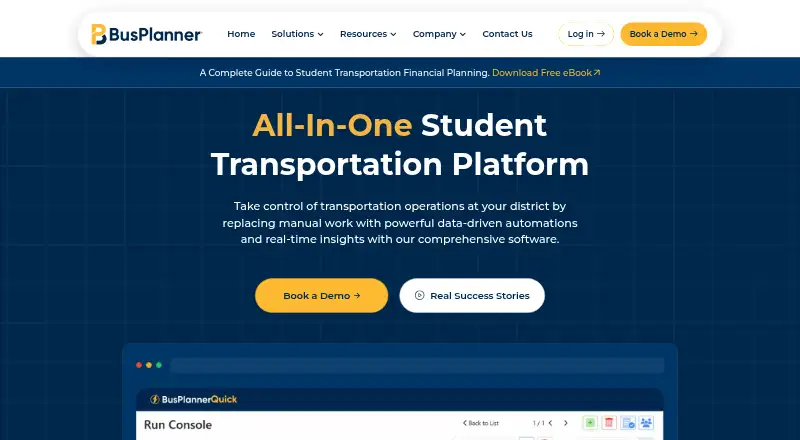
BusPlanner provides school districts and transportation teams with student transportation software. It combines route planning, dispatch, GPS tracking, fleet and financial tools, student ridership records, driver and parent apps, and online portals. BusPlanner Pro runs on Windows, while the suite can use cloud or self-hosted deployment. Pricing is available only by request, with no free trial.
Review
In a line
BusPlanner is an all-in-one platform for managing student transportation operations across North America.
What it does
BusPlanner Pro creates, edits, and optimizes school bus routes, supports route constraints and vehicle capacity rules, and allows multiple users to work on scalable routing. Dispatchers can reassign routes in real time, split routes, update stop reports, and notify parents.
GPS+ offers live bus location data, planned-versus-actual route comparisons, reporting, driver navigation, and AI-generated suggestions. Through Chipmunk, parents receive notices about boarding, drop-offs, delays, changes, and current bus location. Turns guides drivers along each route and logs student boardings and drop-offs through scan-in and scan-out.
Other modules cover fleet maintenance and expenses, financial planning, field trips, inspections, ridership, school-boundary analysis, online forms, and transportation portals. BusPlanner Assist uses live transportation data to answer questions and flag late routes, off-route buses, and missed stops.
How it connects
Through the BusPlanner Info API, BusPlanner Pro can exchange data with student information systems on a scheduled, two-way basis. GPS+ also supports third-party integrations. Student data can be imported through SIS synchronization.
The suite runs on Windows, Android, iOS, and the web. Deployment can use either hosted cloud technology or a self-managed environment. Portals let parents, staff, drivers, dispatchers, and operators view routes, stops, schedules, manifests, estimated arrival times, and delays.
Good fit
School districts and transportation teams needing routing, dispatch, live tracking, parent messaging, and fleet records in one system may find BusPlanner suitable.
It is also suited to teams handling field trips, inspections, ridership verification, financial comparisons, or school-boundary planning. Parents can view routes and live bus status through BusPlanner Web and mobile apps.
Watch for
Because BusPlanner Pro runs on Windows, verify that it matches your office setup. The suite offers cloud or self-hosted operation, with deployment and modules handled through a custom quote.
There is no free trial, and pricing is not published. Confirm the student information system connection, required modules, hosting choice, support arrangements, and data protections before buying. BusPlanner states that it uses administrative, technical, and physical safeguards; GPS+ says its hardware solution has FedRAMP compliance.
Pricing
The BusPlanner plan is price on request, with custom modules and deployment. A separate Custom pricing plan is also price on request. Contact the vendor for a quote. There is no free trial.
Verdict
Choose BusPlanner if your district wants one platform for route work, dispatch, GPS, fleet administration, student ridership, and family updates. Its API-based SIS connection, mobile apps, portals, and cloud or self-hosted options cover different operating setups.
BusPlanner is less suitable when you need transparent pricing or a trial before committing.
Our take
BusPlanner is a broad choice for districts that want routing, dispatch, tracking, fleet records, and family communication under one roof. Its Windows core, mobile apps, SIS API, and flexible hosting can fit organizations with varied technical setups. The trade-off is a quote-only buying process with no trial, so budgeting and module selection require a vendor conversation. Check your SIS connection, deployment preference, and support expectations before signing.
- Route creation, editing, optimization, and live updates
- Live GPS tracking with reporting and driver navigation
- Parent and driver mobile apps
- SIS API supports scheduled two-way data exchange
- Cloud or self-hosted deployment options
- Pricing requires a vendor quote
- No free trial is available
- BusPlanner Pro is Windows-based
- Pick it ifSchool districts coordinating routes, dispatch, and parent alerts; Transportation teams needing GPS, fleet, and ridership records; Organizations requiring cloud or self-hosted deployment
- Skip it ifYou need published prices or a free trial before evaluating; Your core office systems cannot support a Windows-based Pro application; You only need a small, single-purpose routing tool
Pricing
Both listed plans are price on request. The BusPlanner plan covers custom modules and deployment; Custom pricing is also quoted on request. No free trial is offered.
- BusPlannercustom modules and deployment; pricing requires contacting vendorOn request
- Custom pricingPricing available upon requestOn request
As capterra.com lists them, checked 15 Oct 2026.
Questions
Does BusPlanner offer a free trial?
No. The facts list no free trial, and pricing must be requested from the vendor.
What platforms does BusPlanner support?
Supported options include Android, iOS, web, Windows, an API, and self-hosted deployment. The Pro application itself runs on Windows.
Can BusPlanner connect to a student information system?
Yes. Scheduled two-way student information system exchanges are available through the BusPlanner Info API used by BusPlanner Pro.
Does BusPlanner provide live bus tracking?
Yes. GPS+ and parent-facing applications show current bus locations, status changes, delays, and route-change notices.
What do the parent and driver apps do?
Chipmunk alerts parents to boarding, drop-offs, delays, changes, and bus location. Turns supplies route directions and logs boardings and drop-offs.
Can BusPlanner be self-hosted?
Yes. The suite can use either cloud technology or a self-managed hosting setup; BusPlanner Pro runs on Windows.
How much does BusPlanner cost?
Both the BusPlanner and Custom pricing plans require a vendor quote. Contact BusPlanner for current pricing.