CADViewer: CAD Viewing, APIs and Pricing
cadviewer.com · checked 15 Oct 2026
CADViewer displays and manipulates CAD drawings in browsers, with APIs for markup, comparison and measurement.
How it plugs in
Signal on CAD Viewer Software6.3#8 of 31
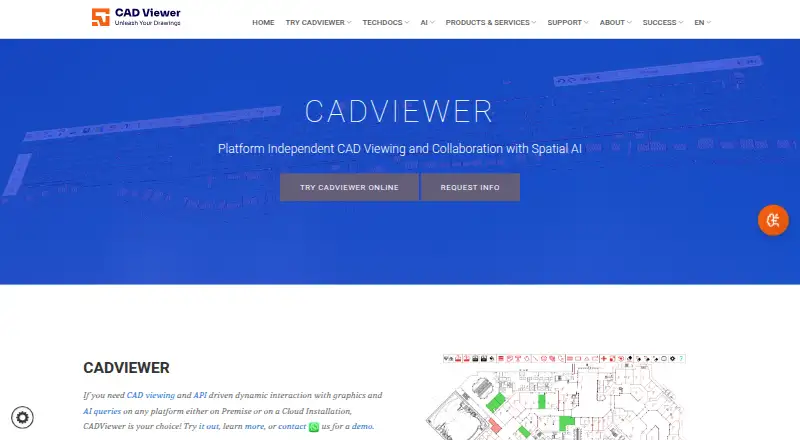
CADViewer is a JavaScript and SVG library for viewing and working with CAD drawings in a browser. It supports common CAD, image and PDF formats, browser and mobile access, drawing markup, comparison and measurement. Teams can install it in the cloud or on their own servers, connect through APIs, and link it with listed business systems.
Review
In a line
CADViewer is a JavaScript and SVG graphics library for displaying and manipulating CAD drawings in a web browser. It is made by Tailor Made Software, which has offices in Seattle and Stockholm and was established in 1990.
What it does
The viewer keeps drawing scale, layers, external references, layouts and views through an internal SVG representation. Users can open formats such as DWG, DXF, DGN, DWF, PDF, SVG, SVGZ, PNG, JPG, GIF and TIFF.
It includes redlines and annotations, drawing comparison, object highlighting and measurement. Space objects and hotspots can be added, styled, searched and changed through commands and the programming interface.
How it connects
CADViewer works in browsers on Android, iOS and other platforms, and can run from a cloud service or on a customer’s own servers. Supported systems include Android, iOS, Linux, macOS and Windows, with self-hosted deployment available.
Its programming connections include JSON interfaces, front-end and callback interfaces, REST services, command-line converters and a Custom Canvas API. Documented environments include React, Angular, Vue, PHP, NodeJS, Java Servlets, .NET, .NET Core, Laravel and SharePoint.
Listed connections include Nextcloud, Leaflet, OpenStreetMap, SharePoint, IBM Maximo and IBM Tririga. The REST service accepts JSON over HTTP, then returns JSON or CSV extraction results, or SVG and PDF conversions. CAD Viewer Software
Good fit
CADViewer suits organisations that need CAD viewing inside space management, facilities management, inventory, document management, IoT, maintenance, real-estate operations, or visualisation and collaboration workflows.
It fits teams that need browser or mobile access, drawing redlines, measurement, comparison, searchable spaces and custom integrations.
Watch for
There is no free plan. Pricing can change with modules, programming interfaces, servers, environments, software-as-a-service use, redistribution and company size, so many installations need a quote.
The 10-day trial requires registration, installation details and trial keys. Trial output may show watermarks until the keys are installed. Perpetual licensing is limited to fixed MAC/IP or fixed-domain environments by contract.
The REST service is password protected, and its trial mode uses watermarked graphics and partly hidden XML. The privacy policy says internet transmissions cannot be guaranteed completely secure.
Pricing
A 10-day Full Server trial is free. CADViewer Conversion Server costs $999 one-time, or $582.75 billed annually. CADViewer – Full Server (Subscription) is $2444 a year.
CADViewer - Front End costs $2595 one-time, or $1,513.75 billed annually. AutoXchange AX2025/AX2026 Stand-Alone costs $2795 one-time, or $1,630.42 billed annually. CADViewer – Full Server costs $4190 one-time.
CADViewer-Full Server Bundle costs $6389 one-time, or $3,726.92 billed annually. CADViewer AI Assistant costs $8995 one-time, or $5,247.08 billed annually. The maker also offers quote-based pricing where deployment needs vary.
Verdict
Choose CADViewer when your organisation needs to place CAD viewing and drawing actions inside an existing web system, with self-hosting, mobile browser access or server-side conversion. Its broad format support and documented connections suit managed business workflows.
Look elsewhere if you need a free product or clearly published pricing for a custom installation. Buyers should confirm which server, API, conversion, redistribution and user requirements apply before selecting a plan.
Our take
CADViewer is a fit for businesses embedding CAD access into portals, facilities tools or operational systems. It covers viewing, redlining, measuring and comparing drawings, while its server and REST options support controlled processing. The trade-off is commercial complexity: there is no free plan, trial setup takes registration and installation details, and final fees may depend on deployment choices.
- Supports DWG, DXF, DGN, DWF, PDF, SVG and common image files
- Works in browsers on Android, iOS and other platforms
- Includes redlining, comparison and measurement tools
- Offers REST, JSON, command-line and framework integrations
- Can be installed in the cloud or on your own server
- No free plan; most deployments may require a quote
- Trial needs registration, installation details and license keys
- Trial output can carry watermarks
- Perpetual licensing is restricted to fixed environments by contract
- Internet transmission security cannot be guaranteed
- Pick it ifTeams embedding CAD viewing in business web systems; Facilities, space and maintenance workflows; Organisations needing self-hosted CAD conversion
- Skip it ifYou need a free or simple standalone CAD viewer; You require upfront pricing for a custom deployment; You cannot manage trial registration and server setup
Pricing
CADViewer has a free 10-day trial but no free plan. Some deployments need a quote because fees vary by modules, servers, APIs, environments, SaaS use, redistribution and company size.
- CADViewer Full server – 10 Days trial10-day trialFree
- CADViewer Conversion Serverone-time price; annual subscription $582.75 · NodeJS server · interface between CADViewer and AutoXchange$999 one-time
- CADViewer – Full Server (Subscription)per year · unlimited users · one front-end URL/IP · standard API included · AutoCAD DWG/DXF/DWF · MicroStation DGN/PCF · raster and vector PDF · redlining$2,444/yr
- CADViewer - Front Endone-time price; annual subscription $1,513.75 · production-server installation · base interface · redlines support$2,595 one-time
- AutoXchange AX2025/AX2026 Stand-Aloneone-time price; annual subscription $1,630.42 · DWG/DXF input · SVG and bitmap output · alternative DXF output$2,795 one-time
- CADViewer – Full ServerFull server license$4,190 one-time
- CADViewer-Full Server Bundleone-time price; annual subscription $3,726.92 · front end · AutoXchange AX2026 · NodeJS conversion server · standard interfaces · redlines$6,389 one-time
- CADViewer AI Assistantone-time price; annual subscription $5,247.08 · front-end assistant queries · integrates with CADViewer Analytic Model/Snowflake$8,995 one-time
As store.cadviewer.com lists them, checked 5 Oct 2026.
Questions
Does CADViewer have a free plan?
No. The maker lists a free 10-day Full Server trial, but there is no ongoing free plan.
Which CAD files can CADViewer open?
Supported formats listed include DWG, DXF, DGN, DWF, SVG, SVGZ, PDF, PNG, JPG, GIF and TIFF.
Can CADViewer run on a company server?
Yes. It is offered for cloud or on-premises installation, including a converter setup that can be installed on a customer server.
Does it work on phones and tablets?
The maker says CADViewer integrates with browsers on all platforms, including Android and iOS.
What business software does it connect to?
Listed integrations include Nextcloud, Leaflet, OpenStreetMap, SharePoint, IBM Maximo and IBM Tririga.
How long is the trial?
The trial lasts 10 days. Users register, provide installation details and obtain trial license keys; output may be watermarked before keys are installed.
Is perpetual licensing available?
Yes, but only as a contract exception for fixed MAC/IP environments or an alternative fixed domain.