Calculator Lock - Photo Vault review
sababasystems.com · checked 15 Oct 2026
An Android photo and file vault concealed behind a working calculator and 4-digit PIN.
How it plugs in
Signal on Photo Vault Apps6.3#6 of 32
Calculator Lock - Photo Vault hides photos, videos, audio, PDFs, files and encrypted notes in local Android storage. A calculator screen opens separate vaults when the matching PIN is entered. The free plan covers core storage and imports, while Pro adds more vaults and extra controls. There is no cloud backup or PIN recovery, so lost credentials can mean lost files.
Review
In a line
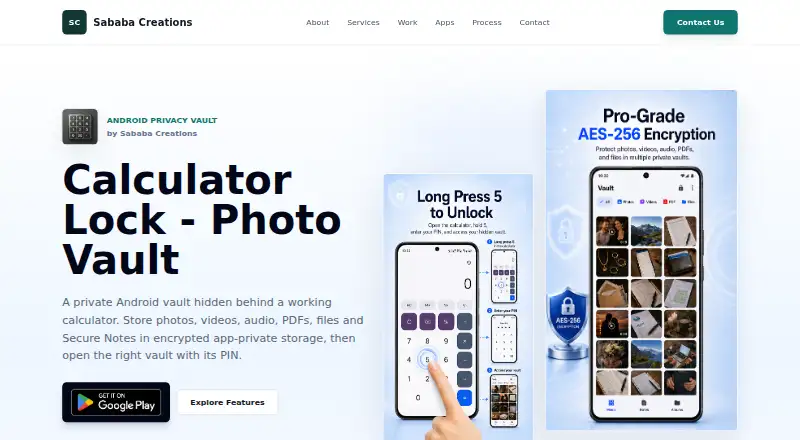
Calculator Lock is an Android privacy vault disguised as a working calculator. Enter the right four-digit PIN through the calculator and press equals to open a vault.
What it does
Import content from Gallery or Files, then sort it into Photos, Videos, Audio, PDF and Files sections. The app stores these items and Secure Notes in encrypted app-private storage on the device.
You can view photos, videos, audio and PDF files inside the app. Files without previews can be unlocked, exported or shared. Notes support search, pinning, editing, Trash and restoration.
Different PINs can open different vaults without a visible vault switcher. Pro users can also make custom albums. Trash items become eligible for automatic permanent deletion after 30 days, though cleanup may be delayed.
How it connects
The vault is designed for local Android storage, with no cloud vault, synchronization or PIN-recovery service. The maker identifies AES-256 encryption for vault content, notes and related records.
The app uses Google Play Billing, Firebase, AdMob, Google UMP and possible Meta Audience Network mediation for billing, ads, consent, configuration and diagnostics. Optional Firebase Analytics and Crashlytics transmission is off by default through the app's improvement setting.
Exports, shares and unlock-to-device actions can create unencrypted copies that destination apps or services control.
Good fit
This suits adults who want an Android-only vault for private media, documents and notes, especially when separate PINs for separate collections are useful. Its calculator disguise and local storage fit people who do not need cloud syncing.
For other options, see Photo Vault Apps.
Watch for
There is no backup or PIN recovery. Forgetting a PIN, uninstalling, clearing app data, losing the device or corruption can make vault contents permanently inaccessible.
A rooted or compromised device, malware, physical access to an unlocked device, external backups or operating-system bugs can bypass app-level protection. Exporting or sharing also moves copies outside the vault.
The free version may show ads. Intruder Detection can take a front-camera photo after repeated failed PIN attempts, but it needs camera permission and applicable premium access. Google Play says the app may share location and app-activity data and may collect location and financial information.
The policy says the app is intended for adults and not children under 18.
Pricing
Free includes up to two vaults, core encrypted storage, media and file import, PDF preview and Secure Notes; ads may appear.
Pro is price on request. It removes ads and adds unlimited vaults, larger bulk imports, custom albums, custom auto-lock timing and optional Intruder Detection.
Verdict
Choose Calculator Lock if you use Android and want a calculator-style entry screen, on-device encrypted storage and multiple PIN-based vaults. It can cover mixed media, documents and notes in one app.
Look elsewhere if you require cloud backup, device-to-device synchronization or a way to recover a forgotten PIN.
Our take
Calculator Lock is a focused Android vault for adults who prefer local storage and a discreet calculator interface. Its separate PINs, encrypted notes and support for mixed file types give it a clear use case. The trade-off is responsibility: there is no cloud copy or PIN reset, and exports leave the protected area. The free tier is usable but may show ads, while several convenience features require a Pro plan with no listed price. It makes sense for carefully managed on-device storage, not for anyone who needs reliable recovery or synchronization.
- Calculator disguise opens vaults through a four-digit PIN
- Supports photos, videos, audio, PDFs, files and encrypted notes
- Separate PINs can open different vaults
- Local app-private storage uses AES-256 encryption
- Free plan includes imports, PDF preview and Secure Notes
- No cloud backup, synchronization or PIN recovery
- Forgotten PINs or lost app data can permanently lock files
- Exports and shares create copies outside the encrypted vault
- Free version may show ads
- Some security features need camera permission and premium access
- Pick it ifAdults on Android who want discreet, local media and note storage; People who need separate PINs for different vaults; Users comfortable managing their own backups
- Skip it ifYou need cloud backup, synchronization or a forgotten-PIN recovery path; You must preview every file type inside the vault; You cannot accept possible ads or unpriced Pro access
Pricing
The Free plan covers up to two vaults and core features, with possible ads. Pro removes ads and adds larger imports, unlimited vaults, custom albums, auto-lock timing and Intruder Detection, but its price is on request.
- FreeUp to 2 vaults · ads may appear · core encrypted storage · media/file import · PDF preview · Secure NotesFree
- ProRemoves ads · unlimited vaults · larger bulk imports · custom albums · custom auto-lock timing · optional Intruder DetectionOn request
As play.google.com lists them, checked 15 Oct 2026.
Questions
What devices does Calculator Lock support?
The product is available for Android devices.
How do I open a vault?
Enter the matching four-digit PIN in the calculator interface and press equals.
Does it back up files to the cloud?
No. The app provides no cloud vault, synchronization or PIN-recovery service.
What can I store?
You can import photos, videos, audio, PDFs and other files, plus create encrypted Secure Notes.
Can I use more than one vault?
Yes. Different PINs can open different vaults. Free allows up to two; Pro allows unlimited vaults.
What happens if I forget my PIN?
There is no PIN recovery. Forgotten credentials, lost app data or device loss may make the protected content inaccessible.
Does it have intruder alerts?
Optional Intruder Detection may capture a front-camera photo after repeated failed PIN attempts. It requires camera permission and applicable premium access.
How much does Pro cost?
The Pro price is on request. The Free plan is available, and ads may appear.
Near it
All alternatives →- N
 NullVault#5 on this board
- PPhotoGuard#7 on this board
- OPObscura Photo Vault#4 on this board
- VValv#8 on this board
- KP
 Keepsafe Photo Vault#3 on this board
- GGalleryVault#9 on this board
- WV
 Weave Vault#2 on this board
- PP
 Private Photo Vault#10 on this board
- HIHide it Pro#1 on this board
- PVPhoto Vault by MagicMoon#11 on this board