
Cascadia PLM review: features, pricing and limits
cascadiaplm.com · checked 14 Oct 2026
Open-source PLM for connecting parts, requirements, changes, documents, and work orders.
How it plugs in
Signal on Bill of Materials Software7.7#1 of 48
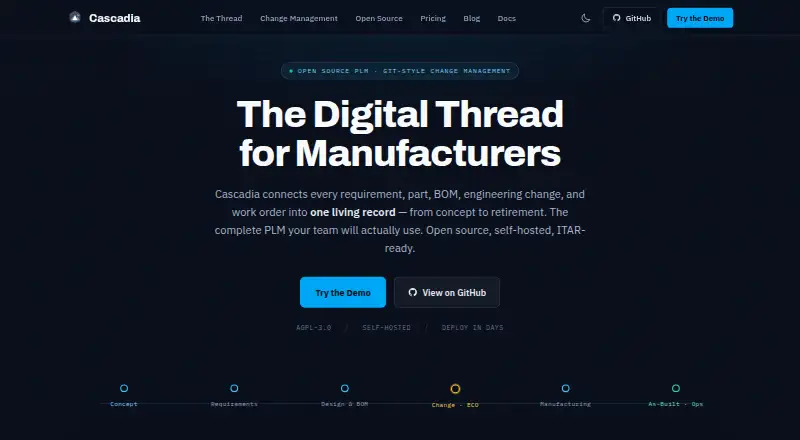
For hardware engineering and manufacturing teams, Cascadia PLM provides product-lifecycle management. It links parts, multi-level bills of materials, requirements, documents, revisions, workflows, and work orders. The open-source core can run on your infrastructure or through managed cloud plans. REST and SysML v2 interfaces, in-browser 3D viewing, and optional connectors are available.
Review
In a line
Cascadia PLM keeps product information in one lifecycle record for hardware manufacturers. It covers parts, requirements, documents, engineering changes, tasks, and traceability.
What it does
Teams can manage assemblies, material and cost details, and multi-level bills of materials, including where-used searches. A file vault tracks document revisions through check-in and check-out operations.
Each engineering change order gets an isolated branch, allowing parallel work before approved revisions are merged. Requirements can be linked with parts and tests to provide traceability.
Configurable workflows handle states, approvals, checks, and follow-up actions. Saved reports can query item types, record an audit trail, and export CSV files. With permission checks and audit logs, the AI assistant can search or modify records, create change orders, assess change impact, and launch design sessions.
How it connects
The core PLM is released under GNU AGPL-3.0-or-later and can run on web, Linux, macOS, Windows, API, or self-hosted deployments. Documentation describes Docker Compose, single-server, distributed high-availability, and Kubernetes options.
Integrations can use Cascadia's REST interface for items, files, searches, and imports. SysML v2 interoperability is included in the free core, while managed-cloud API access is an optional paid add-on. API tokens, database sessions, and OAuth sign-in through GitHub, Google, or Microsoft are supported.
Optional add-ins are listed for Solid Edge and SolidWorks. Configurable ERP, MES, and CRM connectors include Epicor, Global Shop, and Odoo. CAD conversion supports STEP and IGES files to STL or GLB for browser viewing. AI features work with OpenAI, Anthropic, Gemini, and Ollama.
Good fit
Cascadia suits engineering and manufacturing groups replacing spreadsheets, including defense and maritime teams. It is aimed at companies that need linked product records, revision control, requirements management, BOM management, workflows, and traceability.
Teams that want to control configuration in code can define item types, workflows, lifecycles, and permissions in TypeScript and review changes through pull requests. Self-hosting supports local filesystem or S3-compatible vault storage, with RabbitMQ available for background jobs.
Watch for
The introduction labels Cascadia active-development software and says it is not recommended for production without evaluation. PostgreSQL-specific features mean MySQL and SQLite are unsupported.
The repository places native Solid Edge and SolidWorks connectors on the roadmap rather than among implemented features. Excel and CSV imports accept files up to 10 MB and batches of up to 500 items.
The FAQ lists Node.js 20+, PostgreSQL 18+, 4 GB of RAM, and 20 GB of storage as minimums. Production guidance raises that to at least 8 GB of RAM and 100 GB of storage.
Pricing
Self-Hosted Core costs nothing indefinitely and provides unlimited users, core PLM, AGPL licensing, and customer-managed infrastructure. A free trial is also available.
The dedicated Managed Cloud instance begins at $850 per month, with editor-seat pricing, unlimited viewers, and paid add-ons. Published tiers cover up to 20 editors for $850 monthly, up to 50 for $1750, and up to 100 for $3000. Cloud use for more than 100 editors is price on request.
Commercial options include a $2090 one-time 90-day pilot, a $3050 a year Growth license, a Commercial License from $30K/yr, and an Enterprise license at $60120 a year. The Enterprise plan includes unlimited editors and viewers, CAD, enterprise connectors, and SSO; an ITAR or AWS GovCloud add-on costs +$30–50K/yr.
Verdict
Choose Cascadia if your organization needs a single system for engineering records and can work with PostgreSQL. Its open-source core, self-hosting choices, code-reviewed configuration, and APIs suit teams that want control over deployment and extensions.
A different product may be better if you need a production-proven platform immediately, depend on MySQL or SQLite, or need completed Solid Edge or SolidWorks connectors. Review editor limits, hosting model, licensing obligations, and infrastructure requirements before selecting a paid plan.
Our take
Cascadia PLM is a broad hardware lifecycle system with an unusually transparent self-hosted core. It can connect product records, automate approvals, expose APIs, and keep changes reviewable. The trade-off is maturity: the software is still described as pre-release, requires PostgreSQL, and has unfinished native CAD connectors. Teams should evaluate it in their own environment, confirm whether AGPL or commercial licensing fits, and compare editor counts and hosting needs against the managed-cloud tiers.
- Free self-hosted core with unlimited users
- Multi-level BOMs, revisions, requirements, and workflows
- REST and SysML v2 interfaces included in the core
- Browser 3D viewing from STEP and IGES conversions
- Configurable records and permissions in TypeScript
- Active-development status requires evaluation before production
- PostgreSQL is required; MySQL and SQLite are unsupported
- Native Solid Edge and SolidWorks connectors remain unimplemented
- Imports accept at most 10 MB and 500 items
- Managed-cloud API access is a paid add-on
- Pick it ifHardware-focused engineering and manufacturing groups; Organizations moving from spreadsheets to linked lifecycle records; Teams needing self-hosting or code-reviewed configuration
- Skip it ifYou require a mature production platform without a pilot; Your environment depends on MySQL or SQLite; Completed native Solid Edge or SolidWorks connectors are essential
Pricing
A free, unlimited-user self-hosted core is available.
- Self-Hosted CoreFree forever · Unlimited users · Core PLM · AGPL-3.0 · Customer infrastructureFree
- Managed CloudFrom $850/mo · Dedicated instance · Editor-seat pricing · Unlimited viewers · Upfront add-ons$850/mo
- Managed Cloud — up to 20 editors$10,200/yr · billed annually · Up to 20 editor seats · unlimited viewers$850/mo
- Managed Cloud — up to 50 editorsUp to 50 editor seats · unlimited viewers$1,750/mo
- Commercial License — Pilot90-day pilot · credited toward year one on conversion$2,090 one-time
- Managed Cloud — up to 100 editorsUp to 100 editor seats · unlimited viewers$3,000/mo
- Commercial License — GrowthAnnual · Teams up to 50 · self-hosted or managed hosting on customer hardware$3,050/yr
- Commercial LicenseFrom $30K/yr · No AGPL obligations · Self-host or vendor-managed · On-premises, private cloud, or GovCloud$30,000/yr
As cascadiaplm.com lists them, checked 14 Oct 2026.
Questions
Is Cascadia PLM free?
Yes. Self-Hosted Core is free forever with unlimited users and the AGPL-licensed core. Paid managed-cloud and commercial plans are also available.
Can I run Cascadia on my own servers?
Yes. Deployment documentation covers Docker Compose, single-server, distributed high-availability, and Kubernetes self-hosting.
Which database does it require?
PostgreSQL 18+ is listed in the requirements. PostgreSQL-specific features make MySQL and SQLite unsupported.
Does it have an API?
REST and SysML v2 capabilities come with the free core. Managed-cloud API access is an optional paid add-on.
What CAD files can it show?
STEP and IGES files can be converted to STL and GLB for browser-based 3D viewing. Solid Edge and SolidWorks native connectors are roadmap items and not implemented.
What does Managed Cloud cost?
The Managed Cloud offering begins at $850 monthly. Published tiers cover up to 20 editors for $850, up to 50 for $1750, and up to 100 for $3000 per month.