
CasePeer Review: Personal Injury Law Software
casepeer.com · checked 28 Sept 2026
Cloud software for personal injury firms that brings intake, case work, documents, billing, and trust accounting together.
How it plugs in
Signal on Legal CRM Software5.5#20 of 34
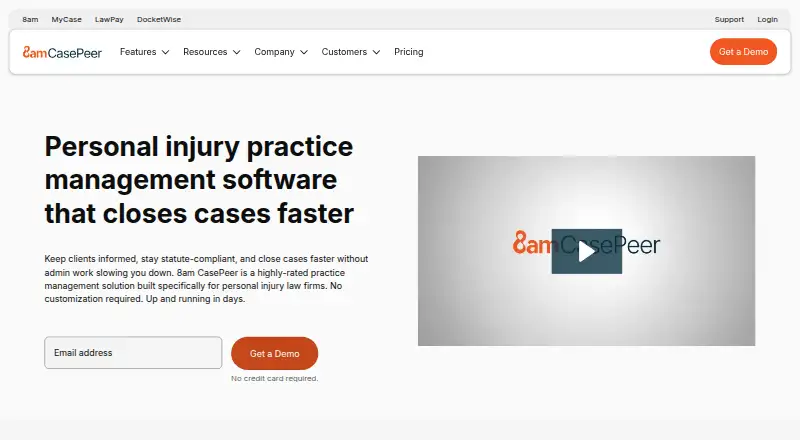
Designed for personal injury practices, CasePeer is a cloud practice-management platform. It carries matters from intake through settlement and covers documents, deadlines, medical treatment, liens, tasks, communication, billing, and trust tracking. Access is through a web browser or API; there is no free plan or mobile app, and the service connects with calendars, accounting, storage, payment, and other tools.
Review
In a line
Built for personal injury law firms, CasePeer is cloud practice-management software. It supports the matter lifecycle from initial intake through settlement.
What it does
CasePeer brings together matter information, files, deadlines, medical care, liens, tasks, and team messages. Client intake forms, a portal, time tracking, billing and payments, and trust accounting are also available.
Automation handles document creation, statute alerts, task workflows, and notes. 8am IQ supplies AI assistance for editing text, producing summaries, and translation.
How it connects
The service is accessed in a browser and exposes an API. Calendar synchronization can carry CasePeer events, tasks, statutes, and deadlines to Outlook, Google, and iCal.
Connections cover QuickBooks Online, Action Step Legal Accounting, 8am LawPay, Microsoft 365, Dropbox, OneDrive, Zapier, and medical-record services. Files can be stored without a stated limit, with permissions available. See also legal practice-management software and legal client portal software.
Customer information resides on redundant Amazon Web Services servers with backups made on a rolling basis during the day. The operator says it maintains a SOC 2 Type 2 attestation and PCI DSS v4.0.1 compliance through LawPay.
Good fit
Personal injury firms seeking a single workspace for intake, matter work, client access, files, deadlines, accounting, and communication may find CasePeer suitable.
It can also suit firms that need calendar synchronization, document storage, QuickBooks connectivity, or automated legal workflows. Any number of attorneys or staff can access an account; charges are based on active users.
Watch for
Because there is no mobile app, users need a supported desktop or laptop browser. Chrome is the recommended choice, while Firefox, Safari, and Microsoft Edge are supported as well.
Confirm that the personal-injury orientation, available connections, and browser access fit your firm. The service is paid-only, with both a general starting-price note and specific plan amounts published.
Pricing
There is no free tier. Basic costs $79 per user each month and covers case and contact management, tasks, a client portal, statute alerts, medical-treatment tracking, and unlimited document storage.
Pro is $119 per user monthly. It includes Basic features plus client intake, unlimited two-way texting, 50+ reports, 20+ integrations, and 8am IQ legal AI.
Advanced costs $149 per user monthly and adds scheduled texts, data synchronization, and a multi-office reporting suite. A separate note lists pricing from $90/user/mo. CasePeer states that there is no long-term contract or setup fee, and plan changes are prorated.
Verdict
CasePeer is worth considering for a personal injury firm that wants intake, a client portal, files, deadlines, and financial tracking in one cloud application. Its calendar, accounting, storage, payment, and medical-record links may limit duplicate data entry between systems.
A different product may be preferable when native mobile apps are required or the practice does not handle personal injury matters. Compare per-user charges with the active staff roster and check that browser support and integrations cover daily requirements.
Our take
CasePeer targets personal injury practices seeking end-to-end matter management instead of a general task tool. Intake, client access, files, deadlines, medical treatment, liens, billing, payments, and trust records sit alongside workflow automation. Calendar, accounting, storage, and payment connections extend the platform. Limitations include no mobile apps, paid-only access, and active-user-based pricing. Firms should confirm required integrations and compare the general starting-price note with the named plans.
- Purpose-built for personal injury matters
- Client intake, portal, files, deadlines, and trust tracking included
- Unlimited document storage with OneDrive and Dropbox connections
- Calendar, accounting, payment, and medical-record connections
- No long-term contract or setup fee stated
- No mobile apps
- No free plan
- Charges are based on active users
- Requires browser access
- General starting-price note differs from named plan amounts
- Pick it ifPersonal injury law firms handling matters from intake through settlement; Firms that need client portals, legal accounting, and document automation; Teams working primarily in supported desktop browsers
- Skip it ifA native mobile app is required; You want a free tier; Your matters are not primarily personal injury cases
Pricing
Monthly per-user plans are Basic $79, Pro $119, and Advanced $149. No free plan, long-term contract, or setup fee is stated.
- Basicper user/month · Case and contact management · task management · client portal · statute alerts · medical treatment tracking · unlimited document storage$79/mo
- Proper user/month · Everything in Basic · client intake · unlimited two-way texting · 50+ reports · 20+ integrations · 8am IQ legal AI$119/mo
- Advancedper user/month · Everything in Pro · scheduled texts · data sync · multi-office reporting suite$149/mo
As casepeer.com lists them, checked 28 Sept 2026.
Questions
Does CasePeer have a free plan?
No. CasePeer is paid software without a free plan.
Who is CasePeer for?
The product is designed specifically for personal injury law firms and supports matters from intake through settlement.
Does CasePeer offer a client portal?
Yes. Portal access is included with Basic, while client intake is included with Pro.
Can CasePeer connect to QuickBooks?
Yes. QuickBooks Online, Action Step Legal Accounting, and 8am LawPay are supported connections.
Does CasePeer have a mobile app?
No mobile apps are offered. The service runs on the web and supports Chrome, Firefox, Safari, and Microsoft Edge.
How much does CasePeer cost?
Basic is $79 per user monthly, Pro is $119, and Advanced is $149. A separate note lists pricing from $90/user/mo.
Can firms change plans?
Yes. CasePeer says upgrades and downgrades receive prorated adjustments, with no long-term contract or setup fee.