CCFinderSW: Token-Based Code Clone Detection for Windows
github.com · checked 9 Oct 2026
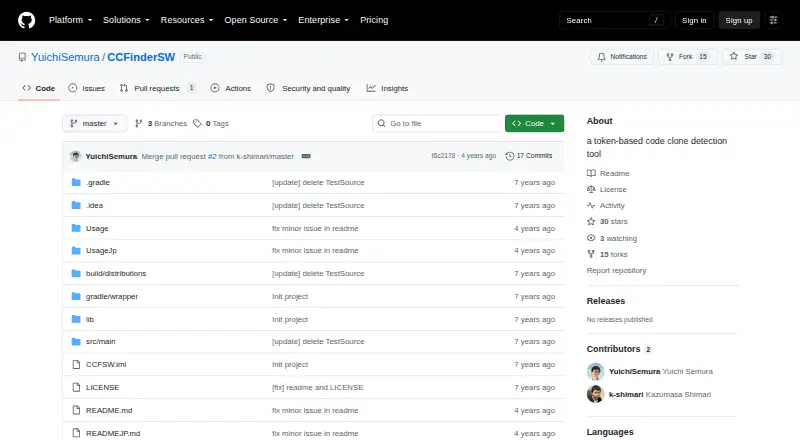
Token-based code clone detection for Windows and Java, available at no charge.
How it plugs in
Signal on Code Clone Detection Tools6.3#3 of 23
CCFinderSW compares source tokens to locate similar code pairs. On Windows, it runs in a Java 8-or-newer environment from the command line. You give it a source directory, language settings, and an output file, then can inspect results in text or JSON through Gemini or CCFX.
Review
In a line
Using token comparisons, CCFinderSW identifies similar portions of source code. Pairs containing inserted or deleted sentences are left out of its results.
What it does
The command-line invocation takes a source directory, language, and output file. Its clone-token minimum is 50 by default, with the -t option available to adjust that value.
Clone data may be emitted as CCFinder, CCFinderX, CCFinderSW text, or JSON. In the CCFinderSW text form, clone information can be arranged as pairs or sets.
How it connects
This self-hosted Windows utility operates through the command line. The project recommends Java 8 or newer and states that the program is written only in Java.
Each target language needs a comment-rule file. You may also supply a reserved-word list; without one, detection covers type 1 clones, while adding one enables type 1 and type 2 clones.
Optional, user-editable files set up language-specific lexical analysis. Input encoding choices include Shift-JIS, UTF-8, EUC-JP, and automatic recognition. Gemini and CCFX can read the clone-pair output. For other options, see code clone detection tools.
Good fit
This tool is suited to people seeking no-cost, self-hosted token comparisons and who can work with command-line operation and editable language files on Windows.
A CCFinderSW-1.0.zip archive is available in the repository, whose README identifies Windows 10 Pro as the test environment.
Watch for
The project uses one lexer approach rather than a separately optimized mechanism for every language. Verify that its language handling is appropriate for your code before depending on the matches.
Running a scan requires the target language's comment-rule file. Documentation labels the PrettyPrinter and MetricsFiltering command-line arguments as not implemented.
Java 8 or later is the recommended runtime. The repository license covers CCFinderSW under the MIT License, and bundled libraries are noted as Apache License 2.0 software.
Pricing
CCFinderSW is open-source software offered free of charge under the MIT License. A free plan is available, and no trial is offered; Java 8 or later is required.
Verdict
CCFinderSW makes sense when you want token-based clone pairs, editable language configuration, and multiple export choices without a licensing fee. Windows users who are comfortable with Java and terminal workflows are the closest match.
Consider alternatives if you depend on per-language lexer optimization, need the unfinished PrettyPrinter or MetricsFiltering options, or prefer a process that does not require language setup files.
Our take
CCFinderSW is an MIT-licensed detector that teams can run locally on Windows. An adjustable token threshold, several output formats, and modifiable language files provide control over matching. Setup involves Java, a comment-rule file, and command-line execution. Language processing is not separately optimized for each language, and two documented options remain unimplemented. It is aimed at technical users who prioritize free tooling over a graphical workflow.
- Open-source MIT-licensed software with no charge
- Local Windows operation with Java 8 or later
- CCFinder, CCFinderX, CCFinderSW text, and JSON export
- Editable language-analysis files and adjustable token threshold
- Gemini and CCFX can read clone-pair results
- Command-line use and a target-language comment-rule file are required
- Lexer algorithm is not optimized per language
- PrettyPrinter and MetricsFiltering arguments are unimplemented
- Omitting a reserved-word list limits detection to type 1 clones
- Pick it ifWindows users comparing source code through tokens; Teams seeking self-hosted clone detection at no cost; People comfortable editing language configuration files
- Skip it ifYou need a lexer optimized for each language; You want a graphical rather than command-line workflow; You depend on the documented PrettyPrinter or MetricsFiltering options
Pricing
CCFinderSW is MIT-licensed open-source software available free of charge. A free plan is available, no trial is offered, and Java 8 or later is required.
- CCFinderSWMIT-licensed software · Java Runtime Environment 8 or laterFree
As github.com lists them, checked 9 Oct 2026.
Questions
What is CCFinderSW?
It compares source tokens and reports similar code pairs, excluding pairs with inserted or deleted sentences.
Which operating system does CCFinderSW support?
Windows is the listed platform, and the README gives Windows 10 Pro as its test environment.
What does CCFinderSW require to run?
The project recommends Java 8 or later. Its command-line usage takes a source directory, language, and output file, along with a comment-rule file for that language.
What output formats are available?
Clone data can be exported in CCFinder, CCFinderX, CCFinderSW text, or JSON. CCFinderSW text can organize clone information as pairs or sets.
Which clone types can it detect?
Without a reserved-word list, detection covers type 1 clones. Supplying that list enables type 1 and type 2 detection.
How much does CCFinderSW cost?
It is free open-source software under the MIT License, with no free trial offered.
Can I change language settings?
Yes. Optional files control language-specific lexical analysis and can be edited by users. A comment-rule file remains required for the target language.