
Chargebee Receivables Review
chargebee.com · checked 9 Oct 2026
Chargebee Receivables brings overdue-invoice follow-up and collections into Chargebee’s billing records for subscription companies.
How it plugs in
Signal on Accounts Receivable Software5.2#17 of 28
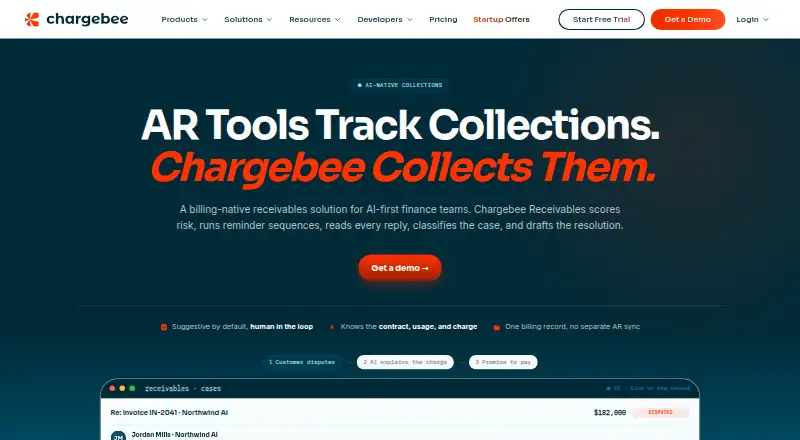
Subscription businesses using Chargebee can use Chargebee Receivables for accounts receivable and collections work. The platform scores unpaid accounts by risk and ageing, arranges email and SMS reminders, records disputes and payment commitments, and prepares suggested collector actions. Connections are available for ERP, CRM, and accounting software. Access is currently early, and Chargebee provides pricing after inquiry.
Review
In a line
Chargebee Receivables puts collection work on the Chargebee billing records a business already maintains. It helps finance teams manage overdue accounts and collection cases.
What it does
Overdue accounts receive risk and ageing scores; owners can be assigned and the collector queue prioritized. Invoice reminders can be timed around due dates, with email or SMS escalation for overdue cases.
For each case, its AI can sort customer replies and suggest next steps or draft a resolution. Disputes and promises to pay are tracked, and reminders can pause while a case is open or a payment promise is recorded. Collectors review and approve suggestions by default; teams can allow automatic actions on a case-by-case basis.
The product also supports invoice tracking, overdue balance reports, and a customer payment portal.
How it connects
Quoting, billing, and revenue recognition use the same Chargebee billing record as Receivables. Contract terms, pricing tiers, usage events, payment history, and subscription status can inform its work without a separate accounts receivable data sync.
Receivables links to ERP, CRM, and accounting software such as NetSuite, Salesforce, and QuickBooks. Through Chargebee’s MCP server, receivables details can be surfaced to AI clients including Claude, Cursor, ChatGPT, and Claude Code.
Good fit
Chargebee positions it for subscription businesses and finance teams using Chargebee that want collections tied to their billing records. Risk-based queue ordering, reminders, case tracking, and suggested actions cover common overdue-account work.
Watch for
Rather than standing alone, Receivables functions on the Chargebee record used for quoting, billing, and revenue recognition. Check whether that fits your billing setup.
Access is currently early, and prospective customers can book a demo for billing-record setup and onboarding support. Teams should also decide which actions need collector approval and which, if any, can be assigned to automation.
Pricing
Chargebee provides pricing details on request. Early access is open, with a demo offered for setup on a Chargebee billing record and onboarding support.
Verdict
Consider Receivables if your subscription business already runs billing in Chargebee and you want overdue-account prioritization, reminders, and case handling in that billing context. Its default review-and-approve approach gives collectors oversight, while case-by-case autonomy offers another option. Teams seeking an independent collections layer or publicly posted prices may find it a weaker fit; availability is early access and pricing requires an inquiry.
Our take
Chargebee Receivables merits consideration for subscription businesses that already run on Chargebee billing and want collection activity anchored to those records. Risk scoring, reminders, dispute and promise tracking, and AI-prepared case actions are combined, while collectors retain default approval. The tradeoff is a Chargebee-dependent product in early access without a published price. Request a demo and quote, then check that setup and automation controls suit your team.
- Works from Chargebee billing context without a separate AR data sync.
- Scores overdue accounts by risk and ageing, then assigns case owners.
- Provides email and SMS reminders with escalation for overdue cases.
- Suggested actions go to collectors for approval by default; autonomy can be enabled per case.
- Receivables is presented as a layer on Chargebee rather than an independent collections product.
- Availability is early access, with prospective users directed to a demo.
- Chargebee supplies pricing only after an inquiry, rather than listing an amount.
- Pick it ifSubscription businesses already running billing through Chargebee; Finance teams organizing overdue accounts and collection cases
- Skip it ifYou need collections software separate from the Chargebee billing record.; You require public pricing or general availability before evaluating a tool.
Pricing
Chargebee shares pricing after a request. Early-access buyers can arrange demo-based billing-record setup and onboarding support.
Questions
What work does Chargebee Receivables handle?
It supports overdue-account management through risk scoring, queue prioritization, reminders, case tracking, and AI-prepared next steps.
Can it operate independently of Chargebee billing?
Receivables operates as a collections layer on the Chargebee record used for quoting, billing, and revenue recognition, rather than as a standalone product.
What software integrations are available?
Connections include ERP, CRM, and accounting systems such as NetSuite, Salesforce, and QuickBooks.
Do collectors approve proposed AI actions?
Yes. Proposed actions are reviewed and approved by a collector by default; teams may enable autonomous actions for individual cases.
Which outreach channels are supported?
Invoice reminders and overdue-case outreach can use email and SMS. Reminders may pause when a case is open or a payment promise is recorded.
Where can I get pricing for Chargebee Receivables?
Pricing is provided on request. The product is in early access, and Chargebee directs prospective customers to book a demo.