ChunkCompass Minecraft Seed Map Review
github.com · checked 11 Oct 2026
A free Windows desktop Minecraft seed map for biomes, structures, terrain, and custom waypoints.
How it plugs in
Signal on Minecraft Seed Finders5.2#32 of 36
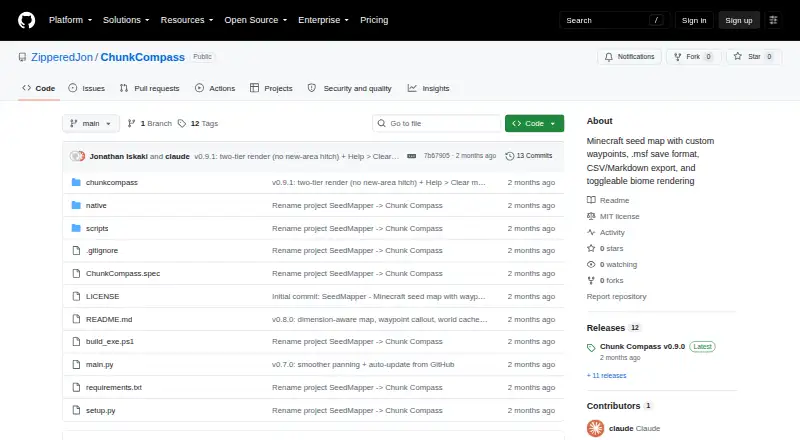
ChunkCompass is a no-cost, open-source Windows program that maps Minecraft seeds. Its grid can be moved and enlarged or reduced, displaying coordinates, biomes, approximate terrain, and many structures in the Overworld, Nether, and End. You can save maps, add detailed waypoints, and export waypoint lists. Releases after Minecraft 1.21.4 are represented with the 1.21.4 world-generation model.
Review
In a line
ChunkCompass brings a Minecraft seed map to the Windows desktop. Custom waypoints let you mark points of interest.
What it does
Minecraft world coordinates underpin the map: X runs eastward and Z runs southward. The grid supports panning and zooming, dimension changes among the Overworld, Nether, and End, plus optional biome and approximate hill-shaded terrain views.
Its depth control offers Surface, Underground at y=0, and Bottom at y=-51. The structure finder covers villages, temples, monuments, ancient cities, trial chambers, strongholds, mineshafts, Nether fortresses, bastions, and End cities.
Waypoint records may contain a name, X/Y/Z position, dimension, category, color, and notes.
How it connects
ChunkCompass runs on Windows, with downloads provided as a portable executable and a Windows 64-bit MSI installer. Its source repository is MIT licensed.
Maps can be written to and reopened from .msf files, whose internal format is JSON. Waypoint lists can go to CSV or a Markdown note containing a table. The app can check GitHub for updates and start the installer for a newer release.
The bundled cubiomes.dll engine supplies biome and structure functionality. If that DLL is absent, the program still maps the grid and waypoints, but those toggles are disabled.
Good fit
It suits Minecraft players who want a desktop seed map for locating biomes, terrain, and structures, then marking places to revisit.
It is also useful when you need waypoint details, dimension-specific layers and waypoints, saved .msf projects, or waypoint lists in CSV or Markdown.
Watch for
The version picker spans Minecraft Beta 1.7 through the latest release, while releases beyond 1.21.4 use that version's world-generation model.
The v0.9.0 release lists Sulfur Caves, but they will not appear or highlight until the world-generation engine supports Minecraft 26.2. Keep cubiomes.dll with the app if you need biome and structure layers.
Pricing
ChunkCompass is free. It is open source, and the project is MIT licensed.
Verdict
Choose ChunkCompass if you want a no-cost Windows map that combines seed analysis with editable waypoints and exports. Its dimension support and multiple depth views add useful context for planning builds or exploration.
Check the generation-model limits before relying on results for newer Minecraft releases. It is less suitable if you need a platform other than Windows or if you cannot keep the cubiomes engine file available.
Our take
ChunkCompass is a practical pick for Windows players who want one place to inspect Minecraft seeds and organize locations. The free, open-source model removes a purchase decision, while .msf saves and CSV or Markdown exports make waypoint data portable. Its main decision points are technical: newer game versions are modeled as 1.21.4, Sulfur Caves are not yet rendered, and missing cubiomes.dll removes biome and structure tools. If those limits fit your version and setup, it covers mapping and waypoint work without a subscription.
- No-cost, open-source software under the MIT license
- Biome, terrain, and structure layers across the Overworld, Nether, and End
- Waypoints store coordinates, categories, colors, and notes
- Waypoint data can be exported to CSV or Markdown tables
- Portable executable and Windows 64-bit MSI downloads
- Windows only
- Releases newer than 1.21.4 use the 1.21.4 generation model
- Sulfur Caves are not shown until engine support for Minecraft 26.2
- Biome and structure tools stop working without cubiomes.dll
- Pick it ifWindows Minecraft players mapping seeds and marking locations; Players who need waypoint files in CSV or Markdown
- Skip it ifYou need macOS, Linux, or another non-Windows platform; You rely on world generation newer than the 1.21.4 model; You cannot keep the cubiomes.dll engine file with the app
Pricing
ChunkCompass costs nothing to use. Its source is open under the MIT license.
Questions
What is ChunkCompass?
ChunkCompass is a free Windows desktop Minecraft seed map for viewing biomes, terrain, structures, and custom waypoints.
Which Minecraft dimensions does it map?
You can switch the map among the Overworld, Nether, and End; layers and newly added waypoints use the chosen dimension.
Can I save or export my waypoints?
Yes. The application stores maps as .msf files with JSON inside, and waypoint lists can be exported as CSV or a Markdown table note.
What happens with newer Minecraft versions?
For versions after 1.21.4, the world-generation model remains the 1.21.4 model. Sulfur Caves will not appear until the engine supports Minecraft 26.2.
What is cubiomes.dll used for?
The bundled cubiomes.dll engine powers biome and structure features. Without it, ChunkCompass only provides the grid and waypoint mapper.
How can I install ChunkCompass?
The v0.9.0 release lists a portable ChunkCompass.exe and a Windows 64-bit MSI installer.
Near it
All alternatives →- GH
 Godlike.Host Seed Mapgodlike.host
- MBMineUtils Biome and Structure Finder#31 on this board
- SSSpeedrun Seed Bot#33 on this board
- MSMinecraft Structure Finder#30 on this board
- CSCraftMC Seed Map#34 on this board
- MSMC Seed Gen#29 on this board
- SFSeed Finder Mod#35 on this board
- KKLIMATA#28 on this board
- WYWhat You Want to Find (WyWF)#36 on this board
- C
 Craftdex#27 on this board
- CS
 ChunkSeeds Seed Finder#26 on this board