
Class Charts Software Review
tes.com · checked 8 Oct 2026
Classroom management software for behaviour, attendance, homework and school communication.
How it plugs in
Signal on Behavior Management Software6.3#2 of 22
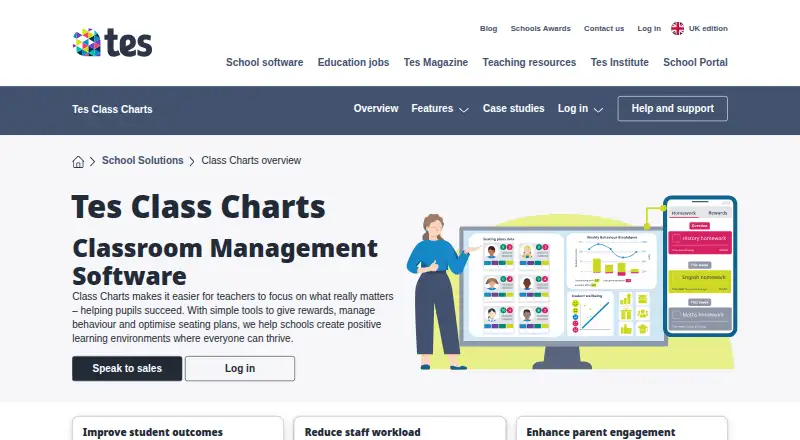
Class Charts is school software for recording student behaviour, planning seating, taking attendance, managing homework and sharing updates. Teachers, parents and students get login access, with web use plus iOS and Android apps. Schools can connect it to some MIS systems and ask about Wonde integration. Pricing is provided on request, while some modules are free.
Review
In a line
Class Charts is classroom management software for schools and teachers. It brings behaviour, attendance, homework, wellbeing and communication tools into one service.
What it does
Teachers can award points, define school-specific behaviours and achievements, and produce whole-school reports. Recorded data and student interactions help staff create and adjust seating plans.
The attendance tools handle morning and afternoon registers, reporting and pattern finding. Teachers can set homework and track it, while students and parents see tasks and deadlines.
Schools can share updates and performance information with staff and families. Wellbeing tools flag concerns and provide support resources. Other listed tools cover detentions, incident tracking, positive reinforcement, goal progress, compliance reporting and IEP support.
How it connects
Class Charts runs on the web, with parent and pupil apps for iOS and Android. Teacher, parent and student login options are provided.
It can connect with key MIS systems through writeback, which sends changes back to the school system. Schools can ask about an integration through Wonde. Tes also describes links with MyConcern and Provision Map to combine behaviour, attendance, SEND and safeguarding information.
Data import and export are supported. The product page also links to a help and support portal.
Good fit
Class Charts suits schools that want one place for behaviour records, registers, homework, seating plans and family communication. It is aimed at teachers and school teams, with access for parents and students.
It may fit schools needing performance points, school-wide reports, wellbeing alerts, incident records or progress monitoring alongside everyday classroom tasks.
Watch for
The product page does not publish a subscription price, so schools must request pricing and speak with sales. A free introductory demonstration is offered, but no trial period is stated.
Check whether your MIS and any required Wonde connection are supported before committing. Tes says its services are subject to UK GDPR, EU GDPR, the Data Protection Act 2018 and the Australian Privacy Act 1988.
Pricing
Class Charts is a paid product with pricing on request. The plan is listed as “Class Charts,” with no stated subscription amount; schools are invited to request a demo.
Tes describes the homework and reward store modules as free for schools. That does not provide a published price for the wider Class Charts service.
Verdict
Choose Class Charts if your school wants behaviour, attendance, homework and communication features tied to teacher, parent and student accounts. Its seating, wellbeing, reporting and incident tools add coverage beyond basic registers.
Look elsewhere if you need a clearly posted subscription cost or a confirmed connection to a specific MIS before contacting sales. Schools should also verify which linked systems and modules are included for their setup.
Our take
Class Charts is a broad school management service rather than a single-purpose behaviour tracker. It combines behaviour points, attendance, homework, seating, wellbeing and communication, with accounts for teachers, parents and students. Web access and mobile apps cover different users, while MIS writeback and possible Wonde connections can reduce duplicate entry. The main buying obstacle is that the subscription price is not published. A free demonstration is available, and some modules are free, but schools should confirm costs and integrations directly before choosing it.
- Covers behaviour, attendance, homework and communication
- Supports teacher, parent and student logins
- iOS, Android and web access
- MIS writeback plus possible Wonde integration
- Homework and reward store modules are free
- Main subscription price is available only on request
- No trial period is stated
- Wonde integration requires an enquiry
- Specific MIS compatibility should be confirmed
- Pick it ifSchools managing behaviour, attendance and homework together; Teacher, parent and student communication
- Skip it ifYou need a published subscription price before contacting sales; You require a confirmed MIS connection upfront
Pricing
Class Charts is paid with pricing on request. Tes lists homework and reward store modules as free for schools. A free introductory demo is offered, but no trial period or full subscription price is stated.
- Class ChartsPricing not stated; request a demoOn request
As tes.com lists them, checked 8 Oct 2026.
Questions
What is Class Charts used for?
It helps schools manage student behaviour, seating plans, attendance, homework, wellbeing and communication with staff, parents and students.
Which devices support Class Charts?
Class Charts runs on the web. Parent and pupil apps are available for iOS and Android.
Can it connect to a school MIS?
It can interface with key MIS systems using writeback. Schools can also ask about integration through Wonde.
Does Class Charts include family communication?
Yes. Schools can share updates and student performance information with staff and parents, and parents have login access.
Does it support wellbeing or safeguarding information?
Its wellbeing module highlights concerns and offers resources. Tes describes links with MyConcern and Provision Map for safeguarding, SEND and related information.
Near it
All alternatives →- SB
 Scholva Behavior & Discipline#1 on this board
- L
 LiveSchool#3 on this board
- RSReward System#4 on this board
- NBNavigate360 Behavior Intervention#5 on this board
- D
 DeansList#6 on this board
- S
 SWIS#7 on this board
- C
 ConductIQ#8 on this board
- HCHighFive Classroom#9 on this board
- SSSchoolData Success Plans#10 on this board
- PBPanorama Behavior#11 on this board