
Cledara review: software subscription and spend management
cledara.com · checked 15 Oct 2026
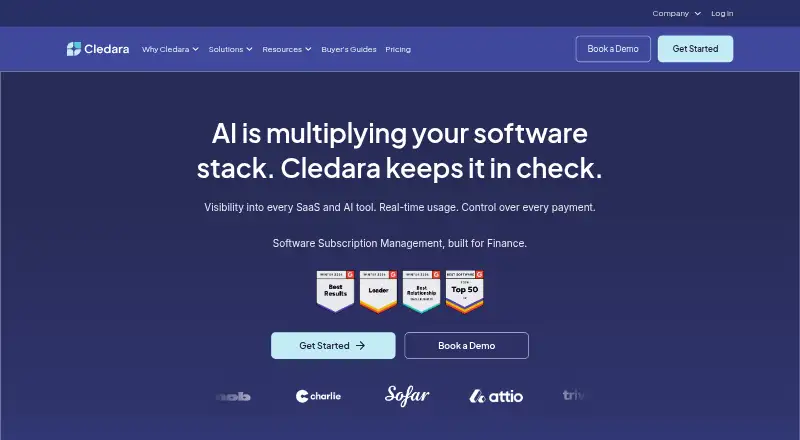
Cledara helps finance teams discover, buy, track, and cancel software subscriptions.
How it plugs in
Signal on SaaS Management Platforms6.6#1 of 24
Cledara is a finance-focused platform for managing software subscriptions and company software spending. It offers visibility into applications, renewals, usage, budgets, payments, invoices, and cancellations. Teams can use web, iOS, Android, a browser extension, virtual cards, and an API, with accounting and HR integrations available.
Review
In a line
Cledara is a software subscription and spending platform made for finance teams. It helps organizations find, purchase, monitor, and cancel software services.
What it does
Cledara provides a central view of software subscriptions, costs, renewals, usage, and payment activity. It can automate access requests, budget changes, contracts, invoices, and accounting tasks.
Its controls include spend limits, budgets, renewal alerts, payment and cancellation management, license reclamation, and usage analytics. Cledara Spend adds physical and virtual cards, receipt scanning, reimbursements, and mobile payments.
The service can flag underused, duplicate, or similar tools to help teams reduce unnecessary software spending.
How it connects
Cledara lists accounting connections for Xero, QuickBooks, NetSuite, and Tripletex. Its HR connections include BambooHR, HiBob, Personio, and CharlieHR for software-access workflows.
An API gives programmatic access to subscription data on every plan at no extra cost. Support must enable it, and keys require SaaS Admin/Finance or Spend Admin/Accountant permissions. Documentation is available at the provider's API documentation site. No SDKs, webhooks, self-hosting option, or open-source repository are described.
The browser extension, Cledara Engage, watches activity on selected software sites while keeping other browsing data on the device. It requires an up-to-date Chrome browser and may miss desktop-app usage.
Good fit
Cledara suits finance and IT teams that need one place for software costs, renewals, access, invoices, and card spending. It is also useful for organizations connecting software records with accounting or HR systems.
Teams can choose packages for IT management, software compliance, spend optimization, or broader subscription control. The mobile app lets Spend account holders view card details and PINs, upload receipts, and submit reimbursement claims.
Watch for
The mobile app requires an active Cledara Spend account and an iOS or Android device. Engage needs current Chrome and does not cover every type of software use.
Reviewer feedback reports that some invoices do not upload automatically and that not every platform integrates. Reviewers also mention manual work when entering applications, renewal dates, and invoices, especially in larger organizations.
Check card-transfer procedures, roles, permissions, exports, and the exact integrations your organization needs before signing up. There is no free plan.
Pricing
The pricing page lists Get Started / Basic at £100 a month, charged when fewer than 10 applications are paid with Cledara virtual cards in the first month. It covers up to 20 applications, spend visibility, virtual cards, a directory, renewal alerts, budgets, Xero, and QuickBooks.
IT Management, Software Compliance, and Spend Optimization each cost £150 a month.
Premium is price on request and supports up to 75 applications, with approval workflows, invoice capture and reconciliation, advanced reporting, NetSuite, video support, and other listed benefits. A separate Basic plan is price on request, billed monthly or annually, and Pro is price on request from a custom package.
Verdict
Choose Cledara if your finance or IT team wants subscription records, spending controls, cards, renewal tracking, and accounting or HR connections in one service. Its API can provide subscription data to other systems, but support must enable access and keys require SaaS Admin/Finance or Spend Admin/Accountant roles.
Consider another option if you need a free tier, desktop-app usage coverage, guaranteed invoice automation, or a documented SDK, webhook system, self-hosted version, or open-source code. Compare Cledara with other SaaS management platforms and IT asset management software before deciding.
Our take
Cledara is a paid platform for controlling software subscriptions and related spending. It combines application visibility, renewal alerts, budgets, cards, reimbursements, invoice handling, and access workflows, with connections for accounting and HR systems. The API is included but needs support activation and SaaS Admin/Finance or Spend Admin/Accountant roles. Costs vary by package, and there is no free plan. It fits organizations that want finance-led software oversight; teams needing desktop usage coverage, open-source deployment, or fully automatic invoice capture should check alternatives first.
- Central view of subscriptions, costs, renewals, usage, and spending
- API access is included on every plan at no extra cost
- Accounting and HR integrations support finance and access workflows
- Virtual cards, receipts, reimbursements, and mobile payments are available
- Options cover IT management, compliance, and spend optimization
- No free plan; several packages require contacting Cledara for pricing
- Engage may miss usage from desktop applications
- Some invoices may fail to upload automatically
- Larger organizations may need substantial manual setup
- Card transfers can be awkward, and reviewers request clearer roles, permissions, and exports
- Pick it ifFinance and IT teams managing many software subscriptions; Organizations needing card, budget, renewal, and access controls; Teams connecting software spending with accounting or HR systems
- Skip it ifYou need a free tier or self-hosted, open-source software; Desktop-app usage must be tracked comprehensively; You require guaranteed automatic invoice capture
Pricing
Premium, Basic, and Pro are price on request; there is no free plan.
- Basic (G2 listing)pricing shown by G2 directory$75/mo
- Get Started / BasicCharged when fewer than 10 applications are paid with Cledara virtual cards in the first month · up to 20 applications · spend visibility · virtual cards · directory · renewal alerts · budgets · Xero and QuickBooks£100/mo
- Software ComplianceISO 27001 and SOC 2 vendor tags · delegated questionnaires · compliance templates£150/mo
- Spend Optimizationusage and seat insights · duplicate and price alerts · pricing benchmarks · AI Negotiation Copilot£150/mo
- IT Managementaccess workflows · shadow-IT visibility · onboarding and offboarding · HR integrations£150/mo
- PremiumBook a demo · up to 75 applications · Basic features · approval workflows · invoice capture and reconciliation · advanced reporting · NetSuite · video support · 1% first-year cashback capped at plan priceOn request
- BasicMonthly or annually; contact Cledara for pricing · Up to 20 software applications · Virtual cards · Software directory and renewal alerts · Spend limits and budgets · Xero and QuickBooks integrationsOn request
- ProFrom; book a demo · custom package · Premium features · Okta SSO · bank-transfer expenses · dedicated implementation and success managerOn request
As g2.com lists them, checked 15 Oct 2026.
Questions
Does Cledara have a free plan?
No. Cledara's pricing facts list paid plans only, with some prices available on request.
What accounting tools connect to Cledara?
The listed accounting integrations are Xero, QuickBooks, NetSuite, and Tripletex.
Does Cledara offer an API?
Yes. API access to software subscription data is included on every plan at no extra cost, but support must enable it and keys require SaaS Admin/Finance or Spend Admin/Accountant roles.
How many applications can Cledara manage?
The Basic package manages up to 20 software applications. Premium manages up to 75.
Can Cledara track software use?
It provides usage analytics and its Engage browser extension monitors selected SaaS sites. Engage may miss desktop-application usage.
What does the mobile app require?
The mobile app requires an active Cledara Spend account and an iOS or Android device. It supports card details and PINs, receipts, and reimbursement claims.
What support is included?
Premium includes videocall support. Pro includes a dedicated Implementation and Success Manager.