ClipCast Screen Recording and Review
clipcast.tech · checked 2 Oct 2026
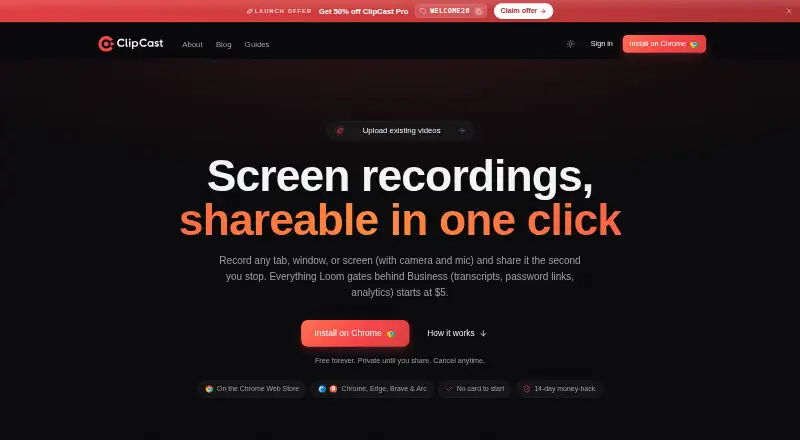
Record, edit, share, and review screen videos with ClipCast.
How it plugs in
Signal on Screen Recording Software6.8#19 of 131
Capture a tab, window, screen, or chosen region in ClipCast, optionally adding camera and microphone. Its web editor trims and enhances clips, then exports MP4 or GIF files. Pro clips can receive searchable transcripts and summaries automatically. Viewers can comment, react, and reply with recordings. A free plan is available, with paid Pro and Team options.
Review
In a line
ClipCast helps you make and share recordings of on-screen activity. You can record a tab, window, entire display, or selected region, with camera and microphone available as options.
What it does
After recording, ClipCast creates a share link. Its browser editor can shorten clips, remove sections, zoom, blur, place text and captions, add backgrounds or music, and save the result as MP4 or GIF.
On Pro, recordings may receive searchable transcripts and summaries, with timestamps that jump to the relevant moments. People watching can attach comments or reactions to timestamps, answer using screen or camera recordings, carry on threaded discussions, and mark matters resolved.
How it connects
ClipCast runs as a browser extension and on Linux, macOS, the web, and Windows. It records system audio and microphone input, and supports up to 1080p video.
All plans can deliver webhooks. Pro can automatically save clips to Dropbox, Google Drive, and Box. Team adds API access, shared workspaces, client review folders, admin roles, audit logs, and a custom domain.
Team users can invite clients to review one folder as guests without giving them a paid seat. Exports include MP4 and GIF files.
Good fit
ClipCast is intended for async team updates, design or code reviews, bug reports, customer support, onboarding, and sales demos.
It is also useful when viewers need to discuss a clip in context, since comments, reactions, replies, and resolution status stay attached to the video.
Watch for
The Free plan limits recordings to five minutes and storage to 200 MB. Free uploads are automatically deleted after 30 days, although share links are unlimited.
At least two seats are needed for Team. Automatic transcripts and summaries are for Pro clips, and the maker says recording content is used to train AI models only for clips explicitly selected for transcription.
ClipCast says clips remain private until you share them and says it does not sell personal data. Its listed storage and processing locations include the US East, global edge storage, the EU, and the UK/EU.
Pricing
ClipCast has a free plan, a 14-day trial, and paid plans starting at $5 a month.
The forever-free tier provides five-minute recordings, 200 MB of storage, 25 active clips, 720p video, 30-day retention, and unlimited share links. Pro costs $5 a month and includes two-hour recordings, 20 GB of storage, unlimited clips, 1080p plus source quality, and videos that never expire.
Team costs $12 a month, billed monthly; subscriptions start at two seats. It adds 50 GB of pooled storage per seat, a shared workspace, client review folders, admin roles and an audit log, a custom domain, API access, and priority support with a 12-hour service level.
Verdict
Choose ClipCast if you need one place to capture screen videos, make quick edits, and collect time-specific feedback. The free tier can cover short, temporary clips, while Pro removes the short recording and expiry limits and adds transcript tools.
Team is aimed at organizations that need shared administration, client review, an API, and guaranteed faster support. Check the storage, retention, and seat rules before committing, especially if you need long-term archives on the free plan.
Our take
ClipCast is a practical option for recording and sharing software walkthroughs, support replies, reviews, and demos. Its editor handles common cleanup tasks, and its comment threads keep feedback tied to exact moments. The free plan is suitable for short clips, but its five-minute limit, 200 MB storage cap, and 30-day deletion rule make it unsuitable for archives. Pro fits individuals needing longer, non-expiring videos, while Team is for groups that need client folders, administration, API access, and priority support.
- Capture tabs, windows, screens, or chosen areas, with camera and microphone available
- Browser editor includes trimming, blur, captions, text, music, and MP4 or GIF export
- Timestamped comments, reactions, replies, threads, and resolved status
- Webhook delivery is available on every plan, while Pro links with Dropbox, Google Drive, and Box
- Free plan is available with unlimited share links
- Free recordings are limited to five minutes and 200 MB of storage
- Free uploads are deleted automatically after 30 days
- Team plans start with two seats
- Automatic transcripts and summaries apply to Pro clips
- Pick it ifAsync updates, bug reports, onboarding, and sales demos; Teams that need timestamped video feedback; Short screen recordings on a free plan
- Skip it ifYou need free recordings longer than five minutes; You need free videos kept longer than 30 days; You need Team features with only one seat
Pricing
ClipCast has a free tier, a 14-day trial, Pro at $5 monthly, and Team at $12 monthly starting with two seats. Free has short recordings and temporary storage; Pro removes those limits, while Team adds group controls and API access.
- Freeforever · 5-minute recordings · 200 MB storage · 25 active clips · 720p · 30-day video retention · unlimited share linksFree
- Promonthly · 2-hour recordings · 20 GB storage · unlimited clips · 1080p + Source quality · videos never expire$5/mo
- Teammonthly · minimum 2 seats · 50 GB pooled storage per seat · shared workspace · client review folders · admin roles and audit log · custom domain · API access · priority support (12 h SLA)$12/mo
As clipcast.tech lists them, checked 2 Oct 2026.
Questions
Is ClipCast free?
Yes. The no-cost plan remains free and provides five-minute recordings, 200 MB of storage, 25 active clips, 720p video, 30-day retention, and unlimited share links.
What does ClipCast record?
You can capture a browser tab, window, full screen, or selected area, while optionally recording webcam, system audio, and microphone.
Does ClipCast have an editor?
Yes. Its browser editor lets you shorten or cut footage, zoom and blur areas, add text, captions, backgrounds, and music, then export MP4 or GIF files.
Which services can ClipCast connect to?
All plans support webhooks. Pro can automatically save videos to Dropbox, Google Drive, and Box. Team includes API access.
How long do Free videos stay available?
Free uploads are automatically deleted 30 days after upload. Pro videos do not expire.
Does ClipCast support team review?
Team includes a shared workspace and client review folders. Clients can review one folder as guests without using a paid seat.
What platforms support ClipCast?
ClipCast is available as an extension and on the web, Windows, macOS, and Linux.
Does ClipCast provide AI transcripts?
Pro recordings can receive searchable transcripts and summaries, complete with timestamps that link to points in the video.