
Clonezilla: Disk Imaging and Cloning
clonezilla.org · checked 29 Sept 2026
Clonezilla offers disk and partition imaging and cloning at no cost for deployment, bare-metal backup, and recovery.
How it plugs in
Signal on Disk Cloning Software6.6#2 of 26
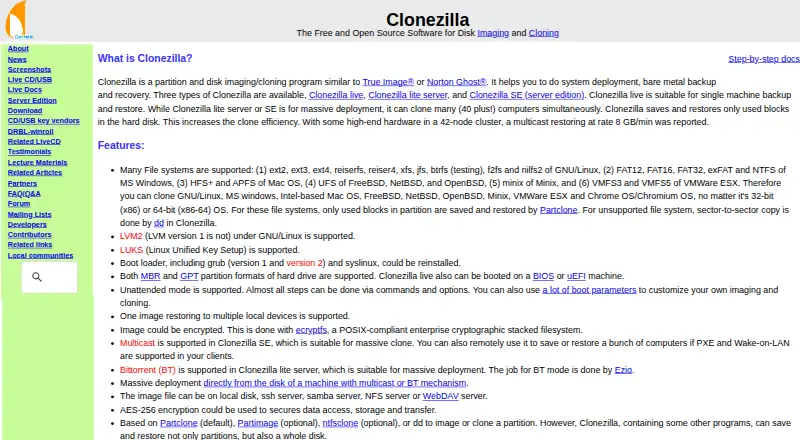
Clonezilla forms disk or partition images for backup, recovery, and system deployment. Its live edition targets a single machine, while two server editions can clone numerous computers simultaneously. Image files may be stored on local media or various network servers. The software costs nothing, but it lacks online imaging, incremental backups, and image browsing for individual-file retrieval.
Review
In a line
Clonezilla is a no-cost utility for duplicating disks and partitions. People use it for computer backup, recovery, and setting up systems on multiple machines.
What it does
Clonezilla saves and restores disk images. On file systems it recognizes, only occupied blocks are copied; unsupported systems are handled with sector-by-sector copying.
The live release handles one computer, whereas the lite server and SE editions can clone many systems concurrently; the site reports deployments involving more than 40 computers.
How it connects
You can place image files on a local disk or on SSH, Samba, NFS, or WebDAV servers. For group deployment, Clonezilla SE uses multicast, while lite server offers BitTorrent for massive deployments.
Its listed file-system coverage spans Linux, Windows, Mac, BSD, Minix, and VMware, with examples including ext4, NTFS, APFS, and VMFS3/5. Clonezilla live starts on BIOS or UEFI systems and handles both MBR and GPT partition layouts.
Good fit
Clonezilla is suited to copying or restoring disks, backing up a computer, and deploying one system across multiple computers. The live edition covers a single machine; the server editions handle simultaneous copies to many machines.
Supported file systems from several operating systems can be used, and the resulting images may be encrypted.
Watch for
The destination partition needs to match or exceed the source partition's size. Clonezilla has no online imaging and does not implement differential or incremental backups.
Its images cannot be opened or mounted for direct extraction of an individual file. Mobile backup is not supported.
Running Clonezilla live calls for an x86 or x86-64 processor, 196 MB of RAM, and boot media such as CD/DVD, USB, PXE, or a hard drive.
Pricing
Clonezilla is GPL version 2 open-source software offered without a charge. Its listed plan costs nothing.
Verdict
Choose Clonezilla when you need free disk imaging or cloning and can use a bootable workflow. The live edition is aimed at one machine, while the two server editions support cloning many computers at once.
Look elsewhere for online imaging, incremental backups, mobile backup, or a direct method to retrieve individual files from an image.
Our take
Clonezilla works well for people seeking free disk or partition copies for backup, recovery, or system deployment. Its three editions support either one computer or concurrent cloning across many machines, with image storage on local disks and supported network servers. Before choosing it, make sure a bootable workflow suits your setup and that the destination partition is large enough. It does not suit mobile backup, online imaging, incremental backups, or direct recovery of a single image file.
- Open-source software under GPL version 2 is available without a fee.
- The live edition handles one machine, while server editions clone many at once.
- Images may be stored locally or on SSH, Samba, NFS, or WebDAV servers.
- Supports file systems used by Linux, Windows, Mac, and other systems.
- Online imaging and differential or incremental backups are unavailable.
- Images cannot be opened or mounted for direct individual-file recovery.
- The destination partition must be no smaller than the source.
- No mobile backup.
- Pick it ifFree disk imaging, recovery, and system deployment; Cloning one machine or many computers at once
- Skip it ifYou need online imaging or differential or incremental backups; You require mobile backup or a way to recover individual files directly from an image
Pricing
The Clonezilla plan listed here has no charge, so there is no plan cost to budget for.
- ClonezillaFree and open source software · GPL version 2Free
As clonezilla.org lists them, checked 29 Sept 2026.
Questions
Is Clonezilla free?
Yes. The listed plan costs nothing, and Clonezilla is open-source software licensed under GPL version 2.
Can Clonezilla copy several computers at once?
Yes. Its lite server and SE editions clone multiple computers simultaneously; the site cites deployments of more than 40 systems.
Where can Clonezilla store disk images?
Image files can reside on a local disk or on SSH, Samba, NFS, or WebDAV servers.
Can I recover one file from a Clonezilla image?
Not directly. The images cannot be opened or mounted to retrieve an individual file.
Does Clonezilla support incremental backups or online imaging?
No. Differential and incremental backups, along with online imaging, are not implemented.
What computer does Clonezilla live require?
Clonezilla live needs an x86 or x86-64 processor, 196 MB of RAM, and boot media such as CD/DVD, USB, PXE, or a hard drive.