CocoaPods: Apple Project Dependency Manager
cocoapods.org · checked 4 Oct 2026
Dependency management for Swift and Objective-C Cocoa projects at no cost.
How it plugs in
Signal on Package Registries6.4#12 of 28
CocoaPods handles third-party libraries for Swift and Objective-C projects. Dependencies go in a Podfile before installation into an Xcode workspace. It resolves versions, stores them in a lockfile, and supports installation without a network connection. Public and private components are supported across Apple platforms, and no paid plans are listed.
Review
In a line
For Swift and Objective-C Cocoa work, CocoaPods provides dependency management. It runs on macOS and targets Apple platforms such as iOS, macOS, tvOS, visionOS, and watchOS.
What it does
A project records the libraries it requires in a Podfile. The `pod install` command resolves those requirements, then places them in an Xcode workspace with project settings and build steps.
CocoaPods stores installed versions in Podfile.lock. Subsequent installs use those recorded versions until dependencies are changed. Offline installation is supported, along with the Pod and podspec package formats.
How it connects
As a package manager for Xcode projects, CocoaPods can obtain source code through git, svn, bzr, http, or hg. Teams may also share internal components through a private Spec repository.
Its catalog contains more than 108,000 libraries. Plugins are supported, including examples named packager, keys, roulette, deintegrate, repo-svn, release, and sorted-search.
Good fit
The tool is aimed at app developers using public or private dependencies in Cocoa projects, as well as library developers distributing libraries.
It fits teams that need recorded dependency versions, automated Xcode workspace setup, and component sharing through a private Spec repository.
Watch for
CocoaPods is written in Ruby, and the site advises using the default Ruby supplied on macOS for installation. Confirm that setup requirement first.
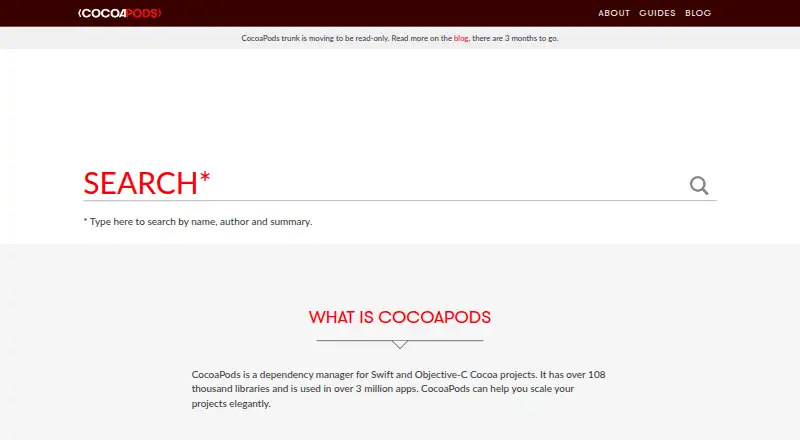
CocoaPods trunk is scheduled to become read-only on December 2, 2026; new Podspecs will no longer be accepted afterward.
The project has no formal security bounty system. Support goes through Stack Overflow and the CocoaPods mailing list, while GitHub issues are for tool bugs.
Pricing
The listed CocoaPods plan is free, with no paid plans shown. A separate free trial is not offered.
Verdict
Choose CocoaPods when Swift or Objective-C projects need libraries integrated into Xcode workspaces with versions kept consistent. Its lockfile, offline installation, and private repository support address common team requirements.
Consider another option if you require paid support, a formal security bounty, or a package registry that will keep accepting new Podspecs after the planned trunk change.
Our take
CocoaPods fits Apple app and library teams seeking a single dependency declaration file and repeatable Xcode setup. Version locking and offline installs can support consistent builds, while private Spec repositories accommodate internal code. Review the Ruby installation requirement, lack of a formal security bounty, and planned trunk read-only date of December 2, 2026. The free plan avoids a listed software charge.
- Free plan, with no paid tier listed
- Dependency resolution with lockfile version records
- Xcode workspace integration
- Offline installation and private Spec repository support
- Ruby is required for installation on macOS
- No formal security bounty system
- New Podspecs are planned to stop being accepted when trunk becomes read-only on December 2, 2026
- Pick it ifSwift and Objective-C application teams; Library developers distributing public or private components; Projects using Xcode workspaces
- Skip it ifYou require paid plans or formal bounty coverage; You need to publish new Podspecs after December 2, 2026
Pricing
CocoaPods has a free plan and no paid plans are listed. There is no separate free trial.
- CocoaPodsNo paid plans listedFree
As cocoapods.org lists them, checked 4 Oct 2026.
Questions
What is CocoaPods?
It manages dependencies for Swift and Objective-C Cocoa projects, adding libraries and their build settings to Xcode workspaces.
How do projects install dependencies?
Dependencies are declared in a Podfile, then installed with the `pod install` command.
Does CocoaPods lock dependency versions?
Yes. Podfile.lock saves the installed pod versions, and later installations retain them until dependencies change.
Can CocoaPods use private code?
Yes. A private Spec repository lets teams share components across projects.
Which platforms does it support?
Supported platforms include iOS, macOS, tvOS, visionOS, and watchOS.
Is CocoaPods free?
Yes. CocoaPods lists a free plan, with no paid plans or separate free trial.
What is changing with CocoaPods trunk?
Trunk is planned to become read-only on December 2, 2026, after which new Podspecs will not be accepted.