
CoffeeScript: Free CoffeeScript-to-JavaScript Compiler
coffeescript.org · checked 3 Oct 2026
An open-source language that turns CoffeeScript into JavaScript.
How it plugs in
Signal on Code Transpilers6.4#6 of 28
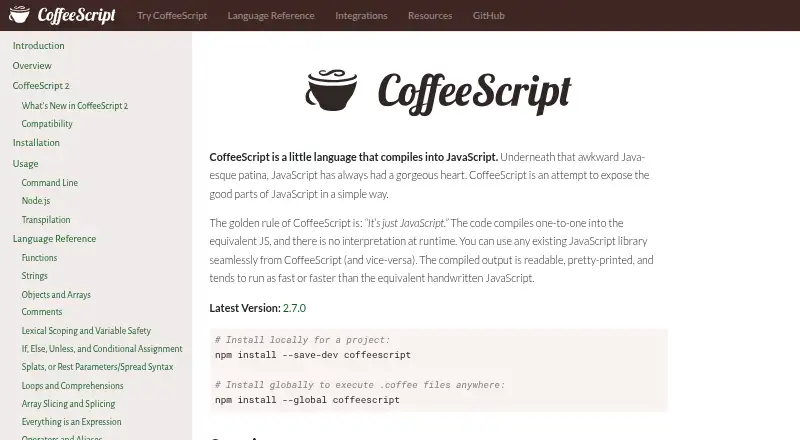
CoffeeScript is a source-to-source language that compiles CoffeeScript files into JavaScript. Version 2 emits modern JavaScript, with classes, arrow functions, async functions, and JSX support. It includes a command-line tool, compiler API, interactive REPL, source-map generation, and links to common JavaScript build tools and editors.
Review
In a line
CoffeeScript provides a language whose source becomes JavaScript. It is open source and free to use.
What it does
The compiler emits JavaScript equivalent to the CoffeeScript source, so execution does not require a CoffeeScript interpreter. CoffeeScript 2 emits current JavaScript constructs such as classes and arrow functions, and it accepts async functions and JSX syntax.
With `coffee`, you can execute scripts, compile `.coffee` files into `.js`, or use an interactive REPL. The command also supports inline and external source maps alongside the generated JavaScript. CoffeeScript is a code transpiler with source-to-source conversion.
How it connects
Code written in CoffeeScript can call existing JavaScript libraries, while JavaScript code can call CoffeeScript libraries. Through its Node API, CoffeeScript accepts source strings and can optionally produce source maps or an abstract syntax tree.
CoffeeScript is installed with npm, either for a whole system or for one project. The integrations list includes Gulp, Webpack, Grunt, and Broccoli, plus Atom, Emacs, Vim, and Visual Studio Code. Jest support is listed through `jest-preset-coffeescript`. Babel transpilation is built in when `@babel/core` is installed, alongside tools such as Babel.
Because the core compiler has no Node dependency, it can operate in any JavaScript environment, including a browser. The command-line utility needs Node 6 or newer.
Good fit
CoffeeScript suits people who want to write CoffeeScript and deliver JavaScript to browsers or other JavaScript environments. It fits projects already using JavaScript libraries or the listed build tools and editors.
Its command line, compiler API, REPL, source maps, and syntax-version conversion cover both quick scripts and projects that need a repeatable build step.
Watch for
The command-line utility needs Node 6 or newer; the site notes that most supported modern JavaScript features run natively in Node 7.6 or later. Check whether your target runtime handles the modern features you select, or transpile the generated code.
JSX output requires a transpilation step. Modules need Node 12 or later, with `type` set to `module` in `package.json`. Babel-based transpilation also requires `@babel/core`.
Pricing
CoffeeScript is free, with an open-source codebase. There is no separate paid plan or free trial.
Verdict
Choose CoffeeScript if your team wants its syntax while keeping JavaScript compatibility, npm installation, and familiar JavaScript tooling. Its compiler can run outside Node, including in a browser, and its command line covers compiling, execution, REPL use, and source maps.
Look elsewhere if your deployment cannot accept modern JavaScript, if JSX must work without a transpilation step, or if your environment cannot meet the stated Node and module requirements.
Our take
CoffeeScript fits writers who prefer its syntax while requiring JavaScript output and access to JavaScript libraries. It costs nothing and works with npm, common build chains, several editors, and Jest support. Before adopting it, check your Node version, module setup, and browser or server support for generated features. JSX projects need transpilation, and teams should plan for conversion when their runtime lacks a needed feature.
- Free and open source
- Compiles to equivalent JavaScript with no runtime interpreter
- JavaScript and CoffeeScript libraries can interoperate
- Includes CLI, REPL, compiler API, and source-map support
- Version 2 offers modern syntax plus async-function and JSX support
- JSX output requires transpilation
- CLI requires Node 6 or newer
- Modules need Node 12 or newer with package type set to module
- You must verify runtime support or transpile modern output
- Pick it ifJavaScript projects wanting CoffeeScript syntax; Teams using npm and listed JavaScript build tools; Projects needing browser-capable compiler or source maps
- Skip it ifYour runtime cannot support or transpile the modern JavaScript it generates; You need JSX without a transpilation step; Your environment cannot meet the stated Node requirements
Pricing
CoffeeScript is free and open source. There is no paid plan or free trial.
Questions
Is CoffeeScript free?
Yes. CoffeeScript is open source and free to use. It has no paid plan and no free trial.
What does CoffeeScript compile to?
CoffeeScript source is converted into equivalent JavaScript. Version 2 emits modern JavaScript syntax.
Can CoffeeScript use JavaScript libraries?
Yes. Libraries written in JavaScript can be used from CoffeeScript, and JavaScript can call CoffeeScript libraries.
What does the coffee command do?
It executes scripts, converts `.coffee` files into `.js`, provides an interactive REPL, and supports inline or external source maps.
Does CoffeeScript require Node.js?
The command-line utility needs Node 6 or later. The core compiler can run in any JavaScript environment, including a browser.
Does CoffeeScript support JSX?
CoffeeScript 2 accepts JSX syntax, but generated JSX code must be transpiled.
Which tools and editors list CoffeeScript support?
The integrations list names Gulp, Webpack, Grunt, Broccoli, Atom, Emacs, Vim, Visual Studio Code, and Jest through `jest-preset-coffeescript`.