
Collage Pro: Browser Collage Maker Review
collage-pro.com · checked 15 Oct 2026
Create photo grids, product visuals and long stitched images in your browser.
How it plugs in
Signal on Collage Maker Software6.6#2 of 34
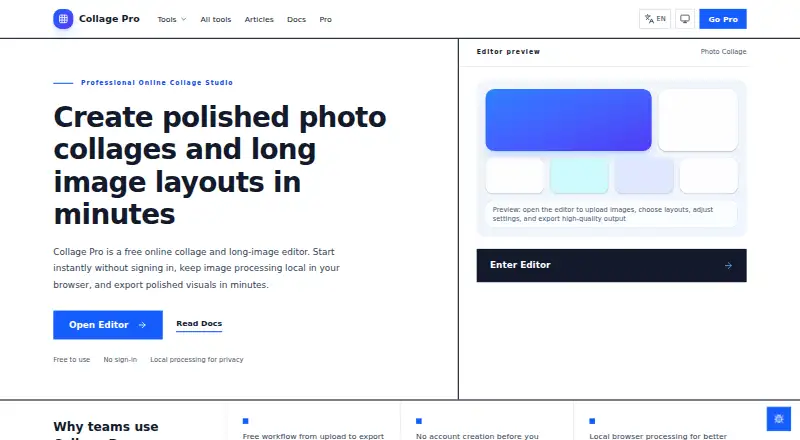
Collage Pro is available through responsive browsers on phones, tablets and desktop computers. It builds collages from up to 16 photos, creates social grids and product visuals, and stitches long images horizontally or vertically. Editing and exporting happen locally in the browser. A free plan is available, with paid exports from $1.90 and Pro access from $4.90.
Review
In a line
Collage Pro provides browser tools for photo collages, social image grids, product visuals and long stitched images. It works on Android, iOS and the web through a responsive browser app.
What it does
The editor handles one to 16 photos, with over 100 preset grids, layout recommendations, a custom builder and free placement. You can crop, zoom, rotate, flip and reposition images, then change spacing, corners, borders and backgrounds. Text overlays are supported.
Long Image mode joins pictures horizontally or vertically. It supports batch uploads and reordering with no fixed item limit, although the documentation recommends keeping stable exports below 50 images because device memory affects results.
Other listed tools include image splitting, bulk watermarking, resizing and compression, screenshot beautification, ID-photo creation, image-to-PDF conversion, blur and redaction, compression, format conversion and AI background removal.
How it connects
Collage Pro opens JPG, PNG, WebP and iPhone HEIC files. Exports can be PNG, JPG or WEBP, with quality adjustable from 0.1 to 1.0. Free exports support 1× and 2× resolution; Pro adds 3× and 4× output.
The browser handles editing and export locally; according to the maker, selected images are not sent to its application servers for processing. AI background removal also runs on the device without uploads or per-image charges.
Editable projects are saved in the current browser with IndexedDB, not cloud storage. The documentation does not list third-party integrations, a public API, an SDK or extension guide. No self-hosted option or open-source licence is stated.
Good fit
The maker positions Collage Pro for creators, small teams, ecommerce sellers and social media users who want to combine images without desktop software. Its responsive design suits phones, tablets and desktop browsers.
It fits jobs such as social grids, product image sheets, long screenshots and quick collage exports. The bulk editor can process a folder and download the results as a ZIP.
Watch for
Projects stay in the current browser. Export your work before clearing browser data or moving to another browser. Very large stitched images may depend on available device memory.
The terms do not guarantee uninterrupted service, perfect exports or compatibility with every browser and device. Cookies, analytics and advertising services may process technical usage data even though image processing is local.
Pricing
A Free plan costs $0 and includes core collage tools, long-image stitching, basic editing and JPG export, with a watermark. There is no free trial.
Single export costs $1.90 one-time for one watermark-free HD or PNG/WebP export. The Monthly option is $4.90 for a 30-day period paid in one transaction without auto-renewal; it includes all Pro features, high-resolution export, watermark removal, premium templates and filters.
Other one-time options are Pro — 30 days at $4.90, Pro — 90 days at $9.90 and Pro — 365 days at $29.90. Quarterly is $9.90 a month, paid once for 90 days, and Yearly is $29.90 a year, paid once for 365 days; both have no auto-renewal and include all Pro features.
Verdict
Choose Collage Pro if you want local, browser-based image arranging across mobile and desktop devices, especially for social posts, product sheets or long image strips. The free tier covers basic work, while paid options remove watermarks and raise export resolution.
Look elsewhere if you need cloud project storage, named app integrations, an API, self-hosting or guaranteed compatibility across browsers. Keep copies of finished files because projects are tied to one browser's local storage.
Our take
Collage Pro is a practical choice for people who need quick image layouts without installing desktop software. Its local processing can suit users who prefer not to upload photos, and the free tier handles basic collages and stitching. Paid choices add watermark-free output, larger exports and extra creative tools, with one-time options available. The main trade-offs are browser-only project storage, device-memory limits for large stitches and the absence of documented integrations or developer access. Export important projects before changing browsers or clearing stored data.
- Works through browsers on phones, tablets and desktop computers
- Handles up to 16 photos and provides more than 100 preset grids
- Local image editing and export; images are not uploaded for processing
- Free plan includes collage, stitching and basic editing
- AI background removal runs on-device without per-image charges
- Projects remain in one browser's local storage
- Large stitches may be limited by device memory
- No third-party integrations are listed
- No public API, SDK or self-hosting option is stated
- Free exports include a watermark
- Pick it ifSocial media users making grids and image posts; Ecommerce sellers creating product visuals; Anyone needing long stitched images in a browser
- Skip it ifYou need cloud-synced projects or desktop software; You require integrations, an API or self-hosting; You regularly export very large image stitches
Pricing
Free access covers core tools but adds a watermark. Paid choices start with a $1.90 one-time export; 30-day, 90-day and 365-day Pro periods cost $4.90, $9.90 and $29.90 one-time. Monthly, quarterly and yearly labels are paid once for their stated period and do not auto-renew.
- FreeCore collage · long-image stitching · basic editing · JPG export · watermarkFree
- Single exportone-time per export · One watermark-free HD or PNG/WebP export$1.90 one-time
- Monthlyone-time payment for 30 days; no auto-renewal · All Pro features · high-resolution export · watermark removal · premium templates and filters$4.90/mo
- Pro — 30 days$4.9 for 30 days; one-time payment, no auto-renewal · All 10 Pro features$4.90 one-time
- Pro — 90 days$9.9 for 90 days; one-time payment, no auto-renewal · All 10 Pro features$9.90 one-time
- Quarterlyone-time payment for 90 days; no auto-renewal · All Pro features · high-resolution export · watermark removal · premium templates and filters$9.90/mo
- Pro — 365 days$29.9 for 365 days; one-time payment, no auto-renewal · All 10 Pro features$29.90 one-time
- Yearlyone-time payment for 365 days; no auto-renewal · All Pro features · high-resolution export · watermark removal · premium templates and filters$29.90/yr
As collage-pro.com lists them, checked 15 Oct 2026.
Questions
Does Collage Pro have a free plan?
Yes. The Free plan includes core collage tools, long-image stitching, basic editing and JPG export, with a watermark.
How many photos can a collage use?
The collage editor accepts one to 16 photos. More than 100 preset grids and custom layouts are available.
Which image files can I open?
Collage Pro supports JPG, PNG, WebP and iPhone HEIC images.
Are images uploaded to Collage Pro?
The maker says the browser performs editing and export locally, with selected images not uploaded to its application servers for processing.
Can I save projects online?
No cloud project storage is stated. Editable projects are kept in the current browser with IndexedDB.
Does Collage Pro offer an API or integrations?
The documentation does not list third-party integrations, a public API, an SDK or an extension-development guide.
What does Pro add?
Pro includes 3×/4× export, AI background removal, watermark removal, PNG/WebP export, premium templates and filters, batch multi-size export, unlimited stitching, background uploads and custom canvas ratios.