Colorful iGame Center Review
colorful.cn · checked 8 Oct 2026
Free Windows software for Colorful iGame lighting, device updates, monitoring, and game performance reports.
How it plugs in
Signal on RGB Lighting Software6.0#13 of 33
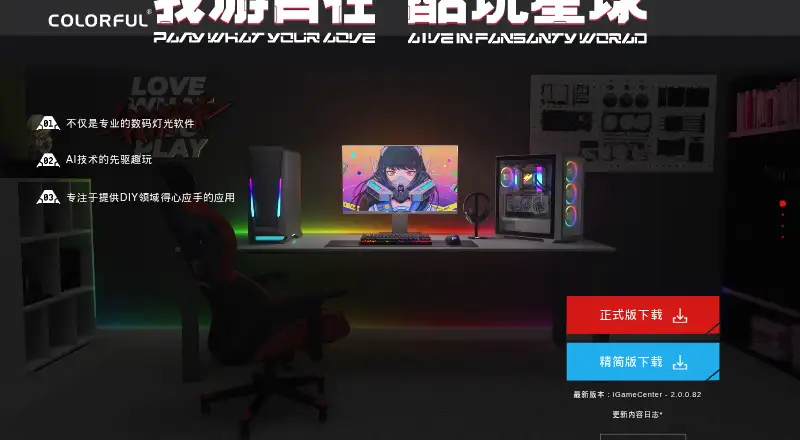
Colorful iGame Center runs on Windows for DIY PC users and gamers using Colorful iGame hardware. It manages addressable RGB lighting, coordinates effects between devices, checks drivers, shows temperature and load, and logs game frame and power data. It is free, but hardware compatibility and product-specific versions need attention.
Review
In a line
Colorful iGame Center is a free Windows control and monitoring app for Colorful iGame devices and accessories. It combines lighting controls, driver checks, on-screen hardware readings, and game reports.
What it does
The app provides iGame-specific and immersive game lighting modes. It supports addressable RGB control and can synchronize lighting across compatible devices.
Accessories can be detected, performance details displayed, and usage-based update suggestions offered. A one-click check reads driver versions for detected iGame devices.
Its on-screen display presents device temperature and performance load through selectable layouts. While games run, it counts frames and saves performance and power information in reports divided by time.
The Colorlight project examines how computer configurations influence game performance, assisting users and developers with result analysis.
How it connects
The software is designed around Colorful iGame devices, including supported graphics cards, motherboards, liquid coolers, keyboards, and notebooks. It can move to related software services for detected devices and check their driver versions.
Addressable RGB hardware can use synchronized lighting and game-related effects.
Good fit
Windows-based DIY PC builders and gamers with compatible Colorful iGame hardware can use it to bring lighting, device information, driver checks, and game records together.
It can also help compare configurations using frame, power, temperature, and load measurements instead of only a game's frame counter.
Watch for
Compatibility depends on the particular Colorful devices. Update notes list changes for specific graphics cards, motherboards, liquid coolers, keyboards, and notebooks, so check your model before installing.
G-ONE Plus has its own download and does not work with the graphics-card iGame Center. Official Windows listings include versions for Windows 7, 8, 10, and 11, in 32-bit and 64-bit forms.
Colorful provides feedback forms and weekday phone support. Its privacy policy describes safeguards such as encryption for sensitive information and access controls.
Pricing
There is no charge for Colorful iGame Center. There is a free plan and no free trial because the product does not use a paid plan structure.
Verdict
Choose it if you use compatible Colorful iGame hardware and want RGB control, synchronized effects, driver checks, and built-in readings without paying for the software.
Consider another tool if your equipment is outside the supported iGame range, if you need the graphics-card version while using G-ONE Plus, or if you need an operating system beyond Windows.
Our take
Colorful iGame Center makes the most sense for owners of Colorful hardware who want lighting and system information in the same Windows app. Its free price removes a cost barrier, while its frame, power, and other game measurements go beyond a basic lighting utility. Device compatibility should guide the choice, since the maker documents model-specific changes and keeps G-ONE Plus separate from the graphics-card edition. Buyers needing hardware outside the listed range or a non-Windows platform should consider another tool.
- Free plan with no software charge
- Addressable RGB lighting with synchronized effects across devices
- One-click driver version checks for detected iGame devices
- On-screen temperature and performance-load monitoring
- Game frame, performance, and power reports
- Limited to Windows systems
- Compatibility varies by specific Colorful devices
- G-ONE Plus cannot be used with the graphics-card iGame Center
- Pick it ifColorful iGame hardware owners on Windows; Gamers tracking frames, load, temperature, and power; DIY PC users managing synchronized RGB lighting
- Skip it ifYou need support beyond the listed Windows versions; You use G-ONE Plus with the graphics-card iGame Center; You need software for a non-Windows platform
Pricing
The software costs nothing and has no paid tiers. There is no separate trial period because the available plan is already free.
Questions
What is Colorful iGame Center?
It is free Windows software for Colorful iGame hardware that brings together RGB lighting, device information, driver checks, on-screen monitoring, and game performance reports.
Which Windows versions does it support?
Colorful listings name Windows 7, 8, 10, and 11, with both 32-bit and 64-bit downloads.
Can it control RGB lighting?
Yes. Addressable RGB devices can use iGame-specific and game lighting effects, with synchronization across compatible hardware.
Does it update drivers?
Detected iGame devices can open their related software services, and the app can check driver versions with one click.
What does its on-screen display show?
Its selectable display modes monitor device temperature and performance load during computer use.
Is G-ONE Plus compatible with the graphics-card edition?
No. The dedicated G-ONE Plus download is identified as incompatible with the graphics-card iGame Center.
Does it cost anything?
No. Colorful iGame Center has a free plan, with no paid plan or separate free trial listed.
Near it
All alternatives →- TNThermaltake NeonMaker#12 on this board
- AA
 ASUS Armoury Crate#14 on this board
- XPXPG PRIME#11 on this board
- HNHyperX NGENUITY#15 on this board
- NC
 NZXT CAM#10 on this board
- TTThermalright TRCC Control Software#16 on this board
- LG
 Logitech G HUB#9 on this board
- CM
 Cooler Master MasterPlus+#17 on this board
- GX
 GALAX Xtreme Tuner Plus#8 on this board
- EP
 EVGA Precision X1#18 on this board