
Business Card Scanner Software
ContactsPlus Contact Manager Review
contactsplus.com · checked 15 Oct 2026
Contact manager and personal CRM that syncs, cleans, enriches, and backs up address books.
How it plugs in
Signal on Business Card Scanner Software6.6#1 of 24
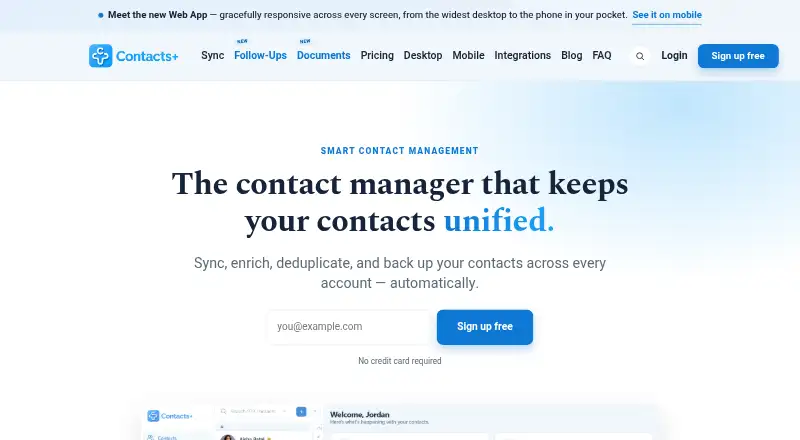
ContactsPlus brings Google, iCloud, Microsoft 365, Outlook, and Exchange contacts into one manager. It can find duplicates, enrich records, scan cards and notes, set reminders, and keep a history of changes. Web, iOS, and Android apps are available, along with Zapier, LinkedIn, AI assistant connections, and public APIs.
Review
In a line
ContactsPlus is a contact manager and personal CRM for professionals, teams, and small businesses. It syncs, cleans, enriches, and backs up contacts across accounts.
What it does
The service synchronizes Google, iCloud, Microsoft 365, Outlook, and Exchange contacts in both directions. Premium and Teams add real-time syncing. It can detect exact and near-duplicate records, show them side by side, and merge them manually or with high-confidence automatic merging.
ContactsPlus can add job titles, companies, photos, and social profiles from public information. Its scanner turns business cards, email signatures, badges, handwritten notes, and other images into editable contact fields. You can also set dated follow-up reminders that sync with a calendar.
An activity feed records additions, edits, merges, tags, notes, and enrichment events. Premium includes six months of history and one-click undo.
How it connects
ContactsPlus works as a responsive web app and as native iOS and Android apps. Supported browsers include Chrome, Chromium-based Vivaldi, Firefox, Safari, Edge, and Opera. Imports include CSV, Excel, vCard, and LinkedIn.
Zapier can create or update records and send contacts to CRMs, spreadsheets, email tools, and other connected apps. LinkedIn connections can be imported, enriched, searched, and synchronized. Connections for ChatGPT, Claude, and Grok can search contacts and suggest changes, but require your approval and cannot delete or export data.
A public REST API provides contacts, tags, teams, and webhooks, with OAuth 2.0 sign-in and real-time change notices. ContactsPlus also lists APIs for contacts, business-card scanning, and caller ID. The service is proprietary, not open source.
Good fit
ContactsPlus suits people who keep address books in several Google, Apple, or Microsoft accounts and want them together. It also fits users who need duplicate cleanup, enrichment, card scanning, reminders, or a record of changes.
Teams can share an address book, assign contact ownership, add shared notes, and use role permissions for up to 50 members.
Watch for
The Free plan allows one synced account, 1,000 contacts, and daily syncing. Real-time syncing, enrichment, and larger limits require a paid plan.
ContactsPlus discontinued its Gmail Chrome extension in March 2025. It does not provide its own two-step verification, although Google sign-in can use Google’s 2FA. Personal and contact data is generally retained for up to five years after the last update or use.
Some G2 reviewers call Premium expensive, want more design controls, and report that strong AI suggestions can create unwanted updates or bring back deleted records.
Pricing
ContactsPlus has a free-forever plan and a free trial. Free includes one synced Apple, Google, or Microsoft account, 1,000 contacts, daily sync, and web, iOS, and Android apps.
Premium costs $9.99 a month, billed $119.88 yearly. It supports five synced accounts, 25,000 contacts, real-time sync, enrichment, and email-signature extraction.
Teams costs $12.99 a month, billed $155.88 per user yearly. It includes 10 synced accounts, unlimited contacts, a shared address book, roles, shared notes, and up to 50 members.
Verdict
Choose ContactsPlus if you need one place for contacts spread across Google, Apple, or Microsoft accounts, with cleanup, enrichment, scanning, reminders, and change history. Teams that need shared ownership and notes can use the Teams plan.
Check the account and contact limits before choosing Free. Buyers should also weigh the missing Gmail extension, no built-in two-step verification, five-year retention statement, and reports of unwanted AI updates. Developers can use the public API, while organizations wanting open-source software should look elsewhere.
Our take
ContactsPlus is a practical choice for consolidating several address books and keeping records cleaner. Its card scanner, enrichment, reminders, activity history, and team controls cover common contact-management work without requiring separate tools. The free tier is suitable for a small, single-account list, while Premium and Teams add scale and live syncing. Before paying, confirm that its proprietary licensing, retention policy, discontinued Gmail extension, and lack of built-in two-step verification fit your requirements. Users who prefer open-source software or need tighter control over automated edits may want another option.
- Two-way syncing with Google, iCloud, Outlook, and Exchange
- Duplicate review and merging with activity history and undo
- Business-card and image scanning into editable contacts
- Public API, Zapier, LinkedIn, and AI assistant connections
- Team address book with roles and shared notes
- Free plan is limited to one account and 1,000 contacts
- Gmail Chrome extension support ended in March 2025
- No built-in two-step verification
- Data is generally retained for up to five years
- Reviewers report expensive Premium pricing and unwanted AI updates
- Pick it ifPeople combining contacts from several Google, Apple, or Microsoft accounts; Small teams needing shared contacts, notes, and ownership
- Skip it ifYou need open-source licensing or your own two-step verification; You depend on the Gmail Chrome extension or dislike automated contact changes
Pricing
A free-forever tier covers one synced account and 1,000 contacts. Premium is $9.99 a month billed $119.88 yearly; Teams is $12.99 a month billed $155.88 per user yearly. A free trial is available.
- Freefree forever · 1 synced Apple/Google/Microsoft account · 1,000 contacts · daily sync · web, iOS and Android appsFree
- Premium$119.88 billed yearly · 5 synced accounts · 25,000 contacts · real-time sync · enrichment · email-signature extraction$9.99/mo
- Teams$155.88 per user billed yearly · 10 synced accounts · unlimited contacts · shared address book · roles and shared notes · up to 50 members$12.99/mo
As contactsplus.com lists them, checked 15 Oct 2026.
Questions
What is ContactsPlus?
It is a contact manager and personal CRM that syncs, cleans, enriches, and backs up contacts across accounts.
Which services can ContactsPlus sync?
It offers two-way syncing with Google, iCloud, Microsoft 365, Outlook, and Exchange. Premium and Teams support real-time syncing.
Does ContactsPlus have a free plan?
Yes. The free-forever plan supports one synced Apple, Google, or Microsoft account, 1,000 contacts, daily sync, and web, iOS, and Android apps.
Can it scan business cards?
Yes. Its scanner transcribes business cards, email signatures, badges, handwritten notes, and other images into editable contact fields.
Does ContactsPlus offer an API?
Yes. Its public REST API covers contacts, tags, teams, and webhooks, with OAuth 2.0 authentication and real-time change notifications.
Can teams share contacts?
The Teams plan provides a shared address book, contact ownership, shared notes, role permissions, and support for up to 50 members.
Is ContactsPlus open source?
No. Its terms describe proprietary software and integrations.
What happened to the Gmail Chrome extension?
ContactsPlus ended support for its Gmail Chrome extension in March 2025 because Google changes prevented it from meeting new requirements.