
ContentBot Review: AI Blog Writing and Workflows
contentbot.ai · checked 8 Oct 2026
ContentBot is a web and browser-extension tool for AI-assisted blog writing, workflows, imports, and marketing copy.
How it plugs in
Signal on AI Writing Tools5.8#157 of 269
ContentBot creates blog posts, landing-page copy, and other marketing content through AI writing tools and automated workflows. It supports more than 100 languages, includes 23 templates, and offers SEO features. The web app connects with Zapier, while a WordPress plugin can move documents into WordPress. Plans are paid, with monthly and one-time options.
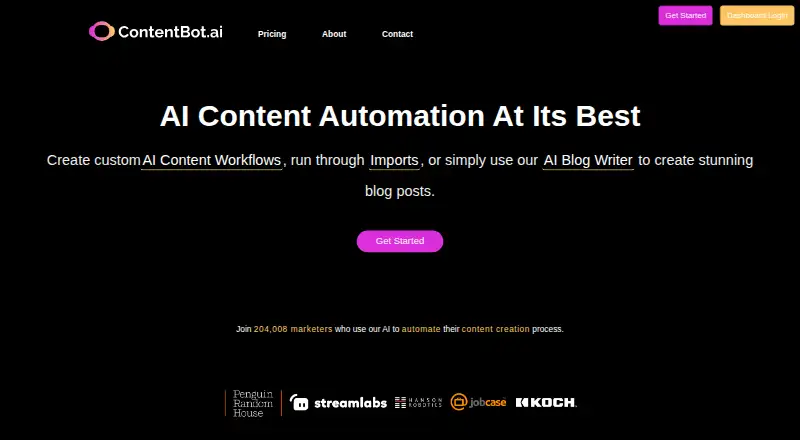
Review
In a line
ContentBot is an AI content tool from a Miami company founded in 2021. It runs in a web browser and as an extension.
What it does
Its AI Blog Writer creates SEO-focused blog posts with internal and external links. Long-form writing is supported, and the service can write in more than 100 languages.
Automated flows combine triggers, actions, and filters to create and publish content. Other tools include CSV importing, a landing-page writer that gives three copy options, and 23 templates.
How it connects
ContentBot documents a Zapier connection for publishing documents and linking the service with other apps. A WordPress plugin adds AI writing tools and imports documents from the ContentBot web app into WordPress.
The Importer accepts CSV files, with limits of up to 500 rows depending on the plan. Results can be returned as CSV files, documents, or email.
Good fit
The company positions ContentBot for digital marketers, content marketers, founders, copywriters, SEO specialists, and bloggers.
It suits people who need blog drafts, landing-page copy, repeatable content workflows, or bulk processing from CSV files.
Watch for
There is no free plan. Import limits vary by plan, so check the row allowance before relying on bulk processing.
Personal data may be processed under GDPR rules and transferred for storage and processing. The privacy policy says personal information is not sold, rented, or loaned to third parties.
Pricing
ContentBot is paid. Starter costs $9 a month for 50,000 words, AI Blog Writer v4, workflows, imports, chat, unlimited seats, and fast support. Premium costs $29 a month for 150,000 words, three workflows, imports up to 50 rows, chat, unlimited seats, and priority support.
Premium+ costs $49 a month for 400,000 words, unlimited workflows, imports up to 500 rows, chat, unlimited seats, and priority support. Prepaid costs $0.51 as a one-time payment and covers 15k to 5 million words, with unlimited seats, Blog Writer v4, workflows, imports, chat, and fast support.
The pricing note says from $0.50 and mentions a 7-day trial, while the plan facts say there is no free trial. There is no free tier.
Verdict
Choose ContentBot if you want AI blog production, landing-page drafts, or automated publishing tied to Zapier or WordPress. The monthly plans fit recurring output, while Prepaid is for one-off word purchases.
Look elsewhere if you need a free option or import capacity beyond your selected plan. For alternatives, compare AI blog writing tools and AI copywriting software.
Our take
ContentBot is a paid choice for people who want blog and marketing copy in a browser or extension, with workflows for repeatable production. Its WordPress plugin and Zapier connection help fit it into existing publishing steps, while CSV imports support batch work. The main checks are cost, word allowances, and import caps. Prepaid billing may suit occasional projects; monthly plans suit regular content teams.
- Writes blog posts with SEO, internal links, and external links
- Supports more than 100 languages and long-form writing
- Zapier connection and WordPress plugin are documented
- CSV importer can process up to 500 rows on Premium+
- Prepaid option uses a one-time payment
- No free plan
- Plan limits affect word volume and CSV rows
- Free-trial information conflicts with the plan facts
- Pick it ifBlog and marketing teams producing recurring AI drafts; WordPress users who want to import ContentBot documents; People automating content steps with Zapier
- Skip it ifYou need a free tier or clearly available free trial; Your imports exceed your plan's row limit
Pricing
There is no free plan. The facts mention a 7-day trial but also state no free trial, so confirm the current offer before buying.
- Starter50,000 words/mo · Unlimited seats · AI Blog Writer v4 · AI Workflows · Imports · AI Chat · Fast support$9/mo
- Premium150,000 words/mo · Unlimited seats · 3 x AI Workflows · Imports (50 rows max) · AI Chat · Priority support$29/mo
- Premium+400,000 words/mo · Unlimited seats · Unlimited AI Workflows · Imports (500 rows max) · AI Chat · Priority support$49/mo
- PrepaidOnce-off payment · 15k to 5m words · Unlimited seats · AI Blog Writer v4 · AI Workflows · Imports · AI Chat · Fast support$0.51 one-time
As contentbot.ai lists them, checked 8 Oct 2026.
Questions
Does ContentBot have a free plan?
No. The plan facts list no free plan. They also say there is no free trial, although a pricing note mentions a 7-day trial.
What can ContentBot write?
It creates SEO-focused blog posts, long-form content, landing-page copy, and other marketing text through templates and workflows.
How many languages does it support?
The homepage says its AI can write in more than 110 languages; another fact describes support as 100-plus languages.
Can ContentBot connect to WordPress?
Yes. Its WordPress plugin provides AI writing tools and can import documents from the ContentBot web app.
Does it work with Zapier?
Yes. ContentBot documents a Zapier integration that can publish documents and connect it with other apps.
How large can CSV imports be?
The Importer handles up to 500 rows depending on the plan. Premium allows 50 rows, while Premium+ allows 500 rows.