
Cram Flashcards Review
cram.com · checked 15 Oct 2026
Flashcard platform for creating, studying, and sharing digital flashcards.
How it plugs in
Signal on Study Guide Websites6.7#1 of 31
Cram is a free flashcard service for making, studying, printing, and sharing digital cards. It offers more than seven million student- and educator-created sets, mobile and web access, offline study, folders, search, and spaced repetition. You can create cards in several languages, add hints and images, and sync your library across supported devices.
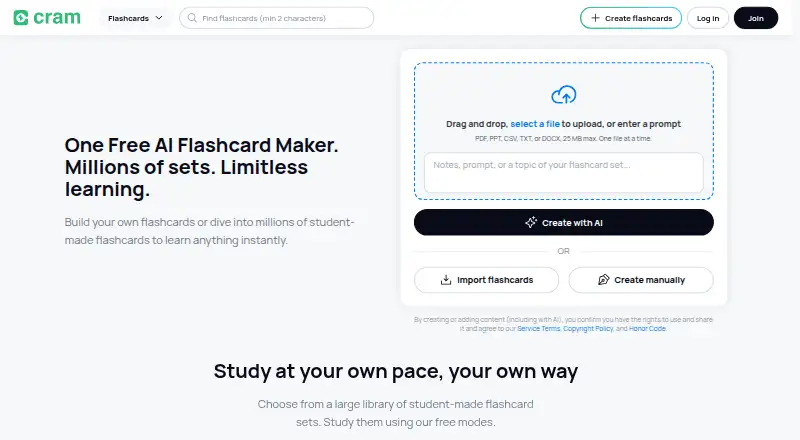
Review
In a line
Cram is a flashcard platform for creating, studying, and sharing digital flashcards. Registration is optional, and its listed core functions are free.
What it does
You can enter terms, add hints, and upload images to build personal decks. Cards can be created in English, French, Spanish, German, Chinese, Polish, and Portuguese.
Study options include Card, Memorize, Cram, Games, Preview, Learn, and Test modes. Cram Mode uses spaced repetition, a review method that shows cards again at set intervals. The service also supports practice questions, printing, sharing, folders, search filters, read-aloud, and offline study.
A library of more than seven million sets made by students and educators provides ready-made material.
How it connects
Cram runs in web browsers and has Android, iPhone, and iPad apps. Its listings say a library can sync between mobile devices and desktop, and the apps can work offline.
One-tap Google Sign-In is available. GetApp lists exports to Microsoft Excel and Google Drive, along with merging and copying sets. Cram is not open source.
Google Play says data is encrypted while being sent and that users can request data deletion. Listings differ on macOS: Apple does not verify the app for macOS, while another comparison lists no macOS support.
Good fit
Cram suits learners who want free flashcard creation, ready-made study sets, and mobile access. Its mixed school-level and subject coverage can support different kinds of study.
It is a practical choice for people who want folders, search, images, hints, multilingual cards, offline access, and spaced-repetition practice without a premium subscription.
Watch for
Some reviewers report cards or saved sets disappearing, slow performance, a plain design, and advertisements blocking study material. Other reports mention missing cards in Firefox, lost spaces between words, and damaged spacing when printing to PDF.
Check the device listing that applies to you, especially if you need macOS. Also check that your browser and printing workflow handle your cards correctly.
Pricing
Cram uses a freemium model with a free plan. The Free plan covers creating, studying, printing, and sharing flashcards through free accounts.
Creating personal cards, adding hints, and uploading images are listed as free, without a premium subscription.
Verdict
Choose Cram if you want a no-cost flashcard tool with a large public library, offline study, device syncing, and several practice modes. It is also a fit for learners who need folders, search, images, or cards in multiple languages.
Look elsewhere if dependable storage, an ad-free study screen, flawless browser behavior, or confirmed macOS support is essential.
Our take
Cram makes sense for learners who want free flashcards, a large supply of existing sets, and study tools that work offline on phones, tablets, and the web. Its spaced-repetition mode, folders, search, images, hints, and multilingual cards cover common study needs. The main cautions are reported reliability problems, advertisements, browser and PDF-printing issues, and uncertain macOS support. If those limits affect your routine, another study service may be a safer choice; otherwise, Cram offers a broad set of free basics without requiring registration.
- Free plan covers creating, studying, printing, and sharing cards
- More than seven million student- and educator-created sets
- Offline study and library sync across mobile devices and desktop
- Supports hints, images, folders, search, and spaced repetition
- Cards can be made in seven listed languages
- Some reviewers report disappearing cards or saved sets
- Advertisements may obstruct study material
- Reports of Firefox and PDF-printing problems
- macOS support is not verified in the Apple listing
- Pick it ifLearners wanting free flashcards and ready-made study sets; People who need offline mobile study and spaced repetition; Users organizing multilingual cards with folders and search
- Skip it ifYou need confirmed macOS support; You require reliable, ad-free storage and flawless printing; Browser-based card behavior must be consistent
Pricing
Cram has one listed Free plan. It includes creating, studying, printing, and sharing flashcards, with personal card creation, hints, and image uploads available without a premium subscription.
- FreeCreate, study, print and share flashcards · free accountsFree
As en.wikipedia.org lists them, checked 15 Oct 2026.
Questions
Is Cram free?
Yes. Cram has a Free plan for creating, studying, printing, and sharing flashcards. Personal cards, hints, and image uploads are listed as free.
How many flashcard sets does Cram have?
The app listing advertises more than seven million sets created by students and educators.
Can I use Cram offline?
Yes. Cram supports offline studying, and its listings say your library can sync between mobile devices and desktop.
What devices support Cram?
Cram is listed for Android phones and tablets, iPhone, iPad, and web browsers. Apple does not verify the app for macOS.
Can I export Cram flashcards?
GetApp lists exports to Microsoft Excel or Google Drive, plus options to merge and copy sets.
Does Cram support spaced repetition?
Yes. Cram Mode uses spaced repetition, and the Apple listing also lists a Spaced Repetition mode.
Do I need an account to use Cram?
Registration is optional for using Cram.com. Google Sign-In is available as a one-tap sign-in option.
What languages can I use for cards?
Cards can be created in English, French, Spanish, German, Chinese, Polish, and Portuguese.