
Cubic: AI Code Reviews for GitHub
cubic.dev · checked 21 Oct 2026
Cubic checks GitHub pull requests and searches repositories for defects and security concerns.
How it plugs in
Signal on AI Code Review Tools6.7#4 of 47
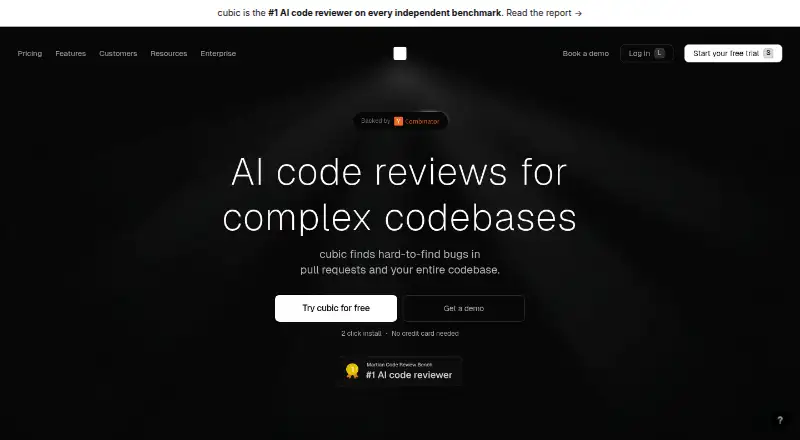
Cubic applies AI to GitHub pull requests, weighing repository-wide context and team guidance, and examines codebases for vulnerabilities, regressions, and bugs. It can rate merge confidence, approve low-risk changes, and pass findings to coding agents. Web and desktop apps are available, with free and paid plans. GitHub is its only supported code host.
Review
In a line
Cubic is an AI-powered GitHub code reviewer. It examines pull requests and checks codebases for issues.
What it does
Cubic compares proposed changes with the larger codebase and team review guidance, including to catch changes that could disrupt code elsewhere. It can draw on experienced developers’ prior review feedback and convert team rules written in everyday language into review guidance.
Each pull request can receive a merge-confidence rating on a 1–5 scale, and low-risk changes may be approved automatically. Scheduled repository checks search for bugs, vulnerabilities, and regressions; Cubic can alert issue owners, create tickets or pull requests, and automatically address findings.
Claude Code, Codex, and Cursor can consume Cubic’s findings. Cubic’s background agents can also prepare fixes and resolve tickets after a merge.
How it connects
GitHub is supported, including GitHub Enterprise Cloud; GitHub Enterprise Server, GitLab, and Bitbucket are not. Jira, Linear, Asana, and Notion are listed as integrations, while Confluence and MCP are offered on some paid plans.
Use Cubic in a browser or download its desktop app for macOS, Windows, or Linux. Its CLI handles local reviews and CI authentication. Pro and Max plans provide an API for pull-request and issue analytics.
Cubic is closed source. It reports encrypting data in transit and at rest, running reviews in isolated containers, and holding SOC 2 Type I compliance.
Good fit
Teams on GitHub looking for reviews that account for repository context and their own review standards may find Cubic suitable. Scheduled checks and the ability to create tickets, pull requests, or fixes can also support work on issues outside incoming changes.
Cubic calls itself language-agnostic and names JavaScript, TypeScript, Python, Go, Ruby, Java, and C# as supported languages.
Watch for
Cubic requires GitHub: repositories hosted on GitLab, Bitbucket, or GitHub Enterprise Server are not supported. In pull requests with over 200 eligible files, it selects no more than 200 high-priority files for review.
Once a team goes beyond its reviewed-line allowance, reviews stop unless an admin turns on extra capacity. Background agents can push fixes to branches, so consider their access rights carefully.
Cubic says its AI providers are barred from training on customer code. For a review, its AI processes the pull-request diff and only the additional context required. Its documented safeguards also include encryption and isolated review containers.
Pricing
Starter costs nothing and covers 20 pull-request reviews monthly; public repositories are included in the free offer. Annual paid plans begin at $30 per month.
With annual billing, Team is $30 monthly, Pro $79, and Max $160. Enterprise pricing is provided on request. If usage passes the reviewed-line allowance, enabled extra capacity is $20 for each 10,000 additional lines, within an admin-configured monthly cap.
Verdict
For a GitHub team seeking AI-assisted reviews that consider more than the proposed changes, Cubic is worth a look. The free tier offers a starting point, and paid tiers raise review limits and add features including coding-agent support and repository scans.
Choose another service if you need GitLab, Bitbucket, or GitHub Enterprise Server. Set branch permissions for background fixes deliberately, and make sure the line limits fit your expected review volume.
Our take
Cubic may suit GitHub teams seeking pull-request reviews informed by repository context, along with scheduled codebase checks. Its free tier is an entry point; paid tiers increase reviewed-line allowances and add capabilities such as coding-agent support and scans. It cannot serve teams whose repositories are on GitLab, Bitbucket, or GitHub Enterprise Server. Check usage limits and agent access before adopting it.
- Uses wider repository context and team guidance when reviewing pull requests.
- Scheduled scans can produce tickets or pull requests for findings.
- Free tier includes 20 pull-request reviews per month.
- Web, macOS, Windows, and Linux versions are available.
- GitHub Enterprise Server, GitLab, and Bitbucket are unsupported.
- Pull requests with many eligible files are capped at 200 reviewed files.
- Reviews pause at the line allowance unless extra capacity is enabled.
- Closed source; bring-your-own AI API keys are restricted to Enterprise.
- Pick it ifGitHub teams seeking repository-aware AI pull-request reviews.; Teams that want scheduled scans and the option of automated fixes.
- Skip it ifYour repositories are hosted on GitLab, Bitbucket, or GitHub Enterprise Server.; You require an open-source or self-hosted code review tool.
Pricing
Starter is free for 20 monthly pull-request reviews, and the free offer also covers public repositories. Flex capacity adds $20 per 10,000 reviewed lines when enabled, subject to a configured monthly cap; Enterprise pricing is on request.
- Starter20 PR reviews/month · AI review agent · up to 5 custom agents · PR descriptions · Jira, Linear, Asana, Notion · unlimited AI wikisFree
- Starter Free20 PR reviews a month · free for public repositoriesFree
- Teambilled yearly · 40k reviewed lines/developer · 5 custom agents · auto approvals · PR and CLI reviews · 5 private wikis · Jira, Linear, Asana$30/mo
- Teambilled monthly · 40k reviewed lines/developer · 5 custom agents · auto approvals · PR and CLI reviews · 5 private wikis · Jira, Linear, Asana · standard analytics$40/mo
- Probilled yearly · 80k reviewed lines/developer · 10 custom agents · faster PR and CLI reviews · coding agents · scans for 3 repositories · premium support and shared Slack$79/mo
- Probilled monthly · 80k reviewed lines/developer · 10 custom agents · faster reviews · coding agents · scans for 3 repositories · 20 private wikis · Confluence and MCP · analytics API · premium support$99/mo
- Maxbilled yearly · 160k reviewed lines/developer · all Pro features$160/mo
- Maxbilled monthly · 160k reviewed lines/developer · all Pro features · maximum review allowance$200/mo
As cubic.dev lists them, checked 21 Oct 2026.
Questions
Which code hosts does Cubic support?
Cubic works with GitHub, including GitHub Enterprise Cloud. It does not currently support GitHub Enterprise Server, GitLab, or Bitbucket.
Is Cubic free?
Yes. Starter includes 20 pull-request reviews per month at no cost, and public repositories are also covered by the free offer.
How much do paid Cubic plans cost?
Billed annually, Team costs $30 per month, Pro $79, and Max $160. Enterprise pricing is available on request.
What happens when a team exceeds its review allowance?
Reviews pause until the next billing period unless an admin enables flex capacity. Enabled extra capacity costs $20 per 10,000 reviewed lines, up to a configured monthly limit.
Can Cubic scan a full codebase?
Yes. Scans may be scheduled daily, weekly, biweekly, monthly, or quarterly. They can alert issue owners, create tickets or pull requests, and automatically fix findings.
Where can I use Cubic?
Cubic is available as a web app and desktop downloads for Apple Silicon and Intel Macs, Windows, and Linux. Its CLI is documented for macOS, Linux, and Windows.
Does Cubic publish its source code?
No. Cubic is closed source.