
Cupix: 4D Digital Twins for Construction
cupix.com · checked 9 Oct 2026
AI-powered construction records that turn 360° captures into 3D maps, tours, measurements, and progress data.
How it plugs in
Signal on 3D Visualization Software5.6#34 of 51
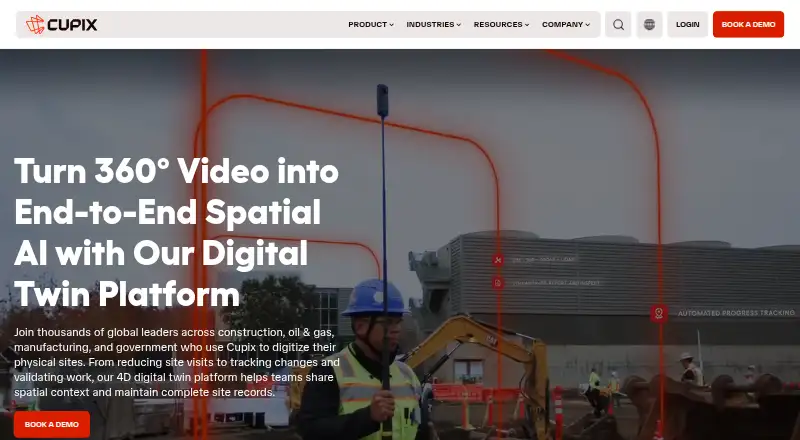
Contractors and owners can use Cupix to create as-built 4D digital twins from 360° video. The platform provides 3D maps, virtual tours, measurements, BIM checks, and progress reports. Teams can add notes and project details in 3D space, combine several kinds of site data, and view projects on web, mobile, and desktop apps.
Review
In a line
Cupix applies AI to produce as-built 4D digital twins for construction work. Its 360° recordings are transformed into 3D maps and panoramic tours that retain spatial project history.
What it does
Cloud AI converts 360° video into a reconstructed 3D walking path and places the captured frames within a spatial model. CupixWorks keeps these records as projects change over time.
Measurements cover distance, surface area, rebar spacing, stockpile volume, BIM clearance, and topography. In 3D space, teams can attach geo-tagged notes, RFIs, punch lists, and asset information, then share views saved with bookmarks.
SiteInsights combines 360° captures with BIM elements to spot changes, measure progress, estimate completion dates, and organize reports by work area or trade. Scheduling connections include Oracle P6 and Microsoft Project.
How it connects
Cupix’s coordinated digital twin brings together 360° video maps, laser scans, drone imagery, and BIM models. It can check built conditions against BIM and keep BIM information synchronized with Autodesk BIM 360 or Autodesk Forma.
Integrations named by Cupix include Autodesk BIM 360, Autodesk Forma, Revizto, Oracle, and ArcGIS. Organizations can use their own AWS S3 storage.
The CupixCapture mobile app records 360° video, photos, and voice on iOS and Android. On Windows and Mac, CupixConnect transfers 360° photos and point clouds, while SiteView Offline Viewer opens archived projects.
Good fit
Cupix targets general contractors, subcontractors, owners, project managers, project executives, superintendents, and project owners. It suits teams that need shared spatial records instead of separate site photos and drawings.
Its tools are useful for checking built work against BIM, documenting progress, measuring site conditions, and coordinating issues in a 3D view. Mobile viewing, real-time scenes, 360° tours, and VR/AR support are included.
Watch for
Cupix does not publish plan prices. Pricing depends on project size and scope.
Check that your team’s capture devices and operating systems fit the workflow: CupixCapture is on iOS and Android, and the two desktop utilities are for Windows and Mac. Confirm how your organization will configure AWS S3 storage and which listed integrations it needs.
Cupix states that it encrypts data in transit and at rest and holds SOC 2 Type II, ISO 27001, and CSA STAR certifications. Listed controls include two-factor authentication, Azure Active Directory single sign-on, granular permissions, audit logs, and automatic blurring of faces and bodies.
Pricing
CupixWorks is paid, with pricing based on project size and scope. The company provides a price on request through a sales demo; no plan prices are shown.
Verdict
Cupix is a fit when construction teams need 360° site capture, BIM comparisons, location-based notes, and progress records that stay useful throughout a project.
It may not suit buyers who need a public price list, a simple consumer tour tool, or a workflow outside construction and BIM coordination. Before committing, match its supported apps and integrations to your current stack and ask for a project-specific quote.
Our take
Cupix is a construction-focused choice for organizations that want one spatial record built from 360° video, scans, drone images, and BIM. It can support field capture, measurements, issue tracking, model checks, and schedule-based progress reporting across web, mobile, and desktop access. The main buying hurdle is its sales-led pricing, which varies by project size and scope. Teams should also verify device support, storage arrangements, and compatibility with the Autodesk, Oracle, Microsoft, Revizto, or ArcGIS systems they already use.
- Transforms 360° footage into 3D maps and panoramic tours
- Measures areas, distances, volumes, rebar, clearances, and topography
- Tracks progress against BIM elements and schedules
- Combines video maps, scans, drone imagery, and BIM
- Includes mobile capture and desktop offline viewing
- Prices are available only on request
- Cost varies with project size and scope
- Desktop utilities are limited to Windows and Mac
- Best suited to construction and BIM-focused teams
- Pick it ifConstruction teams needing 4D site records; Owners and contractors coordinating BIM and field progress; Projects using 360° capture with Autodesk or schedule tools
- Skip it ifYou need published, fixed plan prices; You want a general-purpose or consumer virtual-tour app; Your devices or integrations fall outside Cupix’s supported platforms
Pricing
CupixWorks is paid and priced according to project size and scope. Buyers must request a quote through a sales demo; the pricing page shows no plan amounts.
- CupixWorksPricing based on project size and scope · Request pricing through a sales demoOn request
As info.cupix.com lists them, checked 9 Oct 2026.
Questions
What is Cupix used for?
Cupix converts 360° captures into as-built 4D digital twins. Teams use these records for 3D maps, virtual tours, measurements, BIM checks, issue notes, and construction progress tracking.
Which devices can capture Cupix data?
CupixCapture records 360° video, photos, and voice on iOS and Android. CupixConnect uploads 360° photos and point clouds on Windows and Mac.
Does Cupix work with BIM software?
Yes. Cupix can compare as-built conditions with BIM models and synchronize BIM data with Autodesk BIM 360 or Autodesk Forma.
Can Cupix track construction schedules?
SiteInsights connects with scheduling platforms such as Oracle P6 and Microsoft Project. It reports progress by work area and trade and forecasts completion dates.
How much does Cupix cost?
CupixWorks is paid, with pricing based on project size and scope. Buyers are directed to Cupix’s sales team for a detailed quote.
What security controls does Cupix list?
Cupix lists encryption at rest and in transit, SOC 2 Type II, ISO 27001, CSA STAR, two-factor authentication, Azure Active Directory single sign-on, permissions, and audit logging.
Can Cupix blur people in captures?
Cupix says its AI can automatically detect and blur faces and bodies in 360° video captures.
Can organizations use their own storage?
Yes. Organizations can configure storage using their own AWS S3 infrastructure.