DBeaver: Database Management Software Review
dbeaver.io · checked 15 Oct 2026
Open-source database management software with SQL tools, data editing, and support for more than 100 data sources.
How it plugs in
Signal on Database Client Software7.7#1 of 53
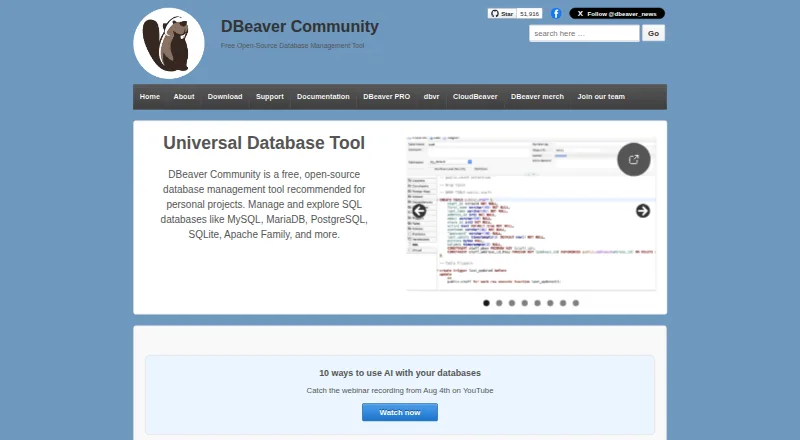
DBeaver is database software for exploring, querying, editing, importing, exporting, comparing, and migrating data. Its free Community edition is open source and works with databases that provide JDBC drivers, plus some external sources. Paid editions add broader SQL, NoSQL, cloud, development, security, and team features. Desktop apps run on Windows, macOS, and Linux; server products support web and self-hosted deployments.
Review
In a line
DBeaver is a database management tool. Community Edition is free and open source, while paid editions cover wider SQL, NoSQL, cloud, and enterprise work.
What it does
The software lets you explore relational databases, write and run SQL queries, and view or change records in a spreadsheet-like editor. It also includes task management for database work.
Tools can import, export, compare, and migrate data. Visual features include entity-relationship diagrams, execution-plan diagrams, and a visual query builder; some development tools depend on the edition. Results can be exported as CSV, HTML, XML, JSON, XLS, XLSX, Markdown, SQL, TXT, or Parquet.
How it connects
DBeaver supports more than 100 data sources, including SQL, NoSQL, and cloud databases. Community connects through JDBC drivers and can handle some external sources without one; PRO editions also support ODBC and manually added drivers. PRO extensions cover MongoDB, Couchbase, DynamoDB, Google Bigtable, InfluxDB, Cassandra, Redis, and Hive.
It offers integrations for Git, Liquibase, Tableau, office tools, and AI services such as OpenAI, Amazon Bedrock, Anthropic Claude, Ollama, GitHub Copilot, and Google Gemini. The Eclipse-based app accepts official and third-party Eclipse plugins.
CloudBeaver and Team Edition expose documented GraphQL APIs. Team Edition also has REST APIs, an MCP server, a JDBC proxy driver, token authentication, a browser console, and a CLI. CloudBeaver can be self-hosted with Docker Compose, Docker, Kubernetes, or Helm.
Good fit
DBeaver suits people who need one interface for multiple databases and regular SQL work. Community is aimed at personal projects and supports databases with JDBC drivers.
Paid editions fit users needing NoSQL and cloud connections, visual query tools, development or DBA tools, Git integration, or dashboards. CloudBeaver and Team Edition add server-based access. Desktop installers support Windows 10 or later, Windows Server 2016 or later, macOS 11 or later, and most modern Linux distributions.
Watch for
Edition differences matter. Community provides operating-system credential storage, while master-password protection, encrypted credentials, SSO, and enterprise authentication options are PRO features. Master-password storage links credentials to one user and device, so exported projects cannot share complete connection credentials.
EAP licenses allow three simultaneous database connections and five automation tasks, with no CLI or task scheduler and one default workspace and project. CloudBeaver's standard deployment calls for at least 4 GB of RAM, 50 GB of storage, Docker, and docker-compose 2.10 or newer.
Pricing
Community is free and open source. DBeaver also lists a 14-day trial.
Paid individual plans are Lite at $12 a month or $113 a year; Enterprise at $26 a month or $255 a year; and Ultimate at $51 a month or $510 a year. Lite adds visual query building, inline editing, ER diagrams, a simplified analyst view, and limited development tools. Enterprise adds development and DBA tools, dashboards, Git integration, and cloud support.
Verdict
Choose DBeaver Community if you want a no-cost, open-source desktop tool for SQL databases and JDBC-connected sources. It covers core querying, record editing, task work, and data movement without a paid license.
Move to Lite, Enterprise, or Ultimate when you need the edition-specific visual, development, DBA, Git, cloud, or security capabilities. Check driver availability, credential-sharing needs, and deployment requirements first. CloudBeaver and Team Edition make more sense when browser access, self-hosting, or API-driven automation is central.
Our take
DBeaver is a practical choice for people who work across several databases and want a free starting point. Community handles SQL editing, record changes, task work, and data transfers while keeping its code under Apache 2.0. Paid tiers become relevant for visual analysis, development and DBA tooling, Git, cloud connections, or stronger credential controls. It is less suitable when your required connection method is unsupported, when credentials must move between devices, or when you need features restricted to higher editions. Review the connection method and deployment resources before selecting a plan.
- Free, open-source Community edition
- Supports more than 100 data sources
- SQL editor and spreadsheet-like data editor
- Import, export, compare, and migrate tools
- Desktop support for Windows, macOS, and Linux
- Some capabilities are limited to paid editions
- Community lacks master-password credential storage
- Master-password credentials cannot be fully shared by export
- EAP licenses restrict connections and automation
- CloudBeaver standard deployment needs 4 GB RAM and 50 GB storage
- Pick it ifPeople managing several SQL and other database sources; Teams needing optional cloud, API, or server products; Personal projects that need a free database client
- Skip it ifYour required database connection method is unsupported; You need complete connection credentials shared through exported projects; You require paid-only security or development tools
Pricing
Community is free and open source, with a 14-day trial also listed.
- CommunityFree and open source · relational database support · data editor · SQL editor · task management · maintenance tools · AI ChatFree
- DBeaver CommunityFree and open-source under Apache License 2 · Personal projects · supports databases with JDBC drivers and external data sourcesFree
- Lite monthly$12 / month · Visual query builder · inline editing · ER diagrams · simplified analyst view · limited development tools$12/mo
- DBeaver Lite Monthly SubscriptionOne-month subscription; internet access required for initial activation and each renewal · Individual use$12/mo
- Enterprise Edition Monthly SubscriptionOne-month subscription; internet access required for initial activation and each renewal · Individual use$26/mo
- Enterprise monthly$26 / month · Lite features · development tools · DBA tools and dashboards · Git integration · cloud support$26/mo
- Ultimate Edition Monthly SubscriptionOne-month subscription; internet access required for initial activation and each renewal · Individual use$51/mo
- Lite$113 / year · Visual query builder · inline editing · ER diagrams · simplified analyst view · limited development tools$113/yr
As dbeaver.io lists them, checked 15 Oct 2026.
Questions
Is DBeaver free?
Yes. DBeaver Community is free and open source. DBeaver also lists a 14-day trial.
Which databases can DBeaver connect to?
DBeaver lists more than 100 data sources, including SQL, NoSQL, and cloud databases. Community uses JDBC drivers; PRO editions also support ODBC and manually added drivers.
Does DBeaver work on Windows and macOS?
Yes. Desktop support includes Windows 10 or later, Windows Server 2016 or later, macOS 11 or later, and most modern Linux distributions.
Does DBeaver have an API?
CloudBeaver and Team Edition provide documented GraphQL APIs. Team Edition also includes REST APIs, an MCP server, a JDBC proxy driver, and CLI support.
Can DBeaver run in a browser?
CloudBeaver Enterprise is a web-server application. Team Edition is a server-based platform that can be deployed on premises or in the cloud.
What does DBeaver Lite cost?
Lite costs $12 a month or $113 a year for individual use. It adds visual query building, inline editing, ER diagrams, a simplified analyst view, and limited development tools.
What security features are paid-only?
PRO editions add master-password protection, encrypted credential storage, SSO, and enterprise authentication options such as SAML, Okta, and Kerberos. Community lists integrated operating-system security storage.
Near it
All alternatives →- OS
 Outerbase Studio#2 on this board
- BS
 Beekeeper Studio#3 on this board
- AAvidemux#4 on this board
- DSdbForge Studio for PostgreSQL#5 on this board
- DdotConnect#6 on this board
- DWDatabase Workbench#7 on this board
- M
 MySQL#8 on this board
- SSSQuirreL SQL Client#9 on this board
- H
 HeidiSQL#10 on this board
- RI
 Redis Insight#11 on this board