djifix: Free DJI Video Repair Tool for Mac
djifix.live555.com · checked 8 Oct 2026
Free Mac command-line tool for repairing corrupt DJI drone and Osmo video files.
How it plugs in
Signal on Video Repair Software6.0#10 of 26
Corrupt footage from DJI Phantom, Mavic, Spark, Inspire, and Osmo devices is what djifix is designed to fix. On macOS, it costs nothing and includes a pre-built 64-bit Intel executable plus GPL-licensed C source. Repair begins with the camera's untouched file and may yield MP4 or H.264. H.264 results sometimes require other software for viewing or conversion.
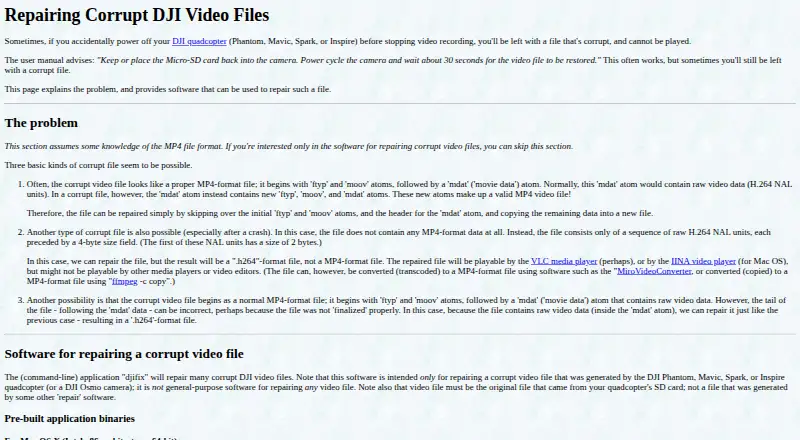
Review
In a line
djifix is a no-cost command-line utility aimed at damaged video from DJI Phantom, Mavic, Spark, Inspire, and Osmo devices. It runs on macOS.
What it does
Provide djifix with the unmodified recording saved on the drone or camera's SD card. The corruption determines whether the result is MP4 or H.264.
It is not general video-repair software. Footage absent because it was never written—including the last seconds that may remain in temporary camera memory—cannot be brought back. Files containing only zero bits or only 0xFF bits cannot be repaired, and files under 10 MB contain too little video to be worth trying.
How it connects
Mac OS X users on 64-bit Intel x86 can download a ready-made binary. The accompanying C code is available under the GNU GPL and can be built with a C compiler.
For some repaired H.264 output, VLC or IINA may be needed to watch it. The maker documents using ffmpeg to copy H.264 into MP4 format. For Osmo recordings, recovery may include video only, without audio.
Good fit
Mac users with an original, damaged DJI recording that ordinary players cannot open are the intended audience for djifix. It is aimed at recovering footage from the listed DJI devices rather than repairing arbitrary video files.
Watch for
Only the camera's untouched SD-card file should be supplied; output from another repair utility is not the intended input. Windows users should note that a ready-made binary is not provided.
A successful repair may result in H.264 that many media players or editors cannot open. Osmo repairs may have no sound, and unrecoverable or never-written footage cannot be recreated.
The maker can assess an unrepaired file if you email its URL. Paid repair and H.264-to-MP4 conversion are available on request, with the repair fee refunded when djifix cannot repair the file.
Pricing
djifix is free, with a free plan for the software. On request, the maker also performs paid file repair and conversion, returning the repair fee when djifix is unable to fix the file.
Verdict
A damaged recording from a supported DJI device, an Intel-based Mac, and the untouched camera-card file are the circumstances in which djifix makes sense. Its free cost and open C source make it practical for a focused recovery attempt.
Look elsewhere if you need Windows, broad video-repair coverage, or dependable audio and editor playback from every repaired file. Be prepared to use another application for H.264 playback or conversion, and do not expect missing final seconds to return.
Our take
djifix is a sensible first step for Mac owners trying to rescue a damaged DJI recording from its original SD-card file. It costs nothing and can recover either MP4 or H.264, but success depends on what data remains in the file. The tool is narrowly focused, has no pre-built Windows version, and may leave Osmo footage without audio. Some results also need VLC, IINA, or ffmpeg before they are convenient to watch or edit. Choose it for a targeted attempt, not as an all-purpose repair solution.
- Free software with a free plan
- Supports recordings from several DJI drone and camera lines
- Mac Intel binary and GPL C source are available
- The corruption may allow an MP4 or H.264 result
- The untouched camera SD-card file must be available
- Windows has no ready-made binary
- Some H.264 output may fail to open in mainstream players or editors
- Osmo recovery may omit audio
- Footage absent from the file cannot be restored
- Pick it ifMac users with corrupt original DJI recordings; Focused recovery of Phantom, Mavic, Spark, Inspire, or Osmo files
- Skip it ifWindows support or broad video-repair coverage is required; The only copy has already gone through another repair tool; The sought footage was never recorded into the camera file
Pricing
The djifix software is free. On request, the maker provides paid repair and H.264-to-MP4 conversion, refunding the repair fee when djifix cannot fix the file.
Questions
What devices does djifix support?
It is for corrupt recordings made by DJI Phantom, Mavic, Spark, Inspire, or Osmo devices.
What file do I need for repair?
Supply the untouched recording from the camera's SD card; a file produced by another repair application is not the intended input.
Does djifix run on Windows?
There is no ready-made Windows executable according to the FAQ. Mac OS X users with 64-bit Intel hardware can download a pre-built version.
What can the repaired file look like?
The damage determines whether djifix produces MP4 or H.264. VLC or IINA may be needed for H.264 playback, while ffmpeg can copy it into MP4.
Can it restore the last seconds of a recording?
No. Material never written into the file—including final seconds still in the camera's temporary memory—is outside the software's reach.
Will an Osmo repair include sound?
Not always. For DJI Osmo recordings, djifix may recover only the video track and leave out audio.
Can I get help with a file that will not repair?
You can email a URL to the unrepaired file at djifix(at)live555.com so the maker can assess whether the software can be updated.
Near it
All alternatives →- VVideoRepair#9 on this board
- SR
 Stellar Repair for Video#11 on this board
- MVMinitooler Video Repair#8 on this board
- RVRecoveryfix Video Repair#12 on this board
- U
 Untrunc#7 on this board
- VVidRepair#13 on this board
- KVKernel Video Repair#6 on this board
- FFixFile#14 on this board
- EV
 EaseUS Video Repair#5 on this board
- YVYodot Video Repair#15 on this board